Tank Crusher Arena
Tank Crusher Arena

Tank Crusher Arena

Arcade

| HUYDAT

Play on PC with BlueStacks or from our cloud

  • Overview
  • Game Features
  • How to Play

Page Modified On: June 29, 2026

Play Tank Crusher Arena on PC or Mac

Bring your A-game to Tank Crusher Arena, the Arcade game sensation from HUYDAT. Give your gameplay the much-needed boost with precise game controls, high FPS graphics, and top-tier features on your PC or Mac with BlueStacks.

About the Game

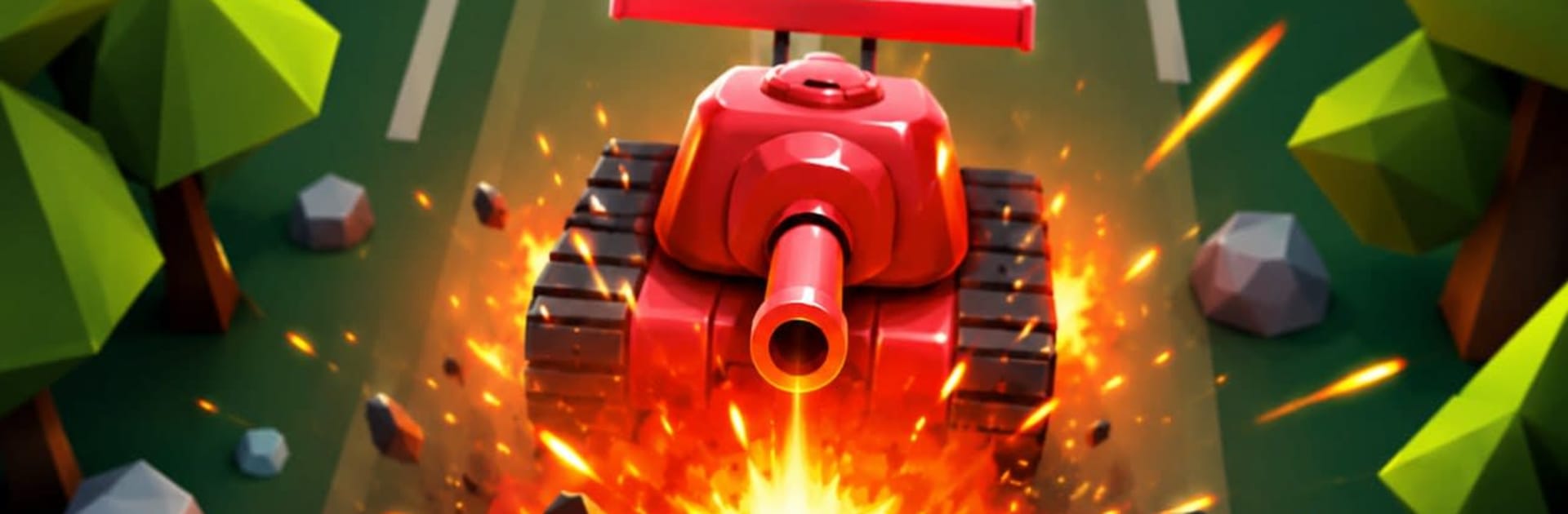
Tank Crusher Arena throws you into quick, punchy 3D tank battles where every second counts. You’re juggling two jobs at once—driving a heavy hitter and keeping your base alive—while waves of enemies try to box you in. Want to kick back at your desk? It plays nicely on PC with BlueStacks, too.

Game Features

  • Smooth, snappy controls: Glide with a virtual joystick, line up shots fast, and keep moving. It’s built for quick reactions and feels great on the go.
  • Base-first gameplay: Hug the base to patch up your tank when things get spicy, or push out to thin enemy waves before they swarm the core.
  • Command your mini-squad: Send allied mini-tanks forward to pressure foes, or pull them back to hold the line when defenses get shaky.
  • Waves that keep escalating: Enemies arrive from every angle with different behaviors and firepower, turning each arena into a moving puzzle.
  • Power-ups that flip the fight: Snag Heal, Shield, Rapid Fire, Damage Boost, Bomb, and Coins to survive close calls and punish big targets.
  • Boss battles with bite: Meet chunky, screen-filling threats that demand timing, movement, and a little patience.
  • Clear battlefield awareness: A handy minimap shows incoming trouble so you can set traps, rotate defenses, and avoid getting flanked.
  • Progress across tough arenas: Tackle a growing list of levels with fresh layouts and challenges that test both aim and decision-making.
  • Punchy 3D combat: Clean arenas, chunky tanks, and satisfying explosions make every hit feel heavy in this Arcade standout.

Start your journey now. Download the game on BlueStacks, invite your friends, and march on a new adventure.


Game Features

Enhancements

  • Macros
  • Multi Instance
  • Multi Instance Sync
  • Script
  • Enhancements
Macros

Macros

Automate the predictable in Tank Crusher Arena and transform your gameplay with Macros. Get access to inventive Macros in the BlueStacks Macro Community
Multi Instance

Multi Instance

Play Tank Crusher Arena on one window. And chat with your friend on the other. Press CTRL + Shift + 8 to open the Multi-Instance Manager. And start creating fresh instances or clone an existing one.
Multi Instance Sync

Multi Instance Sync

Play Tank Crusher Arena with the power of Multi-Instance Sync. Replicate what you are doing on the main instance on all other instances. Level up faster, play more.
Script

Script

Script your way to gaming glory in Tank Crusher Arena with BlueStacks Script. Write and run a set of commands to automate repeated tasks. Trigger the command by assigning it to any key.
Read More

How to Download and Play Tank Crusher Arena on PC or Mac

  • Download and install BlueStacks on your PC or Mac

  • Complete Google sign-in to access the Play Store, or do it later

  • Look for Tank Crusher Arena in the search bar at the top right corner

  • Click to install Tank Crusher Arena from the search results

  • Complete Google sign-in (if you skipped step 2) to install Tank Crusher Arena

  • Click the Tank Crusher Arena icon on the home screen to start playing

video
Watch Video

Minimum System Requirements

With BlueStacks 5, you can get started on a PC that fulfills the following requirements.

  • Operating System

    Microsoft Windows 7 or above, macOS 11 (Big Sur) or above

  • Processor

    Intel, AMD or Apple Silicon Processor

  • RAM

    at least 4GB

  • HDD

    10GB Free Disk Space

Note:

* You must be an Administrator on your PC. Up to date graphics drivers from Microsoft or the chipset vendor.

Tank Crusher Arena - FAQs

  • How to play Tank Crusher Arena on Windows PC & Mac?

    Play Tank Crusher Arena on your PC or Mac by following these simple steps.

    • Click on 'Play Tank Crusher Arena on PC’ to download BlueStacks
    • Install it and log-in to Google Play Store
    • Launch and play the game.
  • Why is BlueStacks the fastest and safest platform to play games on PC?

    BlueStacks respects your privacy and is always safe and secure to use. It does not carry any malware, spyware, or any sort of additional software that could harm your PC.

    It is engineered to optimize speed and performance for a seamless gaming experience.

  • What are Tank Crusher Arena PC requirements?

    Minimum requirement to run Tank Crusher Arena on your PC

    • OS: Microsoft Windows 7 or above MacOS 11 (Big Sur) or above
    • Processor: Intel, AMD or Apple Silicon Processor
    • RAM: Your PC must have at least 4GB of RAM. (Note that having 4GB or more disk space is not a substitute for RAM)
    • HDD: 10GB Free Disk Space.
    • You must be an Administrator on your PC.