2 Player Games - Offline

2 Player Games - Offline

Board

| Soup Ent

Play on PC with BlueStacks or from our cloud

  • Overview
  • Game Features
  • How to Play

Page Modified On: October 12, 2026

Play 2 Player Games - Offline on PC or Mac

2 Player Games – Offline by Soup Ent has plenty to keep you busy. BlueStacks lets you play it on PC or Mac with more screen space, better control, and fewer mobile limits.

About the Game

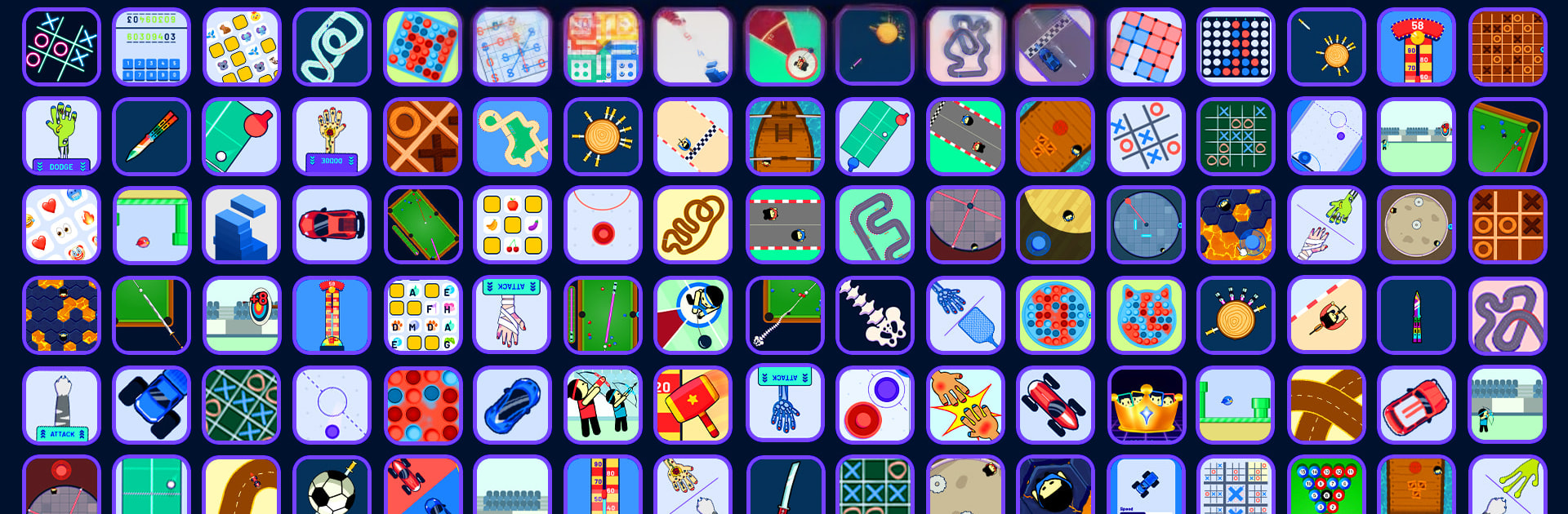
2 Player Games – Offline packs a bunch of quick, competitive favorites into one handy Board bundle. Play side-by-side on a single screen with up to four people, or square off against built-in bots when you’re flying solo—no connection needed. It’s perfect for pass-and-play at home or on trips, and it runs smoothly on BlueStacks if you want bigger-screen bragging rights.

Game Features

  • Same-screen multiplayer: Share one device with 1–4 players for instant face-offs, team-ups, and chaotic group fun.
  • Solo vs. bots: Practice or play anytime by challenging AI opponents when friends aren’t around.
  • Classics, collected: Jump between Tic Tac Toe and its Ultimate variant, Memory, Ludo, SOS, Dots and Boxes, Connect 4, and Red Hands—quick to learn, tough to master.
  • Fast duels and tournaments: Spin up bite-sized matches or build mini brackets for a longer session and some light-hearted smack talk.
  • Custom boards and skins: In select games, tweak board sizes and switch up visual styles to keep things fresh.
  • Offline by design: Every mode works without internet, making it great for travel, waiting rooms, or anywhere with spotty reception.
  • Easy to pick up: Simple rules and clear turns mean anyone can jump in within a minute, from first-timers to seasoned board sharks.
  • Quick setup flow: Open the collection, pick a game, and you’re playing—no fuss, just straight to the good part.

BlueStacks gives you more room to focus on the game and less time adjusting around mobile limitations.


Game Features

Enhancements

  • Macros
  • Multi Instance
  • Multi Instance Sync
  • Script
  • Enhancements
Macros

Macros

Automate the predictable in 2 Player Games - Offline and transform your gameplay with Macros. Get access to inventive Macros in the BlueStacks Macro Community
Multi Instance

Multi Instance

Play 2 Player Games - Offline on one window. And chat with your friend on the other. Press CTRL + Shift + 8 to open the Multi-Instance Manager. And start creating fresh instances or clone an existing one.
Multi Instance Sync

Multi Instance Sync

Play 2 Player Games - Offline with the power of Multi-Instance Sync. Replicate what you are doing on the main instance on all other instances. Level up faster, play more.
Script

Script

Script your way to gaming glory in 2 Player Games - Offline with BlueStacks Script. Write and run a set of commands to automate repeated tasks. Trigger the command by assigning it to any key.
Read More

How to Download and Play 2 Player Games - Offline on PC or Mac

  • Download and install BlueStacks on your PC or Mac

  • Complete Google sign-in to access the Play Store, or do it later

  • Look for 2 Player Games - Offline in the search bar at the top right corner

  • Click to install 2 Player Games - Offline from the search results

  • Complete Google sign-in (if you skipped step 2) to install 2 Player Games - Offline

  • Click the 2 Player Games - Offline icon on the home screen to start playing

video
Watch Video

Minimum System Requirements

With BlueStacks 5, you can get started on a PC that fulfills the following requirements.

  • Operating System

    Microsoft Windows 7 or above, macOS 11 (Big Sur) or above

  • Processor

    Intel, AMD or Apple Silicon Processor

  • RAM

    at least 4GB

  • HDD

    10GB Free Disk Space

Note:

* You must be an Administrator on your PC. Up to date graphics drivers from Microsoft or the chipset vendor.

2 Player Games - Offline - FAQs

  • How to play 2 Player Games - Offline on Windows PC & Mac?

    Play 2 Player Games - Offline on your PC or Mac by following these simple steps.

    • Click on 'Play 2 Player Games - Offline on PC’ to download BlueStacks
    • Install it and log-in to Google Play Store
    • Launch and play the game.
  • Why is BlueStacks the fastest and safest platform to play games on PC?

    BlueStacks respects your privacy and is always safe and secure to use. It does not carry any malware, spyware, or any sort of additional software that could harm your PC.

    It is engineered to optimize speed and performance for a seamless gaming experience.

  • What are 2 Player Games - Offline PC requirements?

    Minimum requirement to run 2 Player Games - Offline on your PC

    • OS: Microsoft Windows 7 or above MacOS 11 (Big Sur) or above
    • Processor: Intel, AMD or Apple Silicon Processor
    • RAM: Your PC must have at least 4GB of RAM. (Note that having 4GB or more disk space is not a substitute for RAM)
    • HDD: 10GB Free Disk Space.
    • You must be an Administrator on your PC.