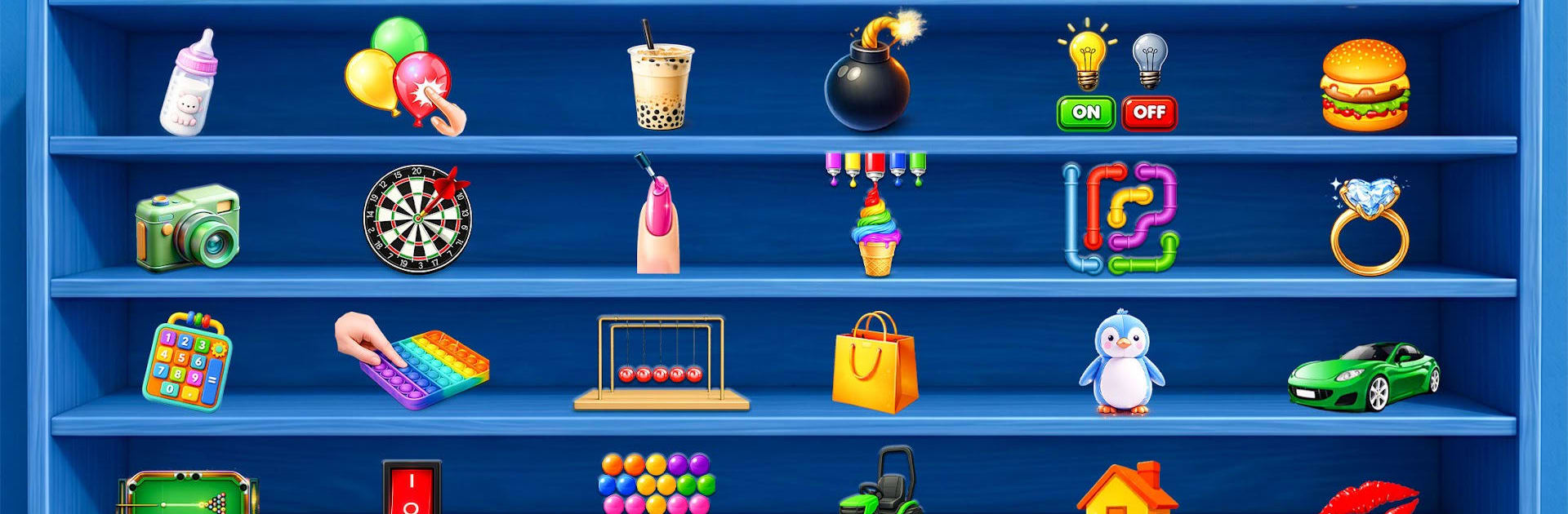
ASMR Antistress Mini Toy Games

ASMR Antistress Mini Toy Games

Board

| Legends Games Studio

Play on PC with BlueStacks or from our cloud

  • Overview
  • Game Features
  • How to Play

Page Modified On: August 10, 2026

Play ASMR Antistress Mini Toy Games on PC or Mac

Bring your A-game to ASMR Antistress Mini Toy Games, the Board game sensation from Legends Games Studio. Give your gameplay the much-needed boost with precise game controls, high FPS graphics, and top-tier features on your PC or Mac with BlueStacks.

About the Game

ASMR Antistress Mini Toy Games is a chill Board game collection built for quick breaks and quiet moments. It’s all about satisfying taps, pops, squishes, and slices that help your brain slow down without asking much in return. Play a round on your phone, or kick back on a bigger screen with BlueStacks and let the crisp sounds and smooth motions do their thing.

Game Features

  • Tingly ASMR Audio: Gentle pops, soft scrapes, and textured taps that feel instantly calming—best with sound on.
  • Fidget Toy Playground: Press pop-its, stretch slime, knead clay, and mess with a bunch of tactile toys crafted for stress relief.
  • No-Pressure Design: No timers, no fail states, no fuss. Just pick a mini activity and zone out for a minute (or ten).
  • Clean, Soothing Visuals: Minimal, colorful scenes and fluid animations that are easy on the eyes and perfect for quick mental resets.
  • Pop It Fidgets: Satisfyingly press each bubble and chase that crisp, per-bubble snap.
  • Slime & Clay: Pull, squish, slice, and reshape gooey textures that respond like the real thing—minus the sticky fingers.
  • Hydraulic Press: Crush everyday objects and watch them fold and crumble in the most pleasing way.
  • Clean & Organize: Sort, arrange, and tidy items until everything lines up just right—hello, instant order.
  • Soap Cutting & Slicing: Shave and slice colorful blocks with razor-clean feedback for pure sensory joy.
  • Gentle Haptics (where supported): Subtle vibrations pair with sound for a fuller, tactile feel.

Start playing ASMR Antistress Mini Toy Games on BlueStacks and get a smoother, more comfortable PC or Mac setup.


Game Features

Enhancements

  • Macros
  • Multi Instance
  • Multi Instance Sync
  • Script
  • Enhancements
Macros

Macros

Automate the predictable in ASMR Antistress Mini Toy Games and transform your gameplay with Macros. Get access to inventive Macros in the BlueStacks Macro Community
Multi Instance

Multi Instance

Play ASMR Antistress Mini Toy Games on one window. And chat with your friend on the other. Press CTRL + Shift + 8 to open the Multi-Instance Manager. And start creating fresh instances or clone an existing one.
Multi Instance Sync

Multi Instance Sync

Play ASMR Antistress Mini Toy Games with the power of Multi-Instance Sync. Replicate what you are doing on the main instance on all other instances. Level up faster, play more.
Script

Script

Script your way to gaming glory in ASMR Antistress Mini Toy Games with BlueStacks Script. Write and run a set of commands to automate repeated tasks. Trigger the command by assigning it to any key.
Read More

How to Download and Play ASMR Antistress Mini Toy Games on PC or Mac

  • Download and install BlueStacks on your PC or Mac

  • Complete Google sign-in to access the Play Store, or do it later

  • Look for ASMR Antistress Mini Toy Games in the search bar at the top right corner

  • Click to install ASMR Antistress Mini Toy Games from the search results

  • Complete Google sign-in (if you skipped step 2) to install ASMR Antistress Mini Toy Games

  • Click the ASMR Antistress Mini Toy Games icon on the home screen to start playing

video
Watch Video

Minimum System Requirements

With BlueStacks 5, you can get started on a PC that fulfills the following requirements.

  • Operating System

    Microsoft Windows 7 or above, macOS 11 (Big Sur) or above

  • Processor

    Intel, AMD or Apple Silicon Processor

  • RAM

    at least 4GB

  • HDD

    10GB Free Disk Space

Note:

* You must be an Administrator on your PC. Up to date graphics drivers from Microsoft or the chipset vendor.

ASMR Antistress Mini Toy Games - FAQs

  • How to play ASMR Antistress Mini Toy Games on Windows PC & Mac?

    Play ASMR Antistress Mini Toy Games on your PC or Mac by following these simple steps.

    • Click on 'Play ASMR Antistress Mini Toy Games on PC’ to download BlueStacks
    • Install it and log-in to Google Play Store
    • Launch and play the game.
  • Why is BlueStacks the fastest and safest platform to play games on PC?

    BlueStacks respects your privacy and is always safe and secure to use. It does not carry any malware, spyware, or any sort of additional software that could harm your PC.

    It is engineered to optimize speed and performance for a seamless gaming experience.

  • What are ASMR Antistress Mini Toy Games PC requirements?

    Minimum requirement to run ASMR Antistress Mini Toy Games on your PC

    • OS: Microsoft Windows 7 or above MacOS 11 (Big Sur) or above
    • Processor: Intel, AMD or Apple Silicon Processor
    • RAM: Your PC must have at least 4GB of RAM. (Note that having 4GB or more disk space is not a substitute for RAM)
    • HDD: 10GB Free Disk Space.
    • You must be an Administrator on your PC.