Princess Mermaid Life Sim 3D

Princess Mermaid Life Sim 3D

Role Playing

| Legends Games Studio

Play on PC with BlueStacks or from our cloud

  • Overview
  • Game Features
  • How to Play

Page Modified On: August 11, 2026

Play Princess Mermaid Life Sim 3D on PC or Mac

Explore a whole new adventure with Princess Mermaid Life Sim 3D, a Role Playing game created by Legends Games Studio. Experience great gameplay with BlueStacks, the most popular gaming platform to play Android games on your PC or Mac.

About the Game

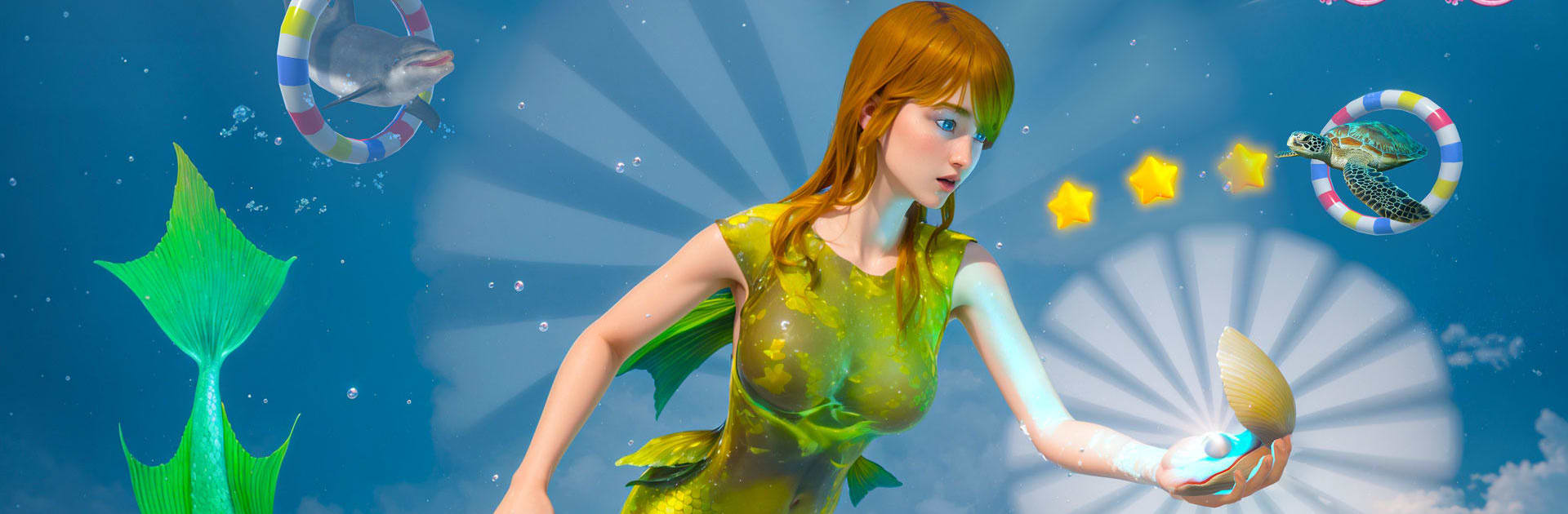
Princess Mermaid Life Sim 3D is a Role Playing adventure where you actually live a mermaid’s day-to-day life, not just watch it. Explore a sprawling undersea world, care for a little sea family, and bring color back to struggling reefs through quests or relaxed free play. Want story, discovery, or just peaceful swimming? It’s all here.

Game Features

  • Create Your Mermaid: Pick vibrant tails, glowing accessories, and unique traits to make a mermaid that feels like yours.
  • Build an Underwater Home: Settle into a cozy coral nook or a hidden sea cave, then decorate it with treasures you’ve collected.
  • Crafting with Ocean Finds: Turn shells, pearls, and sea glass into handy tools and pretty decorations that help you progress.
  • Story or Sandbox: Follow a narrative to restore a lost mer-kingdom, or ignore missions and explore at your own pace.
  • Ocean Care & Puzzles: Clean up polluted spots, heal damaged reefs, and solve environmental challenges to steady the ecosystem.
  • Family Life Under the Waves: Look after tiny mer-kids, teach them new tricks, and keep them safe from hungry predators.
  • Magical Abilities: Chat with sea creatures, mend tainted waters, or call shimmering schools of fish to light your path.
  • Activities with a Splash: Hunt for treasure, race the currents, or join rhythmic sea-dance rituals for a change of pace.
  • Smooth 3D Controls: Glide, dash, and weave through coral mazes with responsive movement designed for underwater spaces.
  • Sights and Sounds: A colorful ocean full of animated sea life and rich audio brings every reef and cavern to life.
  • Play on Your Terms: Prefer a bigger screen? Princess Mermaid Life Sim 3D also plays great on PC with BlueStacks.

Ready to top the leaderboard? We bet you do. Let precise controls and sharp visuals optimized on BlueStacks lead you to victory.


Game Features

Enhancements

  • Macros
  • Rerolling
  • Eco Mode
  • Multi Instance Sync
  • Enhancements
Macros

Macros

Focus more on the fun part of the game, skip the tedious aspects. Master Princess Mermaid Life Sim 3D with Macros. Record yourself completing the monotonous tasks you wish to automate and replay them later with just one keypress.
Rerolling

Rerolling

Speed up the rerolling process in Princess Mermaid Life Sim 3D. Perform multiple summons and keep looking for the best Heroes. Use Multi-Instance sync to replicate the rerolling mechanism in all instances.
Eco Mode

Eco Mode

Farm in-game resources with ease in Princess Mermaid Life Sim 3D. Enable the Eco Mode when running the game in multiple instances. And lower your PC's resource consumption.
Multi Instance Sync

Multi Instance Sync

With the Multi-instance Sync, you can do even more in Princess Mermaid Life Sim 3D. Sync the action of the main instance and repeat them in real time for all other instances. Sync and sit back, let the game progress unfold.
Read More

How to Download and Play Princess Mermaid Life Sim 3D on PC or Mac

  • Download and install BlueStacks on your PC or Mac

  • Complete Google sign-in to access the Play Store, or do it later

  • Look for Princess Mermaid Life Sim 3D in the search bar at the top right corner

  • Click to install Princess Mermaid Life Sim 3D from the search results

  • Complete Google sign-in (if you skipped step 2) to install Princess Mermaid Life Sim 3D

  • Click the Princess Mermaid Life Sim 3D icon on the home screen to start playing

video
Watch Video

Minimum System Requirements

With BlueStacks 5, you can get started on a PC that fulfills the following requirements.

  • Operating System

    Microsoft Windows 7 or above, macOS 11 (Big Sur) or above

  • Processor

    Intel, AMD or Apple Silicon Processor

  • RAM

    at least 4GB

  • HDD

    10GB Free Disk Space

Note:

* You must be an Administrator on your PC. Up to date graphics drivers from Microsoft or the chipset vendor.

Princess Mermaid Life Sim 3D - FAQs

  • How to play Princess Mermaid Life Sim 3D on Windows PC & Mac?

    Play Princess Mermaid Life Sim 3D on your PC or Mac by following these simple steps.

    • Click on 'Play Princess Mermaid Life Sim 3D on PC’ to download BlueStacks
    • Install it and log-in to Google Play Store
    • Launch and play the game.
  • Why is BlueStacks the fastest and safest platform to play games on PC?

    BlueStacks respects your privacy and is always safe and secure to use. It does not carry any malware, spyware, or any sort of additional software that could harm your PC.

    It is engineered to optimize speed and performance for a seamless gaming experience.

  • What are Princess Mermaid Life Sim 3D PC requirements?

    Minimum requirement to run Princess Mermaid Life Sim 3D on your PC

    • OS: Microsoft Windows 7 or above MacOS 11 (Big Sur) or above
    • Processor: Intel, AMD or Apple Silicon Processor
    • RAM: Your PC must have at least 4GB of RAM. (Note that having 4GB or more disk space is not a substitute for RAM)
    • HDD: 10GB Free Disk Space.
    • You must be an Administrator on your PC.