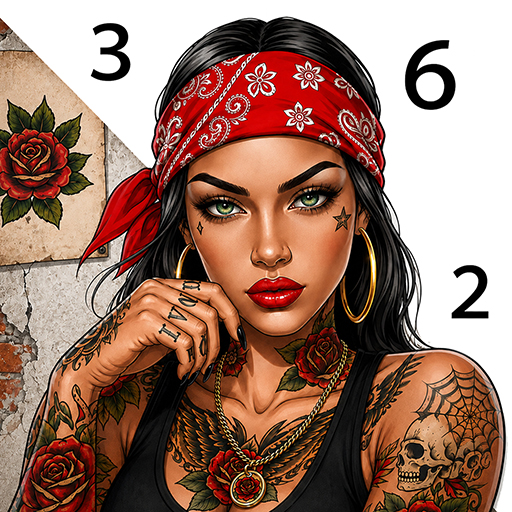
Black Beauty: Color by Number

Black Beauty: Color by Number

Board

| Special Coloring Studio

Play on PC with BlueStacks or from our cloud

  • Overview
  • Game Features
  • How to Play

Page Modified On: September 25, 2026

Play Black Beauty: Color by Number on PC or Mac

Black Beauty: Color by Number brings the Board genre to life, and throws up exciting challenges for gamers. Developed by Special Coloring Studio, this Android game is best experienced on BlueStacks, the World’s #1 app player for PC and Mac users.

About the Game

Black Beauty: Color by Number turns quiet moments into creative me-time. This relaxing Board game has you matching numbers to shades to color portraits, cozy spaces, and everyday scenes—simple, soothing, and surprisingly satisfying. If you like a larger workspace, it runs nicely on PC with BlueStacks.

Game Features

  • Celebrations of Black beauty: Color elegant portraits, natural hairstyles, braids, curls, makeup looks, and statement accessories with rich palettes.
  • Everyday vibes: Bring coffee breaks, book time, shopping trips, travel snapshots, and self-care scenes to life—modern or vintage, your pick.
  • Family and friendships: Fill warm illustrations of mothers and daughters, couples, kids, and besties that radiate love and connection.
  • Cozy interiors: Paint bedrooms, living rooms, and kitchens, plus all the homey extras—plants, books, candles, and a favorite mug.
  • Uplifting quotes: Color words that spark confidence, joy, and self-love, then watch the typography pop as you finish each shade.
  • Cute critters: From cuddly pets to graceful birds and wildlife, unwind with relaxing, detail-rich animal art.
  • Fabulous florals: Roses, sunflowers, bouquets, and tropical greens—play with palettes and make every bloom your own.
  • Seasonal sets: Mark holidays with festive pages for Christmas, Halloween, Valentine’s Day, Mother’s Day, and more.
  • Tap-to-color ease: Pick a page, match the numbers, and watch sections fill cleanly—no drawing experience required.
  • Your pace, your flow: Color in quick breaks or settle in for a longer session; it feels good whether you speed through or savor the details.

Get ready for a buttery smooth, high-performance gaming action only on BlueStacks.

Game Features

Enhancements

  • Macros
  • Multi Instance
  • Multi Instance Sync
  • Script
  • Enhancements
Macros

Macros

Automate the predictable in Black Beauty: Color by Number and transform your gameplay with Macros. Get access to inventive Macros in the BlueStacks Macro Community
Multi Instance

Multi Instance

Play Black Beauty: Color by Number on one window. And chat with your friend on the other. Press CTRL + Shift + 8 to open the Multi-Instance Manager. And start creating fresh instances or clone an existing one.
Multi Instance Sync

Multi Instance Sync

Play Black Beauty: Color by Number with the power of Multi-Instance Sync. Replicate what you are doing on the main instance on all other instances. Level up faster, play more.
Script

Script

Script your way to gaming glory in Black Beauty: Color by Number with BlueStacks Script. Write and run a set of commands to automate repeated tasks. Trigger the command by assigning it to any key.
Read More

How to Download and Play Black Beauty: Color by Number on PC or Mac

  • Download and install BlueStacks on your PC or Mac

  • Complete Google sign-in to access the Play Store, or do it later

  • Look for Black Beauty: Color by Number in the search bar at the top right corner

  • Click to install Black Beauty: Color by Number from the search results

  • Complete Google sign-in (if you skipped step 2) to install Black Beauty: Color by Number

  • Click the Black Beauty: Color by Number icon on the home screen to start playing

video
Watch Video

Minimum System Requirements

With BlueStacks 5, you can get started on a PC that fulfills the following requirements.

  • Operating System

    Microsoft Windows 7 or above, macOS 11 (Big Sur) or above

  • Processor

    Intel, AMD or Apple Silicon Processor

  • RAM

    at least 4GB

  • HDD

    10GB Free Disk Space

Note:

* You must be an Administrator on your PC. Up to date graphics drivers from Microsoft or the chipset vendor.

Black Beauty: Color by Number - FAQs

  • How to play Black Beauty: Color by Number on Windows PC & Mac?

    Play Black Beauty: Color by Number on your PC or Mac by following these simple steps.

    • Click on 'Play Black Beauty: Color by Number on PC’ to download BlueStacks
    • Install it and log-in to Google Play Store
    • Launch and play the game.
  • Why is BlueStacks the fastest and safest platform to play games on PC?

    BlueStacks respects your privacy and is always safe and secure to use. It does not carry any malware, spyware, or any sort of additional software that could harm your PC.

    It is engineered to optimize speed and performance for a seamless gaming experience.

  • What are Black Beauty: Color by Number PC requirements?

    Minimum requirement to run Black Beauty: Color by Number on your PC

    • OS: Microsoft Windows 7 or above MacOS 11 (Big Sur) or above
    • Processor: Intel, AMD or Apple Silicon Processor
    • RAM: Your PC must have at least 4GB of RAM. (Note that having 4GB or more disk space is not a substitute for RAM)
    • HDD: 10GB Free Disk Space.
    • You must be an Administrator on your PC.