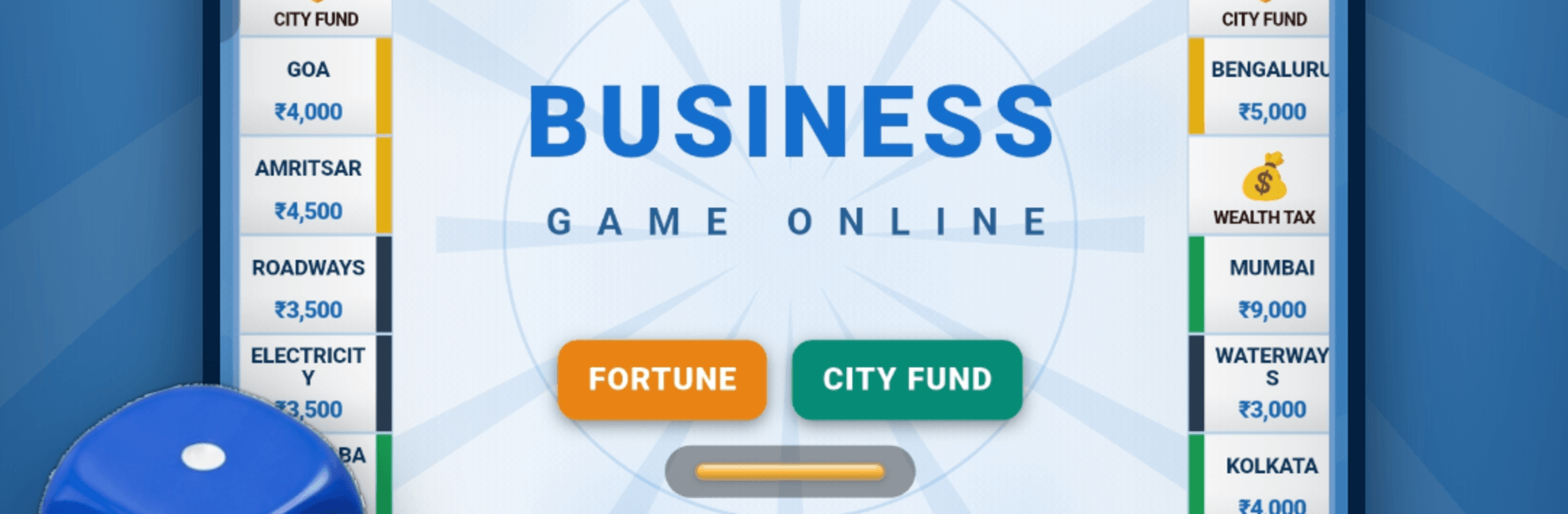
Business Game Online

Business Game Online

Board

| Business Game Online

Play on PC with BlueStacks or from our cloud

  • Overview
  • Game Features
  • How to Play

Page Modified On: October 16, 2026

Play Business Game Online on PC or Mac

Bring your A-game to Business Game Online, the Board game sensation from Business Game Online. Give your gameplay the much-needed boost with precise game controls, high FPS graphics, and top-tier features on your PC or Mac with BlueStacks.

About the Game

Business Game Online brings the wheeling-and-dealing classic to life with quick turns, real-time matchups, and that familiar rush when a smart buy pays off. This Board experience is all about rolling dice, grabbing prime cities, and managing cash like a pro while you keep rivals on their toes. Want a sprint or a marathon? There’s a mode for both.

Game Features

  • Real-time Multiplayer: Challenge friends or get matched with players worldwide and strike deals as the action unfolds.
  • India to Own: Snap up 34 Indian cities plus railways, airways, and key utilities; link the right spots and your returns climb fast.
  • Set Power: Complete a color group to unlock steeper rents and extra leverage when you negotiate.
  • Build and Manage: Add houses and hotels, use mortgages wisely, and keep liquidity healthy so you don’t go bust.
  • Live Auctions: Pass on a property and a rapid-fire auction kicks off—bid smart and steal that prime spot.
  • Cards with Teeth: Fortune and City Fund cards keep every roll interesting with boosts, setbacks, and the odd curveball.
  • Two Ways to Play: Pick Turbo for a brisk session or Classic for a full back-and-forth showdown.
  • Easy Invites: Share a WhatsApp invite so your crew can jump into the same table in a single tap.
  • Drop-Proof Matches: Lose connection mid-turn? Rejoin the same game and keep rolling like nothing happened.
  • Learn-as-You-Go: Contextual hints nudge you at the right time, so first-timers make confident moves.
  • Style Options: Switch between two royal-themed layouts and earn avatars with the coins you win.
  • Play Your Language: English and हिन्दी can sit at the same table—everyone sees the interface in their preferred language.
  • Progress That Travels: Sign in with Google and your stats and unlocks move with you across devices.
  • Fair and Virtual Economy: All ₹ cash and coins are purely in-game—no real money involved, ever.
  • BlueStacks Friendly: Prefer playing on a larger screen with smooth performance? BlueStacks makes it easy to enjoy it on PC.

BlueStacks gives you more room to focus on the game and less time adjusting around mobile limitations.


Game Features

Enhancements

  • Macros
  • Multi Instance
  • Multi Instance Sync
  • Script
  • Enhancements
Macros

Macros

Automate the predictable in Business Game Online and transform your gameplay with Macros. Get access to inventive Macros in the BlueStacks Macro Community
Multi Instance

Multi Instance

Play Business Game Online on one window. And chat with your friend on the other. Press CTRL + Shift + 8 to open the Multi-Instance Manager. And start creating fresh instances or clone an existing one.
Multi Instance Sync

Multi Instance Sync

Play Business Game Online with the power of Multi-Instance Sync. Replicate what you are doing on the main instance on all other instances. Level up faster, play more.
Script

Script

Script your way to gaming glory in Business Game Online with BlueStacks Script. Write and run a set of commands to automate repeated tasks. Trigger the command by assigning it to any key.
Read More

How to Download and Play Business Game Online on PC or Mac

  • Download and install BlueStacks on your PC or Mac

  • Complete Google sign-in to access the Play Store, or do it later

  • Look for Business Game Online in the search bar at the top right corner

  • Click to install Business Game Online from the search results

  • Complete Google sign-in (if you skipped step 2) to install Business Game Online

  • Click the Business Game Online icon on the home screen to start playing

video
Watch Video

Minimum System Requirements

With BlueStacks 5, you can get started on a PC that fulfills the following requirements.

  • Operating System

    Microsoft Windows 7 or above, macOS 11 (Big Sur) or above

  • Processor

    Intel, AMD or Apple Silicon Processor

  • RAM

    at least 4GB

  • HDD

    10GB Free Disk Space

Note:

* You must be an Administrator on your PC. Up to date graphics drivers from Microsoft or the chipset vendor.

Business Game Online - FAQs

  • How to play Business Game Online on Windows PC & Mac?

    Play Business Game Online on your PC or Mac by following these simple steps.

    • Click on 'Play Business Game Online on PC’ to download BlueStacks
    • Install it and log-in to Google Play Store
    • Launch and play the game.
  • Why is BlueStacks the fastest and safest platform to play games on PC?

    BlueStacks respects your privacy and is always safe and secure to use. It does not carry any malware, spyware, or any sort of additional software that could harm your PC.

    It is engineered to optimize speed and performance for a seamless gaming experience.

  • What are Business Game Online PC requirements?

    Minimum requirement to run Business Game Online on your PC

    • OS: Microsoft Windows 7 or above MacOS 11 (Big Sur) or above
    • Processor: Intel, AMD or Apple Silicon Processor
    • RAM: Your PC must have at least 4GB of RAM. (Note that having 4GB or more disk space is not a substitute for RAM)
    • HDD: 10GB Free Disk Space.
    • You must be an Administrator on your PC.