Dice Battleship
Dice Battleship

Dice Battleship

Board

| FunCraft Games

Play on PC with BlueStacks or from our cloud

  • Overview
  • Game Features
  • How to Play

Page Modified On: June 09, 2026

Play Dice Battleship on PC or Mac

Bring your A-game to Dice Battleship, the Board game sensation from FunCraft Games. Give your gameplay the much-needed boost with precise game controls, high FPS graphics, and top-tier features on your PC or Mac with BlueStacks.

About the Game

Dice Battleship blends the classic hunt-and-hit feel of naval combat with the thrill of rolling dice. You’ll place your ships, toss a handful of dice, and turn those numbers into precise coordinates for your next strike. It’s easy to pick up, but every turn nudges you to think: play cautious, or gamble on a bold shot?

Game Features

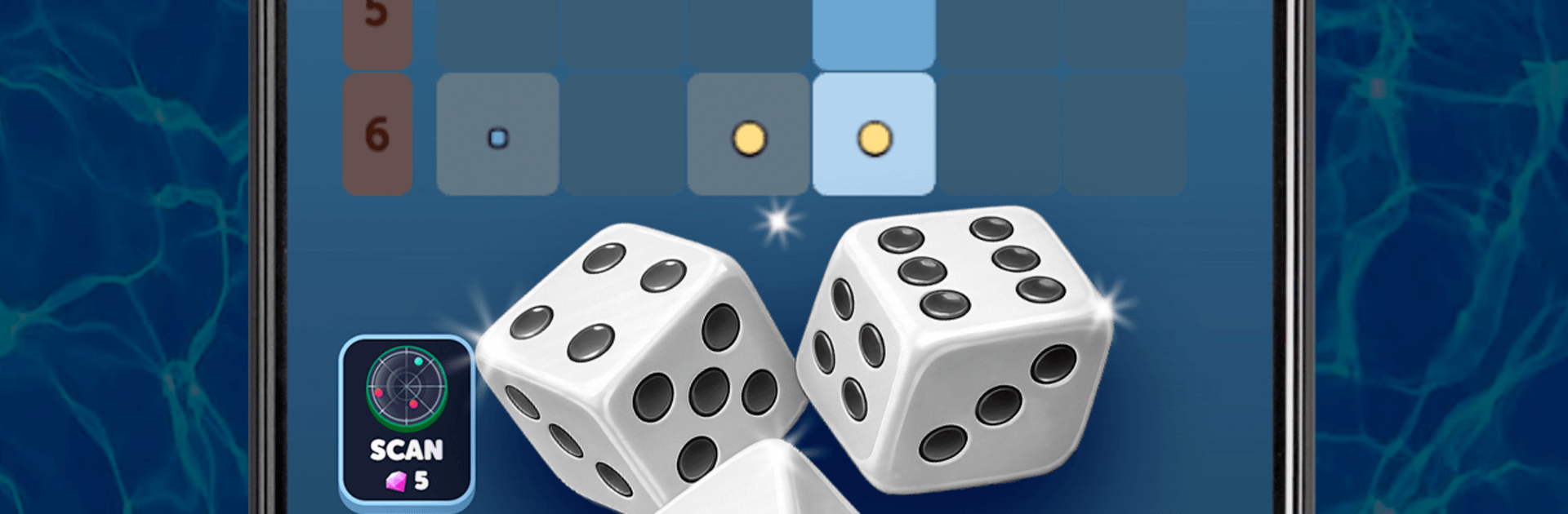
  • Dice targeting: Roll three dice, lock in the best two, and use them to set your attack coordinates. Every turn gives you multiple ways to line up a hit.
  • Near-miss clues: Shots that land beside an enemy vessel trigger a helpful near-miss indicator, narrowing the search and turning misses into real intel.
  • Recon power-ups: Call in a recon sweep to scan an entire row or column. Spend gems wisely to expose hidden positions and set up a clean finish.
  • Four-ship fleet: Command a varied lineup—the hefty Battleship, sleek Cruiser, nimble Yacht, and stealthy Speedboat—each changing how you approach the grid.
  • Quick tactical rounds: Matches move fast, with momentum-shifting rolls that keep you guessing and grinning between turns.
  • Strategy and chance: Find your rhythm between careful positioning and calculated risks; smart choices make your luck go further.
  • Global competition: Chase high ranks on worldwide leaderboards and test your tactics against seasoned grid generals.
  • Clean combat UI: A crisp, modern layout puts the action front and center so you can focus on reading the board and planning your next shot.
  • Optional PC play: Prefer a bigger screen? It plays smoothly on BlueStacks for a comfy, click-friendly setup.

BlueStacks gives you more room to focus on the game and less time adjusting around mobile limitations.


Game Features

Enhancements

  • Macros
  • Multi Instance
  • Multi Instance Sync
  • Script
  • Enhancements
Macros

Macros

Automate the predictable in Dice Battleship and transform your gameplay with Macros. Get access to inventive Macros in the BlueStacks Macro Community
Multi Instance

Multi Instance

Play Dice Battleship on one window. And chat with your friend on the other. Press CTRL + Shift + 8 to open the Multi-Instance Manager. And start creating fresh instances or clone an existing one.
Multi Instance Sync

Multi Instance Sync

Play Dice Battleship with the power of Multi-Instance Sync. Replicate what you are doing on the main instance on all other instances. Level up faster, play more.
Script

Script

Script your way to gaming glory in Dice Battleship with BlueStacks Script. Write and run a set of commands to automate repeated tasks. Trigger the command by assigning it to any key.
Read More

How to Download and Play Dice Battleship on PC or Mac

  • Download and install BlueStacks on your PC or Mac

  • Complete Google sign-in to access the Play Store, or do it later

  • Look for Dice Battleship in the search bar at the top right corner

  • Click to install Dice Battleship from the search results

  • Complete Google sign-in (if you skipped step 2) to install Dice Battleship

  • Click the Dice Battleship icon on the home screen to start playing

video
Watch Video

Minimum System Requirements

With BlueStacks 5, you can get started on a PC that fulfills the following requirements.

  • Operating System

    Microsoft Windows 7 or above, macOS 11 (Big Sur) or above

  • Processor

    Intel, AMD or Apple Silicon Processor

  • RAM

    at least 4GB

  • HDD

    10GB Free Disk Space

Note:

* You must be an Administrator on your PC. Up to date graphics drivers from Microsoft or the chipset vendor.

Dice Battleship - FAQs

  • How to play Dice Battleship on Windows PC & Mac?

    Play Dice Battleship on your PC or Mac by following these simple steps.

    • Click on 'Play Dice Battleship on PC’ to download BlueStacks
    • Install it and log-in to Google Play Store
    • Launch and play the game.
  • Why is BlueStacks the fastest and safest platform to play games on PC?

    BlueStacks respects your privacy and is always safe and secure to use. It does not carry any malware, spyware, or any sort of additional software that could harm your PC.

    It is engineered to optimize speed and performance for a seamless gaming experience.

  • What are Dice Battleship PC requirements?

    Minimum requirement to run Dice Battleship on your PC

    • OS: Microsoft Windows 7 or above MacOS 11 (Big Sur) or above
    • Processor: Intel, AMD or Apple Silicon Processor
    • RAM: Your PC must have at least 4GB of RAM. (Note that having 4GB or more disk space is not a substitute for RAM)
    • HDD: 10GB Free Disk Space.
    • You must be an Administrator on your PC.