Fidchell
Fidchell

Fidchell

Board

| Philippe Schober

Play on PC with BlueStacks or from our cloud

  • Overview
  • Game Features
  • How to Play

Page Modified On: June 25, 2026

Play Fidchell on PC or Mac

Step into the World of Fidchell, a thrilling Board game from the house of Philippe Schober. Play this Android game on BlueStacks App Player and experience immersive gaming on PC or Mac.

About the Game

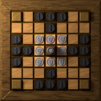
Fidchell brings an old Celtic brainteaser into a sleek, modern package. It’s a thoughtful, chess-adjacent Board experience where every move sets up the next, and a single clever turn can flip the whole match. Expect a calm, strategic flow: place pieces, weave connections, and outthink your opponent on a board of circles and lines.

Game Features

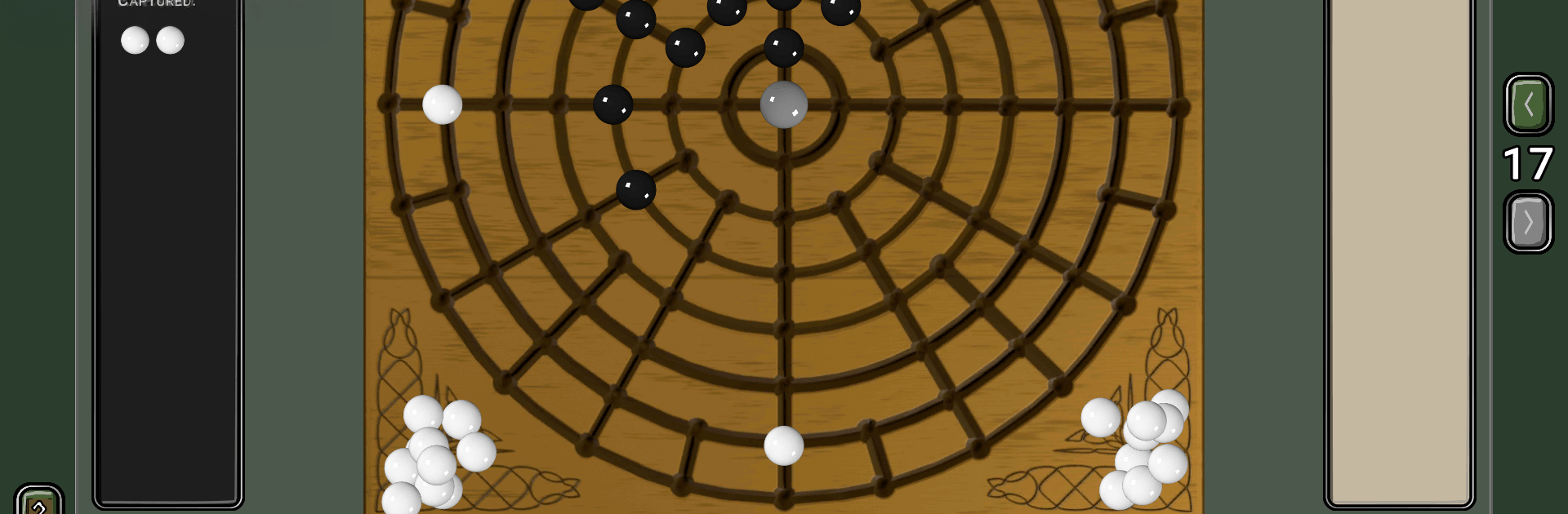
  • Ancient roots, clean design: Inspired by historic Celtic play, the board uses intersecting circles and lines for a minimalist, readable look that keeps the focus on tactics.

  • Two distinct modes: Try the basic ruleset for a fair fight where both sides share the same goals, or switch to the advanced variant with asymmetric objectives for a sharper competitive edge.

  • Placement, then movement: First, you and your opponent take turns placing stones. Once everything’s on the board, the real dance begins—slide pieces along the lines to set up traps and paths.

  • Capture by encirclement: Snap up enemy pieces by sandwiching them between two of yours. Pull off one capture and you might chain another in the same turn if you plan it right.

  • Connect the Naval stone: Your overarching aim is simple but tense—link the central Naval stone to the board’s border with a continuous line of your own pieces.

  • Play solo or with others: Face the computer for quick matches, pass-and-play with someone nearby, or take your time with asynchronous online games against real people.

  • Ads optional: The game includes ads, which you can permanently disable with a one-time IAP if you want a cleaner board.

  • PC-friendly with BlueStacks: Prefer a bigger screen and mouse control? You can play Fidchell on your computer using BlueStacks without changing how the game feels.

Get ready for a buttery smooth, high-performance gaming action only on BlueStacks.

Game Features

Enhancements

  • Macros
  • Multi Instance
  • Multi Instance Sync
  • Script
  • Enhancements
Macros

Macros

Automate the predictable in Fidchell and transform your gameplay with Macros. Get access to inventive Macros in the BlueStacks Macro Community
Multi Instance

Multi Instance

Play Fidchell on one window. And chat with your friend on the other. Press CTRL + Shift + 8 to open the Multi-Instance Manager. And start creating fresh instances or clone an existing one.
Multi Instance Sync

Multi Instance Sync

Play Fidchell with the power of Multi-Instance Sync. Replicate what you are doing on the main instance on all other instances. Level up faster, play more.
Script

Script

Script your way to gaming glory in Fidchell with BlueStacks Script. Write and run a set of commands to automate repeated tasks. Trigger the command by assigning it to any key.
Read More

How to Download and Play Fidchell on PC or Mac

  • Download and install BlueStacks on your PC or Mac

  • Complete Google sign-in to access the Play Store, or do it later

  • Look for Fidchell in the search bar at the top right corner

  • Click to install Fidchell from the search results

  • Complete Google sign-in (if you skipped step 2) to install Fidchell

  • Click the Fidchell icon on the home screen to start playing

video
Watch Video

Minimum System Requirements

With BlueStacks 5, you can get started on a PC that fulfills the following requirements.

  • Operating System

    Microsoft Windows 7 or above, macOS 11 (Big Sur) or above

  • Processor

    Intel, AMD or Apple Silicon Processor

  • RAM

    at least 4GB

  • HDD

    10GB Free Disk Space

Note:

* You must be an Administrator on your PC. Up to date graphics drivers from Microsoft or the chipset vendor.

Fidchell - FAQs

  • How to play Fidchell on Windows PC & Mac?

    Play Fidchell on your PC or Mac by following these simple steps.

    • Click on 'Play Fidchell on PC’ to download BlueStacks
    • Install it and log-in to Google Play Store
    • Launch and play the game.
  • Why is BlueStacks the fastest and safest platform to play games on PC?

    BlueStacks respects your privacy and is always safe and secure to use. It does not carry any malware, spyware, or any sort of additional software that could harm your PC.

    It is engineered to optimize speed and performance for a seamless gaming experience.

  • What are Fidchell PC requirements?

    Minimum requirement to run Fidchell on your PC

    • OS: Microsoft Windows 7 or above MacOS 11 (Big Sur) or above
    • Processor: Intel, AMD or Apple Silicon Processor
    • RAM: Your PC must have at least 4GB of RAM. (Note that having 4GB or more disk space is not a substitute for RAM)
    • HDD: 10GB Free Disk Space.
    • You must be an Administrator on your PC.