Gambonanza
Gambonanza

Gambonanza

Board

| Stray Fawn Studio

Play on PC with BlueStacks or from our cloud

  • Overview
  • Game Features
  • How to Play

Page Modified On: May 11, 2026

Play Gambonanza on PC or Mac

Join millions to experience Gambonanza, an exciting Board game from Stray Fawn Studio. With BlueStacks App Player, you are always a step ahead of your opponent, ready to outplay them with faster gameplay and better control with the mouse and keyboard on your PC or Mac.

About the Game

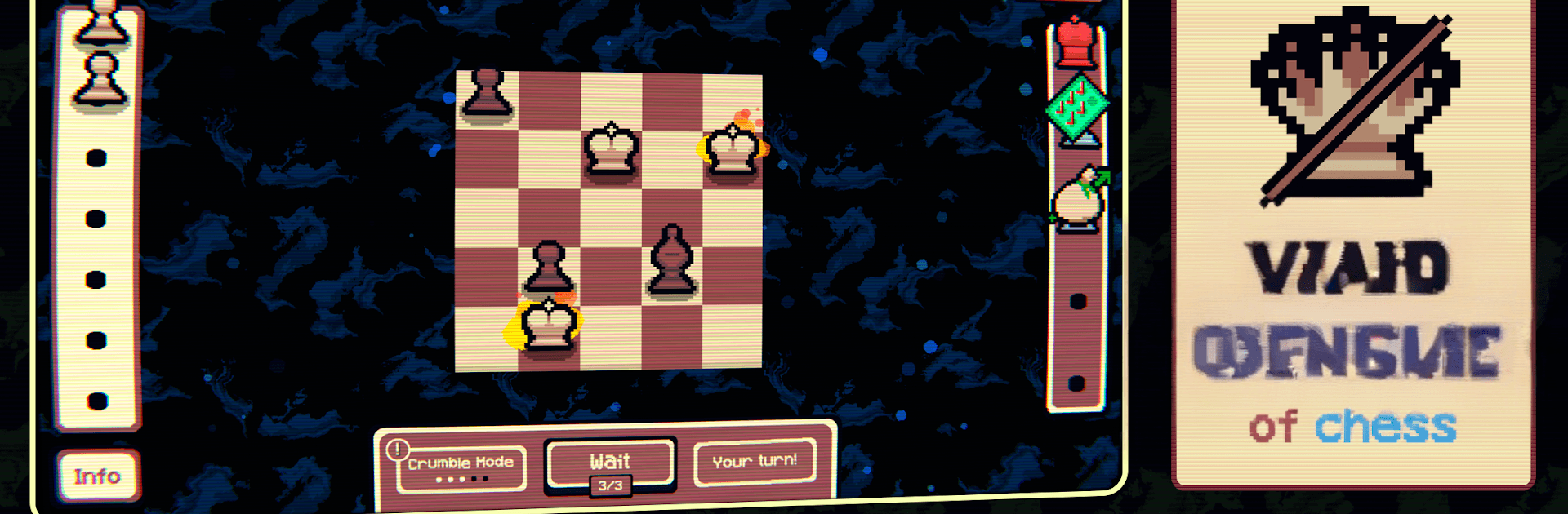
Gambonanza is a Board strategy remix from Stray Fawn Studio that turns classic chess into a quick, chaotic roguelike. You’re playing on a compact grid where every move is a risk-reward decision, and the rules are just loose enough to let ridiculous combos happen. Stall too long and the board starts breaking apart—so think fast. Prefer a bigger screen? It feels great on PC with BlueStacks.

Game Features

  • Fast, punchy runs: Short matches on small boards keep the action snappy and the choices intense—no filler, just tactics.
  • 150+ Gambits: Mix special modifiers with your pieces to create surprising synergies, from sneaky setups to explosive finishes.
  • Reserve bench: Stash extra units off-board and drop them in at the right moment to flip the flow of a fight.
  • Shape the arena: Upgrade tiles with perks like gold-earning spots, protective surfaces, and blessing effects to set up your style of play.
  • Boss showdowns: Face larger-than-life foes that reward clever builds and punish sloppy positioning.
  • Don’t dawdle: Waste turns and tiles start disappearing; the battlefield literally shrinks under your feet.
  • Fairground flair: Bright pixel art and a playful, carnival-like vibe keep even tense moments feeling lively.
  • Chance and skill mini-games: Try luck-tinged challenges inspired by pachinko, slot machines, and gacha to snag temporary boosts.
  • Earn and invest: Use your winnings to strengthen your run and chase even wilder combinations in the next battle.

Get ready for a buttery smooth, high-performance gaming action only on BlueStacks.

Game Features

Enhancements

  • Macros
  • Multi Instance
  • Multi Instance Sync
  • Script
  • Enhancements
Macros

Macros

Automate the predictable in Gambonanza and transform your gameplay with Macros. Get access to inventive Macros in the BlueStacks Macro Community
Multi Instance

Multi Instance

Play Gambonanza on one window. And chat with your friend on the other. Press CTRL + Shift + 8 to open the Multi-Instance Manager. And start creating fresh instances or clone an existing one.
Multi Instance Sync

Multi Instance Sync

Play Gambonanza with the power of Multi-Instance Sync. Replicate what you are doing on the main instance on all other instances. Level up faster, play more.
Script

Script

Script your way to gaming glory in Gambonanza with BlueStacks Script. Write and run a set of commands to automate repeated tasks. Trigger the command by assigning it to any key.
Read More

How to Download and Play Gambonanza on PC or Mac

  • Download and install BlueStacks on your PC or Mac

  • Complete Google sign-in to access the Play Store, or do it later

  • Look for Gambonanza in the search bar at the top right corner

  • Click to install Gambonanza from the search results

  • Complete Google sign-in (if you skipped step 2) to install Gambonanza

  • Click the Gambonanza icon on the home screen to start playing

video
Watch Video

Minimum System Requirements

With BlueStacks 5, you can get started on a PC that fulfills the following requirements.

  • Operating System

    Microsoft Windows 7 or above, macOS 11 (Big Sur) or above

  • Processor

    Intel, AMD or Apple Silicon Processor

  • RAM

    at least 4GB

  • HDD

    10GB Free Disk Space

Note:

* You must be an Administrator on your PC. Up to date graphics drivers from Microsoft or the chipset vendor.

Gambonanza - FAQs

  • How to play Gambonanza on Windows PC & Mac?

    Play Gambonanza on your PC or Mac by following these simple steps.

    • Click on 'Play Gambonanza on PC’ to download BlueStacks
    • Install it and log-in to Google Play Store
    • Launch and play the game.
  • Why is BlueStacks the fastest and safest platform to play games on PC?

    BlueStacks respects your privacy and is always safe and secure to use. It does not carry any malware, spyware, or any sort of additional software that could harm your PC.

    It is engineered to optimize speed and performance for a seamless gaming experience.

  • What are Gambonanza PC requirements?

    Minimum requirement to run Gambonanza on your PC

    • OS: Microsoft Windows 7 or above MacOS 11 (Big Sur) or above
    • Processor: Intel, AMD or Apple Silicon Processor
    • RAM: Your PC must have at least 4GB of RAM. (Note that having 4GB or more disk space is not a substitute for RAM)
    • HDD: 10GB Free Disk Space.
    • You must be an Administrator on your PC.