Grand Cruise Bingo
Grand Cruise Bingo

Grand Cruise Bingo

Board

| PLAYDOG

Play on PC with BlueStacks or from our cloud

  • Overview
  • Game Features
  • How to Play

Page Modified On: June 09, 2026

Play Grand Cruise Bingo on PC or Mac

Play Grand Cruise Bingo by PLAYDOG on PC or Mac with BlueStacks. Use a bigger screen, mouse and keyboard controls, and smoother performance while you play.

About the Game

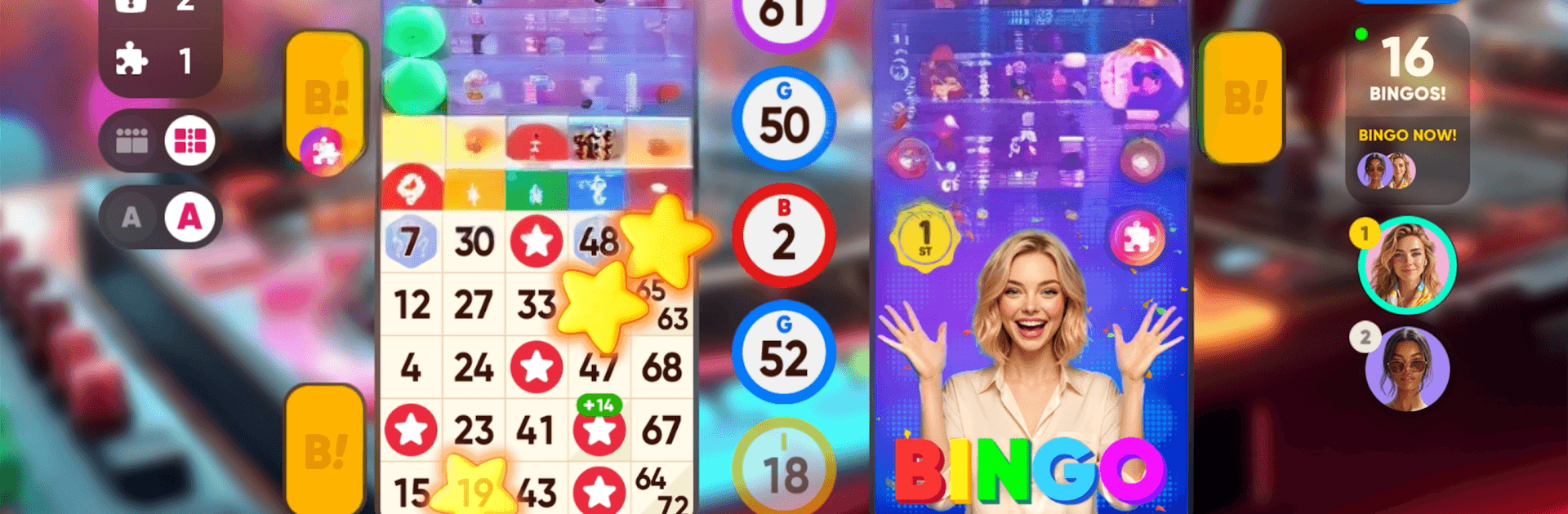
Grand Cruise Bingo is a travel-loving Board game that mixes classic bingo with a globe-spanning cruise. You’ll mark numbers, call out bingos, and sail from one postcard-worthy port to the next while picking up souvenirs and memories. It’s laid-back, colorful, and full of little surprises—perfect when you want a quick round or a longer session exploring new stops. Prefer a bigger screen? It also plays smoothly on BlueStacks.

Game Features

  • World tour bingo: Play traditional bingo with a sightseeing twist as you progress through ports around the world and chart your journey across the map.
  • Smooth, comfy play: Easy-to-read cards, quick rounds, and satisfying animations keep things relaxing whether you’ve got five minutes or an evening to spare.
  • Handy boosts and power-ups: Use helpful tools and special effects to nudge tricky rounds your way, with the occasional unexpected perk to keep it fresh.
  • City stops and souvenirs: Visit vibrant destinations, snap up quirky rubber ducks and rare keepsakes, and bring home something new from each port.
  • Collections to complete: Fill out themed sets of luxurious items and show off a growing gallery of treasures earned along your route.
  • Your cabin, your look: Personalize your onboard suite and switch up your wardrobe to match your current destination or mood.
  • Play your way: Enjoy on mobile wherever you are, or fire it up on BlueStacks if you like playing on desktop.
  • Heads-up on content: Made for players 19+, for entertainment only. No real-money gambling or cash prizes. Optional in-app purchases and ads may appear, and some items come from randomized rewards.

Get ready for a buttery smooth, high-performance gaming action only on BlueStacks.

Game Features

Enhancements

  • Macros
  • Multi Instance
  • Multi Instance Sync
  • Script
  • Enhancements
Macros

Macros

Automate the predictable in Grand Cruise Bingo and transform your gameplay with Macros. Get access to inventive Macros in the BlueStacks Macro Community
Multi Instance

Multi Instance

Play Grand Cruise Bingo on one window. And chat with your friend on the other. Press CTRL + Shift + 8 to open the Multi-Instance Manager. And start creating fresh instances or clone an existing one.
Multi Instance Sync

Multi Instance Sync

Play Grand Cruise Bingo with the power of Multi-Instance Sync. Replicate what you are doing on the main instance on all other instances. Level up faster, play more.
Script

Script

Script your way to gaming glory in Grand Cruise Bingo with BlueStacks Script. Write and run a set of commands to automate repeated tasks. Trigger the command by assigning it to any key.
Read More

How to Download and Play Grand Cruise Bingo on PC or Mac

  • Download and install BlueStacks on your PC or Mac

  • Complete Google sign-in to access the Play Store, or do it later

  • Look for Grand Cruise Bingo in the search bar at the top right corner

  • Click to install Grand Cruise Bingo from the search results

  • Complete Google sign-in (if you skipped step 2) to install Grand Cruise Bingo

  • Click the Grand Cruise Bingo icon on the home screen to start playing

video
Watch Video

Minimum System Requirements

With BlueStacks 5, you can get started on a PC that fulfills the following requirements.

  • Operating System

    Microsoft Windows 7 or above, macOS 11 (Big Sur) or above

  • Processor

    Intel, AMD or Apple Silicon Processor

  • RAM

    at least 4GB

  • HDD

    10GB Free Disk Space

Note:

* You must be an Administrator on your PC. Up to date graphics drivers from Microsoft or the chipset vendor.

Grand Cruise Bingo - FAQs

  • How to play Grand Cruise Bingo on Windows PC & Mac?

    Play Grand Cruise Bingo on your PC or Mac by following these simple steps.

    • Click on 'Play Grand Cruise Bingo on PC’ to download BlueStacks
    • Install it and log-in to Google Play Store
    • Launch and play the game.
  • Why is BlueStacks the fastest and safest platform to play games on PC?

    BlueStacks respects your privacy and is always safe and secure to use. It does not carry any malware, spyware, or any sort of additional software that could harm your PC.

    It is engineered to optimize speed and performance for a seamless gaming experience.

  • What are Grand Cruise Bingo PC requirements?

    Minimum requirement to run Grand Cruise Bingo on your PC

    • OS: Microsoft Windows 7 or above MacOS 11 (Big Sur) or above
    • Processor: Intel, AMD or Apple Silicon Processor
    • RAM: Your PC must have at least 4GB of RAM. (Note that having 4GB or more disk space is not a substitute for RAM)
    • HDD: 10GB Free Disk Space.
    • You must be an Administrator on your PC.