Happy Art: Color Your Way

Happy Art: Color Your Way

Board

| OONA

Play on PC with BlueStacks or from our cloud

  • Overview
  • Game Features
  • How to Play

Page Modified On: June 25, 2026

Play Happy Art: Color Your Way on PC or Mac

Bring your A-game to Happy Art: Color Your Way, the Board game sensation from OONA. Give your gameplay the much-needed boost with precise game controls, high FPS graphics, and top-tier features on your PC or Mac with BlueStacks.

About the Game

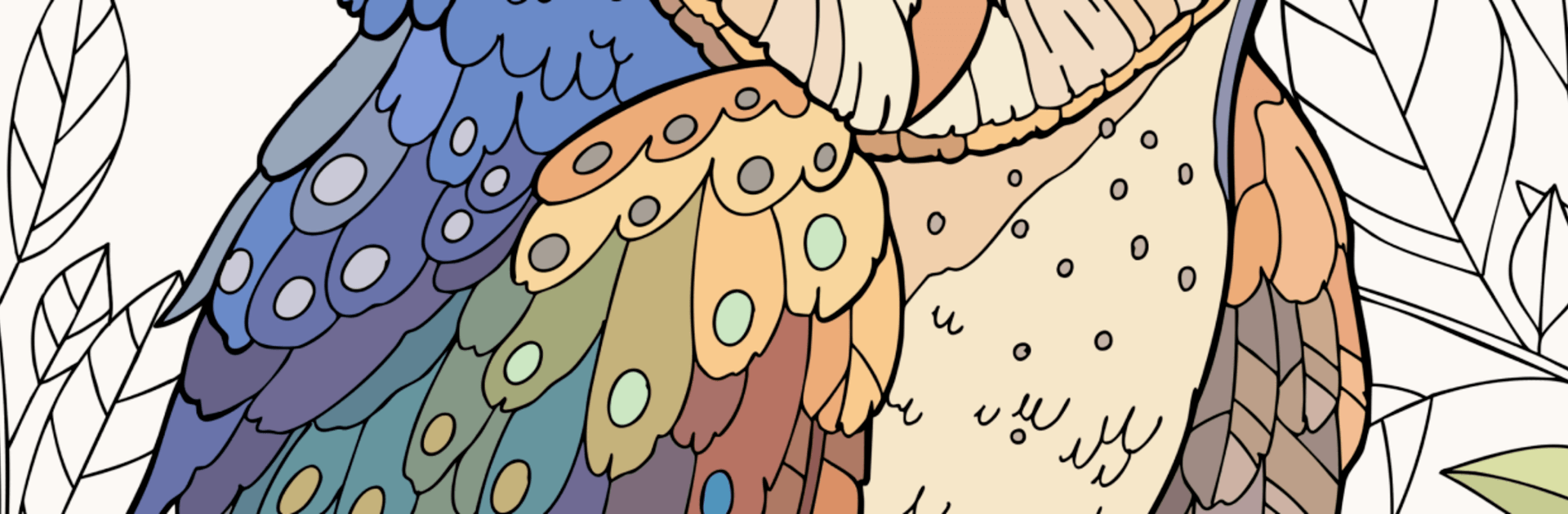
Happy Art: Color Your Way is all about coloring the way you actually want to—no grids, no rules, just your picks and your style. This calming Board game turns your screen into a sketchbook packed with detailed artwork you can bring to life with your own palette. Want to zone out for a few minutes or get lost in a longer session? It fits both moods.

Game Features

  • Your colors, not numbers: Forget paint-by-numbers. You choose every shade, blend ideas, and make each page look uniquely yours.
  • Everything’s open: No paywalls or subscriptions. The full library is available from the start, so you can jump straight to the picture that speaks to you.
  • Tap-and-color simplicity: Pick a hue, tap the area, and watch it fill. The tools are straightforward, so the focus stays on your creativity—not the controls.
  • Make custom palettes: Save your favorite tones and build sets you can reuse. Perfect if you’re into cohesive color stories or specific moods.
  • Big, beautiful gallery: Browse thousands of pages across styles—nature scenes, animals, patterns, and more—so there’s always something fresh to color.
  • A space to unwind: Soft, steady coloring helps you slow down. It’s a quiet little ritual for busy days or late-night chill time.
  • Great on a bigger canvas: Prefer a desktop setup? Coloring feels extra comfy with a mouse or pen tablet when you run it on BlueStacks.

Ready to top the leaderboard? We bet you do. Let precise controls and sharp visuals optimized on BlueStacks lead you to victory.


Game Features

Enhancements

  • Macros
  • Multi Instance
  • Multi Instance Sync
  • Script
  • Enhancements
Macros

Macros

Automate the predictable in Happy Art: Color Your Way and transform your gameplay with Macros. Get access to inventive Macros in the BlueStacks Macro Community
Multi Instance

Multi Instance

Play Happy Art: Color Your Way on one window. And chat with your friend on the other. Press CTRL + Shift + 8 to open the Multi-Instance Manager. And start creating fresh instances or clone an existing one.
Multi Instance Sync

Multi Instance Sync

Play Happy Art: Color Your Way with the power of Multi-Instance Sync. Replicate what you are doing on the main instance on all other instances. Level up faster, play more.
Script

Script

Script your way to gaming glory in Happy Art: Color Your Way with BlueStacks Script. Write and run a set of commands to automate repeated tasks. Trigger the command by assigning it to any key.
Read More

How to Download and Play Happy Art: Color Your Way on PC or Mac

  • Download and install BlueStacks on your PC or Mac

  • Complete Google sign-in to access the Play Store, or do it later

  • Look for Happy Art: Color Your Way in the search bar at the top right corner

  • Click to install Happy Art: Color Your Way from the search results

  • Complete Google sign-in (if you skipped step 2) to install Happy Art: Color Your Way

  • Click the Happy Art: Color Your Way icon on the home screen to start playing

video
Watch Video

Minimum System Requirements

With BlueStacks 5, you can get started on a PC that fulfills the following requirements.

  • Operating System

    Microsoft Windows 7 or above, macOS 11 (Big Sur) or above

  • Processor

    Intel, AMD or Apple Silicon Processor

  • RAM

    at least 4GB

  • HDD

    10GB Free Disk Space

Note:

* You must be an Administrator on your PC. Up to date graphics drivers from Microsoft or the chipset vendor.

Happy Art: Color Your Way - FAQs

  • How to play Happy Art: Color Your Way on Windows PC & Mac?

    Play Happy Art: Color Your Way on your PC or Mac by following these simple steps.

    • Click on 'Play Happy Art: Color Your Way on PC’ to download BlueStacks
    • Install it and log-in to Google Play Store
    • Launch and play the game.
  • Why is BlueStacks the fastest and safest platform to play games on PC?

    BlueStacks respects your privacy and is always safe and secure to use. It does not carry any malware, spyware, or any sort of additional software that could harm your PC.

    It is engineered to optimize speed and performance for a seamless gaming experience.

  • What are Happy Art: Color Your Way PC requirements?

    Minimum requirement to run Happy Art: Color Your Way on your PC

    • OS: Microsoft Windows 7 or above MacOS 11 (Big Sur) or above
    • Processor: Intel, AMD or Apple Silicon Processor
    • RAM: Your PC must have at least 4GB of RAM. (Note that having 4GB or more disk space is not a substitute for RAM)
    • HDD: 10GB Free Disk Space.
    • You must be an Administrator on your PC.