Neuroshima Convoy card game

Neuroshima Convoy card game

Board

| Portal Games Digital

Play on PC with BlueStacks or from our cloud

  • Overview
  • Game Features
  • How to Play

Page Modified On: January 09, 2026

Play Neuroshima Convoy card game on PC or Mac

From the innovators and creators at Portal Games Digital, Neuroshima Convoy card game is another fun addition to the World of Board games. Go beyond your mobile screen and play it bigger and better on your PC or Mac. An immersive experience awaits you.

About the Game

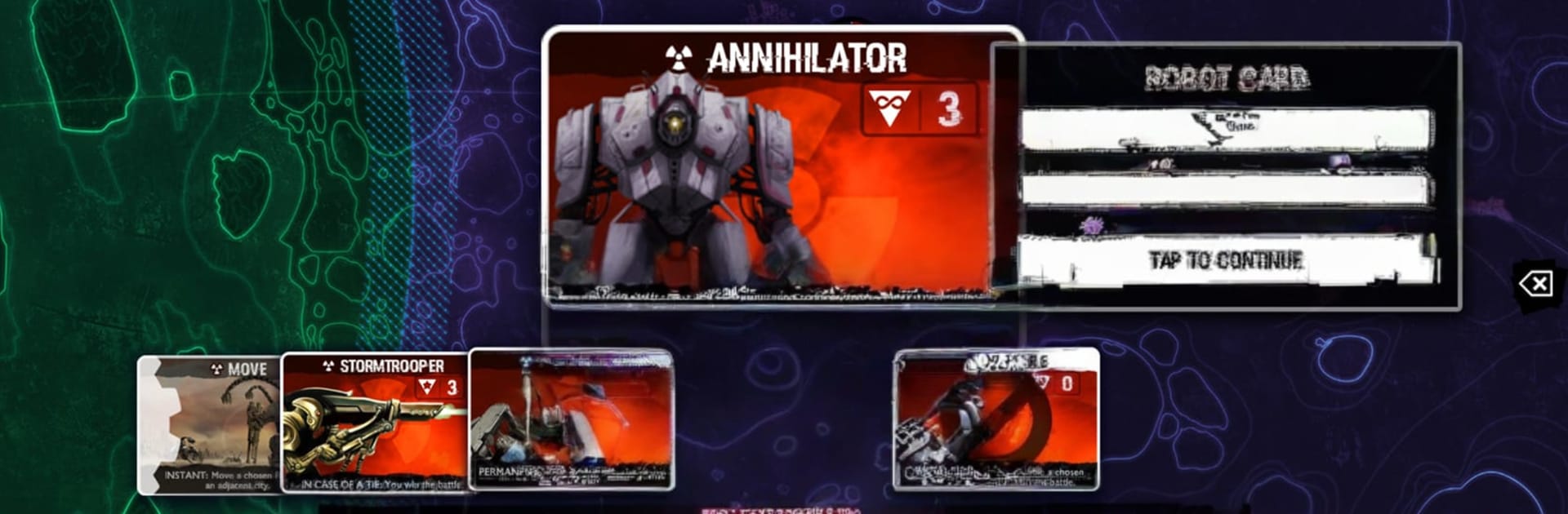
Neuroshima Convoy card game is a tense, head‑to‑head strategy title from Portal Games Digital set in the gritty Neuroshima universe. One side commands Moloch’s relentless machines marching toward New York; the other rallies the human Outpost, scrambling to stall and sabotage that advance. It’s quick to learn, snappy to play, and full of those “wait, that changed everything” moments you want from a smart Board experience.

Game Features

  • Asymmetric Armies: Lead Moloch’s brutal tech or the guerrilla‑style Outpost. Each faction has its own deck, tricks, and win condition, so swapping sides genuinely changes how you think.
  • City‑to‑City Battles: Matches unfold across a line of American cities, each district offering different effects. Every choice shifts the momentum of the convoy’s push toward New York.
  • Quick, Tactical Duels: Games are compact but layered. Clever sequencing, timing, and card synergies can flip a losing position into a clean win.
  • Solo, Online, or Couch Co‑op: Face a capable AI when you’re practicing, play online against folks around the globe, or pass the device for an old‑school hot‑seat session.
  • Smooth Onboarding: A built‑in tutorial gets you comfortable piloting both factions, covering rules, combos, and the subtle stuff that wins matches.
  • Replay Value for Days: Changing city orders, varied draws, and asymmetric decks keep rounds fresh. No two routes to New York feel quite the same.
  • Faithful to the Setting: It’s the post‑apocalyptic Neuroshima world through and through—scrappy humans, cold machines, and hard choices every turn.
  • Play Your Way: On the go on your phone, or on a bigger screen via BlueStacks if that’s more your style.

Ready to top the leaderboard? We bet you do. Let precise controls and sharp visuals optimized on BlueStacks lead you to victory.


Game Features

Enhancements

  • Macros
  • Multi Instance
  • Multi Instance Sync
  • Script
  • Enhancements
Macros

Macros

Automate the predictable in Neuroshima Convoy card game and transform your gameplay with Macros. Get access to inventive Macros in the BlueStacks Macro Community
Multi Instance

Multi Instance

Play Neuroshima Convoy card game on one window. And chat with your friend on the other. Press CTRL + Shift + 8 to open the Multi-Instance Manager. And start creating fresh instances or clone an existing one.
Multi Instance Sync

Multi Instance Sync

Play Neuroshima Convoy card game with the power of Multi-Instance Sync. Replicate what you are doing on the main instance on all other instances. Level up faster, play more.
Script

Script

Script your way to gaming glory in Neuroshima Convoy card game with BlueStacks Script. Write and run a set of commands to automate repeated tasks. Trigger the command by assigning it to any key.
Read More

How to Download and Play Neuroshima Convoy card game on PC or Mac

  • Download and install BlueStacks on your PC or Mac

  • Complete Google sign-in to access the Play Store, or do it later

  • Look for Neuroshima Convoy card game in the search bar at the top right corner

  • Click to install Neuroshima Convoy card game from the search results

  • Complete Google sign-in (if you skipped step 2) to install Neuroshima Convoy card game

  • Click the Neuroshima Convoy card game icon on the home screen to start playing

video
Watch Video

Minimum System Requirements

With BlueStacks 5, you can get started on a PC that fulfills the following requirements.

  • Operating System

    Microsoft Windows 7 or above, macOS 11 (Big Sur) or above

  • Processor

    Intel, AMD or Apple Silicon Processor

  • RAM

    at least 4GB

  • HDD

    10GB Free Disk Space

Note:

* You must be an Administrator on your PC. Up to date graphics drivers from Microsoft or the chipset vendor.

Neuroshima Convoy card game - FAQs

  • How to play Neuroshima Convoy card game on Windows PC & Mac?

    Play Neuroshima Convoy card game on your PC or Mac by following these simple steps.

    • Click on 'Play Neuroshima Convoy card game on PC’ to download BlueStacks
    • Install it and log-in to Google Play Store
    • Launch and play the game.
  • Why is BlueStacks the fastest and safest platform to play games on PC?

    BlueStacks respects your privacy and is always safe and secure to use. It does not carry any malware, spyware, or any sort of additional software that could harm your PC.

    It is engineered to optimize speed and performance for a seamless gaming experience.

  • What are Neuroshima Convoy card game PC requirements?

    Minimum requirement to run Neuroshima Convoy card game on your PC

    • OS: Microsoft Windows 7 or above MacOS 11 (Big Sur) or above
    • Processor: Intel, AMD or Apple Silicon Processor
    • RAM: Your PC must have at least 4GB of RAM. (Note that having 4GB or more disk space is not a substitute for RAM)
    • HDD: 10GB Free Disk Space.
    • You must be an Administrator on your PC.