Quick Cross: Family Dice Game

Quick Cross: Family Dice Game

Board

| Maple Owl Games

Play on PC with BlueStacks or from our cloud

  • Overview
  • Game Features
  • How to Play

Page Modified On: October 21, 2026

Play Quick Cross: Family Dice Game on PC or Mac

Quick Cross: Family Dice Game by Maple Owl Games has plenty to keep you busy. BlueStacks lets you play it on PC or Mac with more screen space, better control, and fewer mobile limits.

About the Game

Quick Cross: Family Dice Game is a fast, think-on-your-feet Board game where every roll matters for everyone at the table. You’ll cross off numbers, push your luck down color rows, and try to slam a padlock shut before your rivals do. Matches are quick, surprisingly tense, and easy to pick up—especially if you try it on BlueStacks for a comfy, no-fuss setup.

Game Features

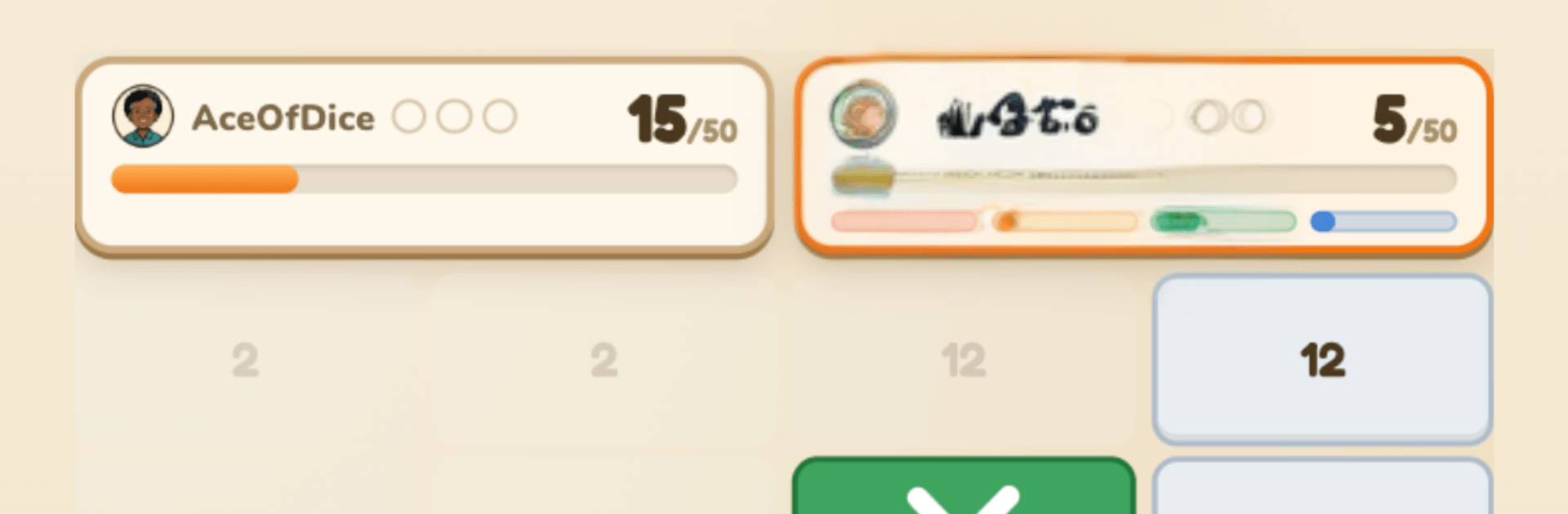
  • Everyone plays every roll: Two white dice set a shared number each turn, so you’re always making a move instead of waiting around.
  • Bonus pick on your turn: Pair one white die with a colored die for a second, personal mark—tap your squares, hit Take, and it’s on to the next player.
  • Four colors, two directions: Red and Yellow climb from 2 to 12, while Green and Blue run 12 down to 2; skip a number and it’s gone for good, which makes every choice sting a little.
  • Stack one lane for big points: Marks in a single column get more valuable the deeper you go, so focusing a color can snowball past a “spread thin” plan.
  • Padlocks change everything: Reach a color’s final square to shut that column, grab a free extra mark, and block everyone else from using it.
  • Three strikes keep you honest: If you can’t cross anything on your turn, you lose points—and three misses end your run; a “bad roll” rescue rerolls the colored dice while keeping the white sum.
  • Learn-by-playing walkthrough: Your first game guides you through smart picks and tricky moments without a rule dump, and you can replay it anytime.
  • Quick lobby, real rivals: Find matches fast, send or accept challenges, and build a head-to-head history—wins, streaks, the whole vibe.
  • One clear leaderboard: Earn points for wins, ties, and simply playing, with standings that reflect your actual win rate.
  • Tactile feedback you can tune: Wood-and-dice sounds, vibration that matches the moment, and simple toggles to turn either off.
  • Clean setup, your style: Choose from drawn faces, set your name, no account required, and a one-time ad-free option if you want a quiet table.

Start your journey now. Download the game on BlueStacks, invite your friends, and march on a new adventure.


Game Features

Enhancements

  • Macros
  • Multi Instance
  • Multi Instance Sync
  • Script
  • Enhancements
Macros

Macros

Automate the predictable in Quick Cross: Family Dice Game and transform your gameplay with Macros. Get access to inventive Macros in the BlueStacks Macro Community
Multi Instance

Multi Instance

Play Quick Cross: Family Dice Game on one window. And chat with your friend on the other. Press CTRL + Shift + 8 to open the Multi-Instance Manager. And start creating fresh instances or clone an existing one.
Multi Instance Sync

Multi Instance Sync

Play Quick Cross: Family Dice Game with the power of Multi-Instance Sync. Replicate what you are doing on the main instance on all other instances. Level up faster, play more.
Script

Script

Script your way to gaming glory in Quick Cross: Family Dice Game with BlueStacks Script. Write and run a set of commands to automate repeated tasks. Trigger the command by assigning it to any key.
Read More

How to Download and Play Quick Cross: Family Dice Game on PC or Mac

  • Download and install BlueStacks on your PC or Mac

  • Complete Google sign-in to access the Play Store, or do it later

  • Look for Quick Cross: Family Dice Game in the search bar at the top right corner

  • Click to install Quick Cross: Family Dice Game from the search results

  • Complete Google sign-in (if you skipped step 2) to install Quick Cross: Family Dice Game

  • Click the Quick Cross: Family Dice Game icon on the home screen to start playing

video
Watch Video

Minimum System Requirements

With BlueStacks 5, you can get started on a PC that fulfills the following requirements.

  • Operating System

    Microsoft Windows 7 or above, macOS 11 (Big Sur) or above

  • Processor

    Intel, AMD or Apple Silicon Processor

  • RAM

    at least 4GB

  • HDD

    10GB Free Disk Space

Note:

* You must be an Administrator on your PC. Up to date graphics drivers from Microsoft or the chipset vendor.

Quick Cross: Family Dice Game - FAQs

  • How to play Quick Cross: Family Dice Game on Windows PC & Mac?

    Play Quick Cross: Family Dice Game on your PC or Mac by following these simple steps.

    • Click on 'Play Quick Cross: Family Dice Game on PC’ to download BlueStacks
    • Install it and log-in to Google Play Store
    • Launch and play the game.
  • Why is BlueStacks the fastest and safest platform to play games on PC?

    BlueStacks respects your privacy and is always safe and secure to use. It does not carry any malware, spyware, or any sort of additional software that could harm your PC.

    It is engineered to optimize speed and performance for a seamless gaming experience.

  • What are Quick Cross: Family Dice Game PC requirements?

    Minimum requirement to run Quick Cross: Family Dice Game on your PC

    • OS: Microsoft Windows 7 or above MacOS 11 (Big Sur) or above
    • Processor: Intel, AMD or Apple Silicon Processor
    • RAM: Your PC must have at least 4GB of RAM. (Note that having 4GB or more disk space is not a substitute for RAM)
    • HDD: 10GB Free Disk Space.
    • You must be an Administrator on your PC.