Тoon Clash Chess
Тoon Clash Chess

Тoon Clash Chess

Board

| Ludus Studio

Play on PC with BlueStacks or from our cloud

  • Overview
  • Game Features
  • How to Play

Page Modified On: October 22, 2026

Play Тoon Clash Chess on PC or Mac

Play Тoon Clash Chess by Ludus Studio on PC or Mac with BlueStacks. Use a bigger screen, mouse and keyboard controls, and smoother performance while you play.

About the Game

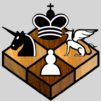
Тoon Clash Chess puts a playful spin on classic strategy, turning every move into a tiny animated skirmish. It’s a Board experience that feels friendly and inviting, with colorful characters acting out your plans in a lively fantasy setting called Playville. Whether you’re brushing up on basics or chasing tougher challenges, it makes chess feel fresh, approachable, and a little bit cheeky. Prefer a bigger screen? It runs smoothly on PC with BlueStacks, too.

Game Features

  • Storybook 3D world: Explore bright, hand-crafted scenes that make every match feel like a mini adventure through Playville.
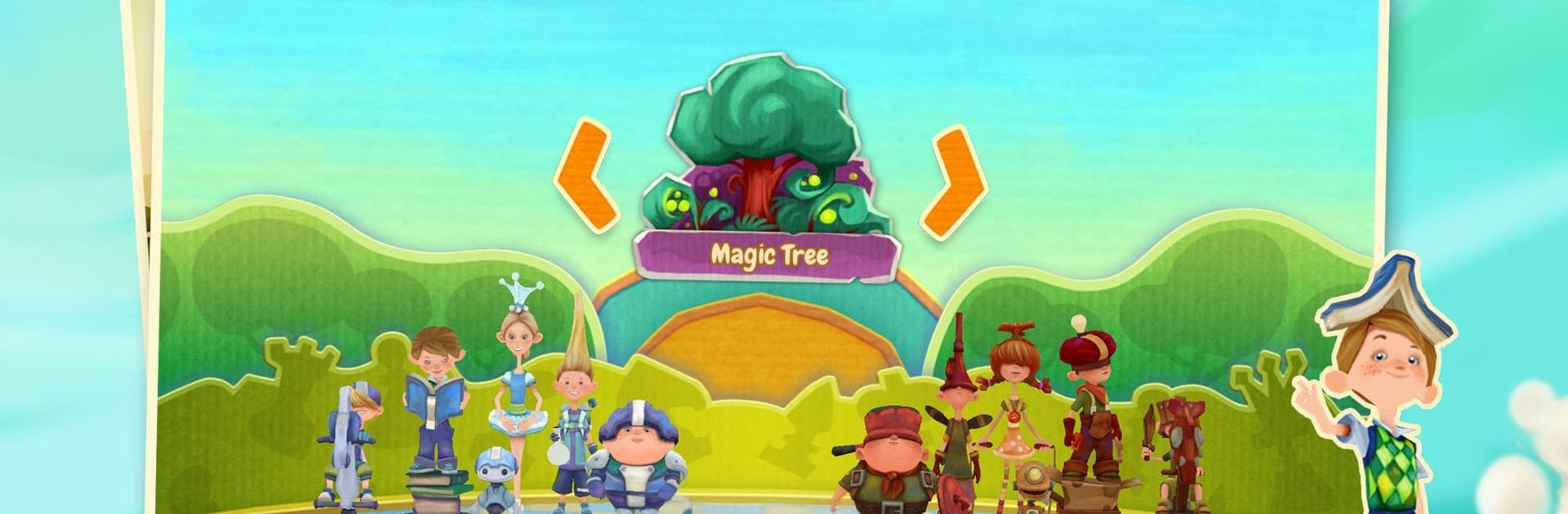
  • Three whimsical boards: Swap between the Forest, the town of Playville, and the towering Magic Tree for a change of mood and backdrop.
  • Animated pieces with personality: Watch kings, queens, and pawns act out wins and losses with expressive, cartoon-style animations.
  • Solo vs. smart AI: Pick black or white and challenge an AI that adapts to your chosen difficulty—great for learning or testing your mettle.
  • Local two-player hot-seat: Share a single device for friendly face-to-face matches (available in the full version).
  • Difficulty for every skill level: Start on Easy if you’re new, step up to Medium for a solid test, or try Hard when you’re feeling bold.
  • Flexible camera views: Switch between side, top-down, or a free camera you can rotate to track the action from any angle.
  • Classic 2D option: Prefer tradition? Toggle to a clean, familiar piece set at any time.
  • Handy tools that help: Continue from where you left off with auto-save, take back moves, and use hints when needed (some options available in the full version).
  • Achievements to chase: Set mini-goals, celebrate milestones, and give your brain something extra to chew on between matches.

Get ready for a buttery smooth, high-performance gaming action only on BlueStacks.

Game Features

Enhancements

  • Macros
  • Multi Instance
  • Multi Instance Sync
  • Script
  • Enhancements
Macros

Macros

Automate the predictable in Тoon Clash Chess and transform your gameplay with Macros. Get access to inventive Macros in the BlueStacks Macro Community
Multi Instance

Multi Instance

Play Тoon Clash Chess on one window. And chat with your friend on the other. Press CTRL + Shift + 8 to open the Multi-Instance Manager. And start creating fresh instances or clone an existing one.
Multi Instance Sync

Multi Instance Sync

Play Тoon Clash Chess with the power of Multi-Instance Sync. Replicate what you are doing on the main instance on all other instances. Level up faster, play more.
Script

Script

Script your way to gaming glory in Тoon Clash Chess with BlueStacks Script. Write and run a set of commands to automate repeated tasks. Trigger the command by assigning it to any key.
Read More

How to Download and Play Тoon Clash Chess on PC or Mac

  • Download and install BlueStacks on your PC or Mac

  • Complete Google sign-in to access the Play Store, or do it later

  • Look for Тoon Clash Chess in the search bar at the top right corner

  • Click to install Тoon Clash Chess from the search results

  • Complete Google sign-in (if you skipped step 2) to install Тoon Clash Chess

  • Click the Тoon Clash Chess icon on the home screen to start playing

video
Watch Video

Minimum System Requirements

With BlueStacks 5, you can get started on a PC that fulfills the following requirements.

  • Operating System

    Microsoft Windows 7 or above, macOS 11 (Big Sur) or above

  • Processor

    Intel, AMD or Apple Silicon Processor

  • RAM

    at least 4GB

  • HDD

    10GB Free Disk Space

Note:

* You must be an Administrator on your PC. Up to date graphics drivers from Microsoft or the chipset vendor.

Тoon Clash Chess - FAQs

  • How to play Тoon Clash Chess on Windows PC & Mac?

    Play Тoon Clash Chess on your PC or Mac by following these simple steps.

    • Click on 'Play Тoon Clash Chess on PC’ to download BlueStacks
    • Install it and log-in to Google Play Store
    • Launch and play the game.
  • Why is BlueStacks the fastest and safest platform to play games on PC?

    BlueStacks respects your privacy and is always safe and secure to use. It does not carry any malware, spyware, or any sort of additional software that could harm your PC.

    It is engineered to optimize speed and performance for a seamless gaming experience.

  • What are Тoon Clash Chess PC requirements?

    Minimum requirement to run Тoon Clash Chess on your PC

    • OS: Microsoft Windows 7 or above MacOS 11 (Big Sur) or above
    • Processor: Intel, AMD or Apple Silicon Processor
    • RAM: Your PC must have at least 4GB of RAM. (Note that having 4GB or more disk space is not a substitute for RAM)
    • HDD: 10GB Free Disk Space.
    • You must be an Administrator on your PC.