U-BOOT The Board Game

U-BOOT The Board Game

Board

| Iron Wolf Studio

Play on PC with BlueStacks or from our cloud

  • Overview
  • Game Features
  • How to Play

Page Modified On: April 24, 2026

Play U-BOOT The Board Game on PC or Mac

U-BOOT The Board Game brings the Board genre to life, and throws up exciting challenges for gamers. Developed by Iron Wolf Studio, this Android game is best experienced on BlueStacks, the World’s #1 app player for PC and Mac users.

About the Game

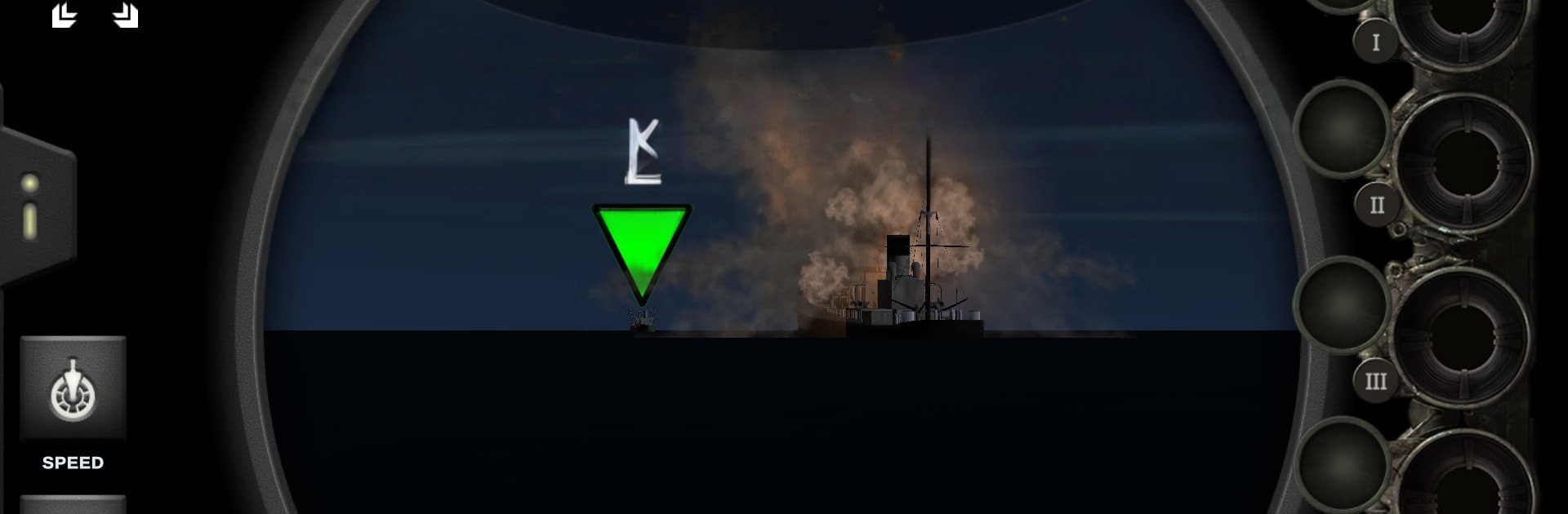
U-BOOT The Board Game (Genre: Board) throws you and your friends into the tense routine of a WWII submarine patrol. It’s a cooperative, real-time experience from Iron Wolf Studio where 1–4 players take on different stations aboard a type VIIC U-boat and try to bring everyone home in one piece. Expect tight coordination, rapid decisions, and a living ocean that doesn’t wait for you to think twice.

Game Features

  • Four unique roles: Step in as Captain, First Officer, Navigator, or Chief Engineer. Each station has its own tools, tasks, and pressure points, so every player matters.
  • Real-time tension: The clock’s always ticking. Call bearings, set depth, prep torpedoes, and order crash-dives while the situation changes by the second.
  • Companion app and enemy A.I.: The app runs weather, contacts, and a crafty opponent that adapts to your moves. Prefer a bigger screen? Run the app on BlueStacks for a clearer command view.
  • Strategy meets tactics: Plot long routes, manage fuel, batteries, and crew fatigue, then switch to fine-grained actions—lining up shots and slipping away from depth charges.
  • Authentic U-boat atmosphere: Operate aboard a type VIIC with procedures and stations inspired by real wartime operations, right down to the stress of silent running.
  • Solo or with the crew: Play alone by juggling multiple stations, or split duties with friends for a smoother (and louder) command room.
  • Teamwork first: Clear callouts and quick coordination turn chaos into clean executions. Miss a step, and the enemy will hear it before you do.

Start your journey now. Download the game on BlueStacks, invite your friends, and march on a new adventure.


Game Features

Enhancements

  • Macros
  • Multi Instance
  • Multi Instance Sync
  • Script
  • Enhancements
Macros

Macros

Automate the predictable in U-BOOT The Board Game and transform your gameplay with Macros. Get access to inventive Macros in the BlueStacks Macro Community
Multi Instance

Multi Instance

Play U-BOOT The Board Game on one window. And chat with your friend on the other. Press CTRL + Shift + 8 to open the Multi-Instance Manager. And start creating fresh instances or clone an existing one.
Multi Instance Sync

Multi Instance Sync

Play U-BOOT The Board Game with the power of Multi-Instance Sync. Replicate what you are doing on the main instance on all other instances. Level up faster, play more.
Script

Script

Script your way to gaming glory in U-BOOT The Board Game with BlueStacks Script. Write and run a set of commands to automate repeated tasks. Trigger the command by assigning it to any key.
Read More

How to Download and Play U-BOOT The Board Game on PC or Mac

  • Download and install BlueStacks on your PC or Mac

  • Complete Google sign-in to access the Play Store, or do it later

  • Look for U-BOOT The Board Game in the search bar at the top right corner

  • Click to install U-BOOT The Board Game from the search results

  • Complete Google sign-in (if you skipped step 2) to install U-BOOT The Board Game

  • Click the U-BOOT The Board Game icon on the home screen to start playing

video
Watch Video

Minimum System Requirements

With BlueStacks 5, you can get started on a PC that fulfills the following requirements.

  • Operating System

    Microsoft Windows 7 or above, macOS 11 (Big Sur) or above

  • Processor

    Intel, AMD or Apple Silicon Processor

  • RAM

    at least 4GB

  • HDD

    10GB Free Disk Space

Note:

* You must be an Administrator on your PC. Up to date graphics drivers from Microsoft or the chipset vendor.

U-BOOT The Board Game - FAQs

  • How to play U-BOOT The Board Game on Windows PC & Mac?

    Play U-BOOT The Board Game on your PC or Mac by following these simple steps.

    • Click on 'Play U-BOOT The Board Game on PC’ to download BlueStacks
    • Install it and log-in to Google Play Store
    • Launch and play the game.
  • Why is BlueStacks the fastest and safest platform to play games on PC?

    BlueStacks respects your privacy and is always safe and secure to use. It does not carry any malware, spyware, or any sort of additional software that could harm your PC.

    It is engineered to optimize speed and performance for a seamless gaming experience.

  • What are U-BOOT The Board Game PC requirements?

    Minimum requirement to run U-BOOT The Board Game on your PC

    • OS: Microsoft Windows 7 or above MacOS 11 (Big Sur) or above
    • Processor: Intel, AMD or Apple Silicon Processor
    • RAM: Your PC must have at least 4GB of RAM. (Note that having 4GB or more disk space is not a substitute for RAM)
    • HDD: 10GB Free Disk Space.
    • You must be an Administrator on your PC.