Australian Patience
Australian Patience

Australian Patience

Card

| Solitaire Paradise

Play on PC with BlueStacks or from our cloud

  • Overview
  • Game Features
  • How to Play

Page Modified On: October 23, 2026

Play Australian Patience on PC or Mac

Bring your A-game to Australian Patience, the Card game sensation from Solitaire Paradise. Give your gameplay the much-needed boost with precise game controls, high FPS graphics, and top-tier features on your PC or Mac with BlueStacks.

About the Game

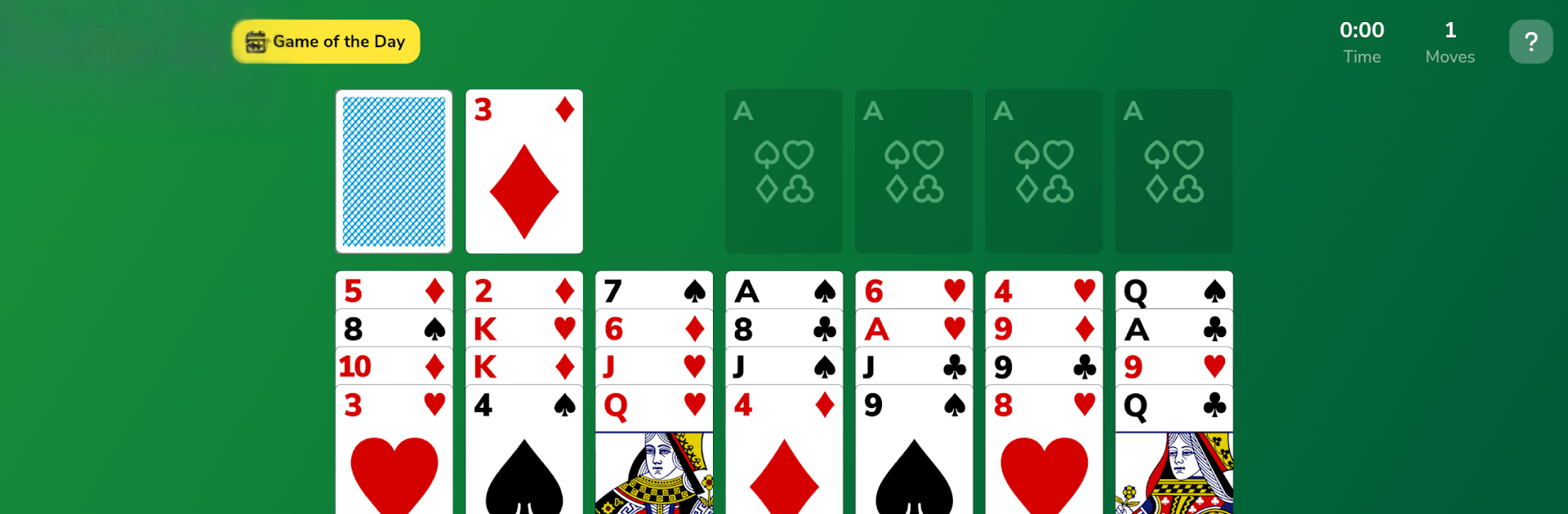
Australian Patience puts a clever twist on a classic you probably already love. It mixes a familiar layout with surprisingly flexible moves, creating a calm, thinky experience that rewards planning and gutsy plays. It’s a Card game that’s great for quick breaks or a focused session where you chase cleaner lines and faster clears.

Game Features

  • Clean, readable cards: Oversized, high-contrast faces stay sharp on small screens and larger displays.
  • Snappy controls: Drag and drop when you want full control, or use one-tap moves to keep the pace brisk.
  • Unlimited undo: Test bold ideas, rewind instantly, and learn new lines without any pressure.
  • Instant restart: Reset the current deal anytime to try a different approach with the same layout.
  • Autosave built in: Step away mid-hand and return later—your progress is waiting.
  • Game of the Day: Take on a fresh daily challenge that’s guaranteed to be solvable.
  • Smart stats: Track wins, fastest times, fewest moves, and longest streaks to push your personal bests.
  • Classic setup, Yukon-style moves: Play with seven tableau piles, but move any face-up card—and the stack riding on it—in one go.
  • Suit-first strategy: Build downward by suit, open space carefully, and remember only Kings (or King-led groups) can fill empty columns.
  • One-pass stock: Flip one card at a time with a single trip through the pile, so every choice matters.
  • Comfortable on BlueStacks: Want more room and precise clicks? It runs smoothly with mouse controls and a roomier view.

Get ready for a buttery smooth, high-performance gaming action only on BlueStacks.

Game Features

Enhancements

  • Macros
  • Multi Instance
  • Multi Instance Sync
  • Script
  • Enhancements
Macros

Macros

Automate the predictable in Australian Patience and transform your gameplay with Macros. Get access to inventive Macros in the BlueStacks Macro Community
Multi Instance

Multi Instance

Play Australian Patience on one window. And chat with your friend on the other. Press CTRL + Shift + 8 to open the Multi-Instance Manager. And start creating fresh instances or clone an existing one.
Multi Instance Sync

Multi Instance Sync

Play Australian Patience with the power of Multi-Instance Sync. Replicate what you are doing on the main instance on all other instances. Level up faster, play more.
Script

Script

Script your way to gaming glory in Australian Patience with BlueStacks Script. Write and run a set of commands to automate repeated tasks. Trigger the command by assigning it to any key.
Read More

How to Download and Play Australian Patience on PC or Mac

  • Download and install BlueStacks on your PC or Mac

  • Complete Google sign-in to access the Play Store, or do it later

  • Look for Australian Patience in the search bar at the top right corner

  • Click to install Australian Patience from the search results

  • Complete Google sign-in (if you skipped step 2) to install Australian Patience

  • Click the Australian Patience icon on the home screen to start playing

video
Watch Video

Minimum System Requirements

With BlueStacks 5, you can get started on a PC that fulfills the following requirements.

  • Operating System

    Microsoft Windows 7 or above, macOS 11 (Big Sur) or above

  • Processor

    Intel, AMD or Apple Silicon Processor

  • RAM

    at least 4GB

  • HDD

    10GB Free Disk Space

Note:

* You must be an Administrator on your PC. Up to date graphics drivers from Microsoft or the chipset vendor.

Australian Patience - FAQs

  • How to play Australian Patience on Windows PC & Mac?

    Play Australian Patience on your PC or Mac by following these simple steps.

    • Click on 'Play Australian Patience on PC’ to download BlueStacks
    • Install it and log-in to Google Play Store
    • Launch and play the game.
  • Why is BlueStacks the fastest and safest platform to play games on PC?

    BlueStacks respects your privacy and is always safe and secure to use. It does not carry any malware, spyware, or any sort of additional software that could harm your PC.

    It is engineered to optimize speed and performance for a seamless gaming experience.

  • What are Australian Patience PC requirements?

    Minimum requirement to run Australian Patience on your PC

    • OS: Microsoft Windows 7 or above MacOS 11 (Big Sur) or above
    • Processor: Intel, AMD or Apple Silicon Processor
    • RAM: Your PC must have at least 4GB of RAM. (Note that having 4GB or more disk space is not a substitute for RAM)
    • HDD: 10GB Free Disk Space.
    • You must be an Administrator on your PC.