Chrono CCG
Chrono CCG

Chrono CCG

Card

| Infinite or Bust Games Inc.

Play on PC with BlueStacks or from our cloud

  • Overview
  • Game Features
  • How to Play

Page Modified On: October 30, 2026

Play Chrono CCG on PC or Mac

Chrono CCG by Infinite or Bust Games Inc. has plenty to keep you busy. BlueStacks lets you play it on PC or Mac with more screen space, better control, and fewer mobile limits.

About the Game

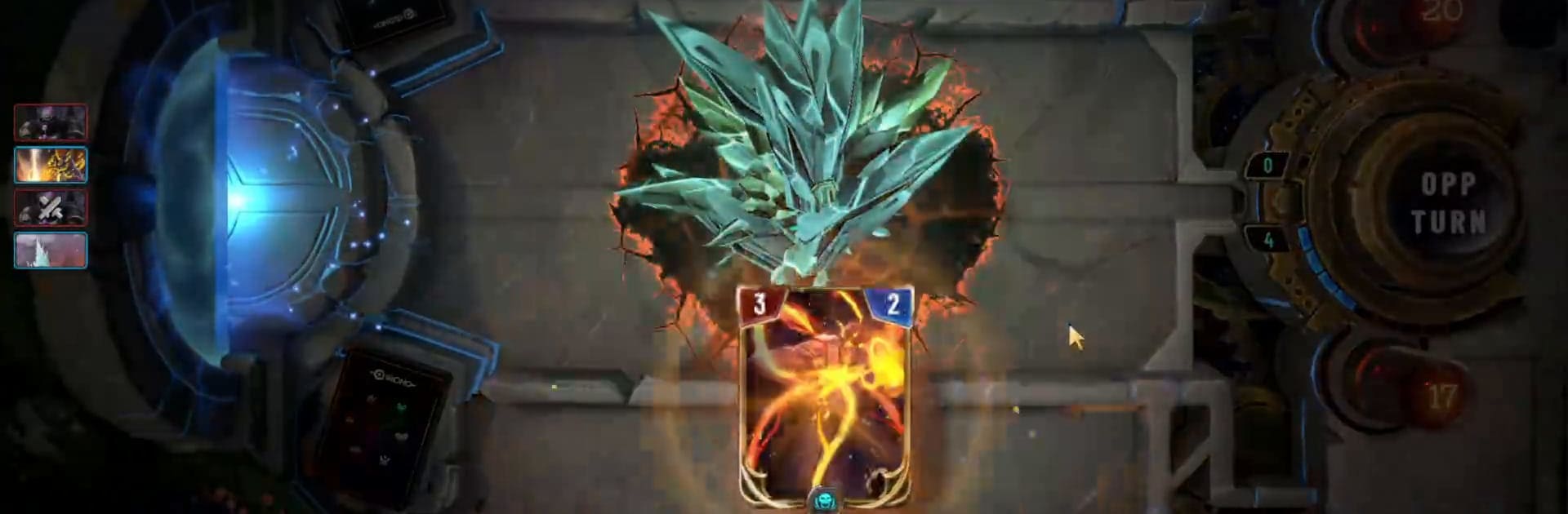
Chrono CCG is a time-bending Card game where every turn can rewrite the match. You’re building a cunning deck, reading your opponent, and flipping the rules of play right when it stings most. Want a bigger screen and crisp inputs? It runs smoothly on BlueStacks.

Game Features

  • Timeline Shifts: A shared Timeline sits at the center of the board, and when you shift it, the rules change for both players until someone wrests control back.
  • Mid-Match Ascensions: Play agents to the board and meet their conditions to Immortalize them—when one ascends, every copy in your hand and deck upgrades too, opening wild swing turns.
  • Six Syndicates, Endless Builds: Lifeblood, Sungrace, Silence, Singularity, Splintergleam, and Phasetide each lean into a different vibe; pair two Divers to lock in your factions and craft a plan that feels uniquely yours.
  • Multiple Ways to Compete: Climb a seasonal ranked ladder, tackle best-of-three Trials, draft a fresh list from opened packs, set up friendly Duels with a match code, or spar against the AI; you can even chat and spectate.
  • Evolving Meta: Regular balance updates and fresh sets keep strategies shifting, with a growing competitive scene built for sharp minds and clutch plays.
  • Cross-Progression: Use one account across platforms so your collection, decks, and progress travel with you wherever you play.
  • Fair Rewards, Your Pace: Earn packs and crafting resources through quests and win tracks, while optional purchases like Time Crystals, bundles, a season pass, and cosmetics are there if you want them—pack odds are shown before you buy.
  • Built With Players: The game’s roots are community-driven, with player feedback shaping balance and content from early days to now.
  • PC-Friendly Play: Prefer precise clicks and roomy screens? Firing it up on BlueStacks feels natural and snappy.

Start your journey now. Download the game on BlueStacks, invite your friends, and march on a new adventure.


Game Features

Enhancements

  • Macros
  • Multi Instance
  • Multi Instance Sync
  • Script
  • Enhancements
Macros

Macros

Automate the predictable in Chrono CCG and transform your gameplay with Macros. Get access to inventive Macros in the BlueStacks Macro Community
Multi Instance

Multi Instance

Play Chrono CCG on one window. And chat with your friend on the other. Press CTRL + Shift + 8 to open the Multi-Instance Manager. And start creating fresh instances or clone an existing one.
Multi Instance Sync

Multi Instance Sync

Play Chrono CCG with the power of Multi-Instance Sync. Replicate what you are doing on the main instance on all other instances. Level up faster, play more.
Script

Script

Script your way to gaming glory in Chrono CCG with BlueStacks Script. Write and run a set of commands to automate repeated tasks. Trigger the command by assigning it to any key.
Read More

How to Download and Play Chrono CCG on PC or Mac

  • Download and install BlueStacks on your PC or Mac

  • Complete Google sign-in to access the Play Store, or do it later

  • Look for Chrono CCG in the search bar at the top right corner

  • Click to install Chrono CCG from the search results

  • Complete Google sign-in (if you skipped step 2) to install Chrono CCG

  • Click the Chrono CCG icon on the home screen to start playing

video
Watch Video

Minimum System Requirements

With BlueStacks 5, you can get started on a PC that fulfills the following requirements.

  • Operating System

    Microsoft Windows 7 or above, macOS 11 (Big Sur) or above

  • Processor

    Intel, AMD or Apple Silicon Processor

  • RAM

    at least 4GB

  • HDD

    10GB Free Disk Space

Note:

* You must be an Administrator on your PC. Up to date graphics drivers from Microsoft or the chipset vendor.

Chrono CCG - FAQs

  • How to play Chrono CCG on Windows PC & Mac?

    Play Chrono CCG on your PC or Mac by following these simple steps.

    • Click on 'Play Chrono CCG on PC’ to download BlueStacks
    • Install it and log-in to Google Play Store
    • Launch and play the game.
  • Why is BlueStacks the fastest and safest platform to play games on PC?

    BlueStacks respects your privacy and is always safe and secure to use. It does not carry any malware, spyware, or any sort of additional software that could harm your PC.

    It is engineered to optimize speed and performance for a seamless gaming experience.

  • What are Chrono CCG PC requirements?

    Minimum requirement to run Chrono CCG on your PC

    • OS: Microsoft Windows 7 or above MacOS 11 (Big Sur) or above
    • Processor: Intel, AMD or Apple Silicon Processor
    • RAM: Your PC must have at least 4GB of RAM. (Note that having 4GB or more disk space is not a substitute for RAM)
    • HDD: 10GB Free Disk Space.
    • You must be an Administrator on your PC.