Cribbage 24
Cribbage 24

Cribbage 24

Card

| GAAAAMES

Play on PC with BlueStacks or from our cloud

  • Overview
  • Game Features
  • How to Play

Page Modified On: October 12, 2026

Play Cribbage 24 on PC or Mac

Cribbage 24 by GAAAAMES has plenty to keep you busy. BlueStacks lets you play it on PC or Mac with more screen space, better control, and fewer mobile limits.

About the Game

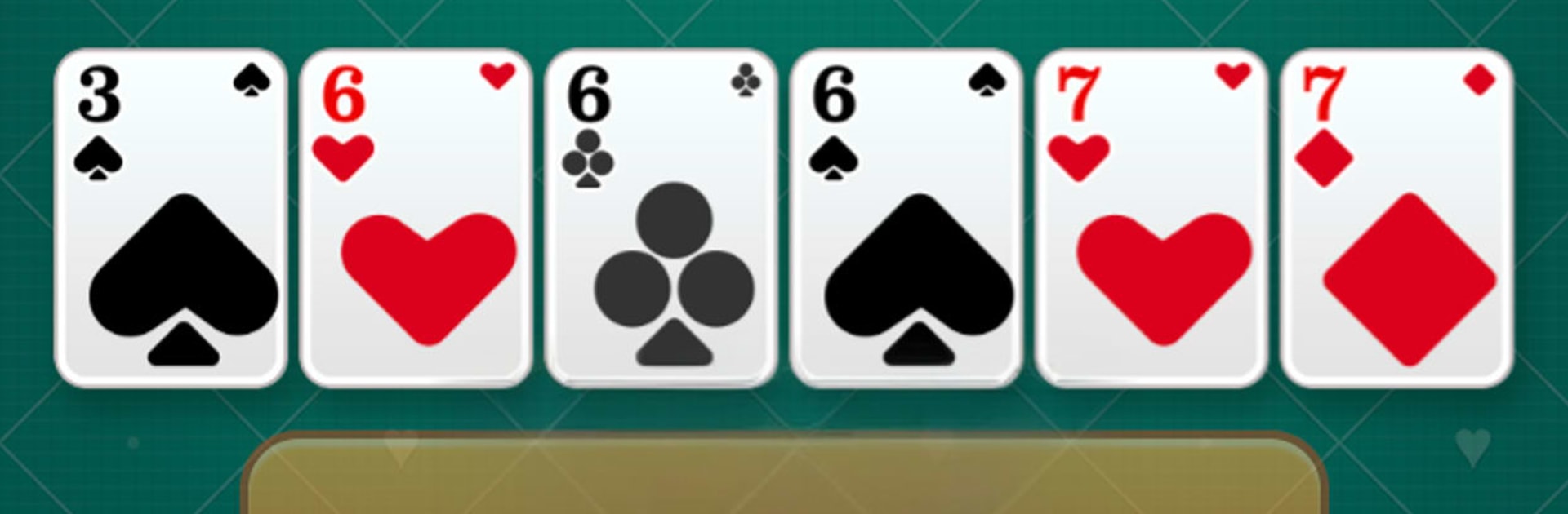
Cribbage 24 is a clean, modern take on the classic pegging race, built for anyone who wants to learn, practice, or just play a quick match. This Card game pairs a realistic tabletop feel with smart tools that reveal the choices behind every point, and it even plays nicely on PC with BlueStacks. New to cribbage or already counting like a pro? Set your pace and watch your strategy sharpen game by game.

Game Features

  • Adaptive Difficulty: Pick from Beginner, Club, or PRO for matches that teach, challenge, or truly test your nerve.
  • Smart Play Hints: Stuck during pegging? Get a gentle nudge as the recommended card lifts from your hand.
  • Discard Guidance: See clear suggestions on which two cards to toss to the crib—and why that choice pays off.
  • Manual Counting Mode: Enter your own totals first, then reveal the correct score with a full breakdown to fine-tune your counting.
  • Discard Analyzer: Compare all 15 possible discards with expected values and likely outcomes to weigh risk versus reward.
  • Score Tools: Check any hand, crib, or pegging sequence and get a step-by-step scoring explanation.
  • Board Simulator: Experiment with scorelines and positions to practice endgames and sharpen positional strategy.
  • Game Replays: Use a seed to replay the same deal, review your decisions, and try alternate lines.
  • Saved Matches: Store up to five games and return to the exact cards, score, and board state you left.
  • Stats That Matter: Track win rate, skunks, pegging efficiency, hand and crib averages, and your overall Cribbage Rating.
  • Authentic Flow: Cut for the deal, choose crib cards, reveal the starter, peg toward 31, then count it up—just like the real table.
  • Looks and Feel: Smooth deals, flips, and pegs with every point shown on the board, keeping the race to 121 crystal clear.
  • Customize Your Table: Pick table colors, patterned surfaces, and card designs to match your style.
  • Learn by Playing: A built-in tutorial covers the deal, the crib, pegging, nobs, heels, and the full scoring rhythm.
  • Clean, Fast UI: Snappy, uncluttered interface that scales nicely across different screen sizes, including desktop.

Start playing Cribbage 24 on BlueStacks and get a smoother, more comfortable PC or Mac setup.

Game Features

Enhancements

  • Macros
  • Multi Instance
  • Multi Instance Sync
  • Script
  • Enhancements
Macros

Macros

Automate the predictable in Cribbage 24 and transform your gameplay with Macros. Get access to inventive Macros in the BlueStacks Macro Community
Multi Instance

Multi Instance

Play Cribbage 24 on one window. And chat with your friend on the other. Press CTRL + Shift + 8 to open the Multi-Instance Manager. And start creating fresh instances or clone an existing one.
Multi Instance Sync

Multi Instance Sync

Play Cribbage 24 with the power of Multi-Instance Sync. Replicate what you are doing on the main instance on all other instances. Level up faster, play more.
Script

Script

Script your way to gaming glory in Cribbage 24 with BlueStacks Script. Write and run a set of commands to automate repeated tasks. Trigger the command by assigning it to any key.
Read More

How to Download and Play Cribbage 24 on PC or Mac

  • Download and install BlueStacks on your PC or Mac

  • Complete Google sign-in to access the Play Store, or do it later

  • Look for Cribbage 24 in the search bar at the top right corner

  • Click to install Cribbage 24 from the search results

  • Complete Google sign-in (if you skipped step 2) to install Cribbage 24

  • Click the Cribbage 24 icon on the home screen to start playing

video
Watch Video

Minimum System Requirements

With BlueStacks 5, you can get started on a PC that fulfills the following requirements.

  • Operating System

    Microsoft Windows 7 or above, macOS 11 (Big Sur) or above

  • Processor

    Intel, AMD or Apple Silicon Processor

  • RAM

    at least 4GB

  • HDD

    10GB Free Disk Space

Note:

* You must be an Administrator on your PC. Up to date graphics drivers from Microsoft or the chipset vendor.

Cribbage 24 - FAQs

  • How to play Cribbage 24 on Windows PC & Mac?

    Play Cribbage 24 on your PC or Mac by following these simple steps.

    • Click on 'Play Cribbage 24 on PC’ to download BlueStacks
    • Install it and log-in to Google Play Store
    • Launch and play the game.
  • Why is BlueStacks the fastest and safest platform to play games on PC?

    BlueStacks respects your privacy and is always safe and secure to use. It does not carry any malware, spyware, or any sort of additional software that could harm your PC.

    It is engineered to optimize speed and performance for a seamless gaming experience.

  • What are Cribbage 24 PC requirements?

    Minimum requirement to run Cribbage 24 on your PC

    • OS: Microsoft Windows 7 or above MacOS 11 (Big Sur) or above
    • Processor: Intel, AMD or Apple Silicon Processor
    • RAM: Your PC must have at least 4GB of RAM. (Note that having 4GB or more disk space is not a substitute for RAM)
    • HDD: 10GB Free Disk Space.
    • You must be an Administrator on your PC.