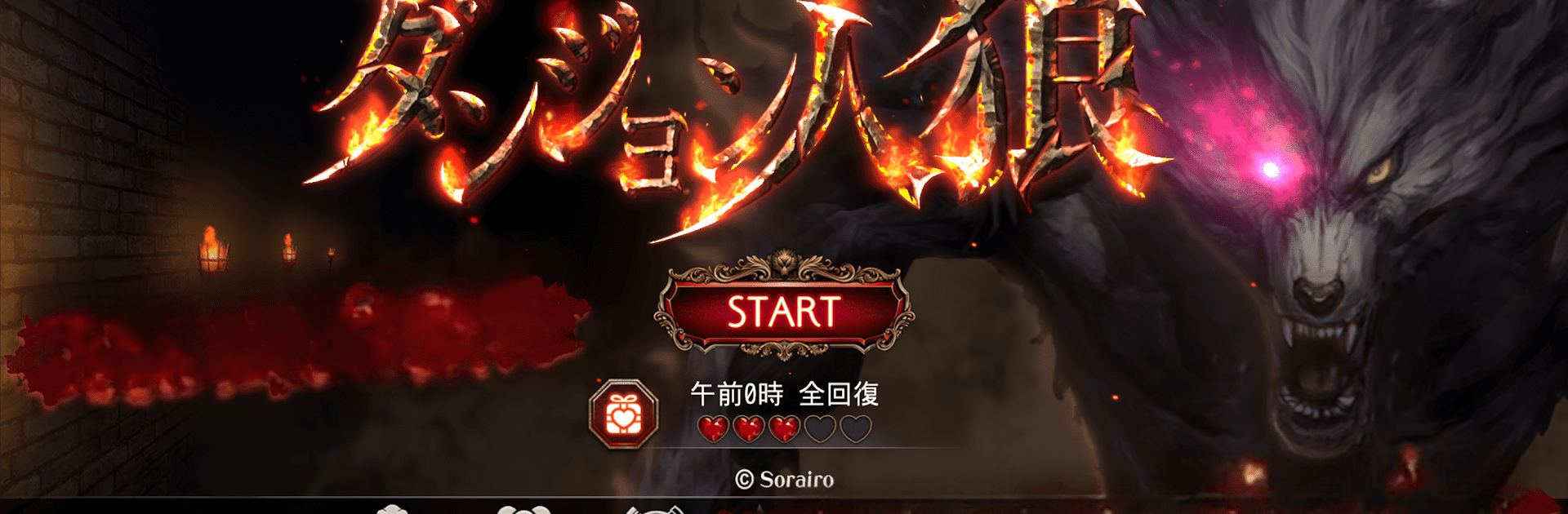
ダンジョン人狼
ダンジョン人狼

ダンジョン人狼

Card

| Sorairo, Inc.

Play on PC with BlueStacks or from our cloud

  • Overview
  • Game Features
  • How to Play

Page Modified On: November 10, 2025

Play ダンジョン人狼 on PC or Mac

From the innovators and creators at Sorairo, Inc., ダンジョン人狼 is another fun addition to the World of Card games. Go beyond your mobile screen and play it bigger and better on your PC or Mac. An immersive experience awaits you.

About the Game

ダンジョン人狼 is a Card game from Sorairo, Inc. that mashes social deduction with a tense dungeon crawl. You’ll creep through 3D ruins in real time while talking, bluffing, and using quirky role powers to sniff out traitors—or hide as one. The town’s hope rests on sacred bells hidden underground, but with werewolves in the party, who can you trust?

Game Features

  • Real-time dungeon sleuthing: Move your character through a 3D maze and gather clues as you go. Where you were and what you did can become a rock-solid alibi—or a hole in your story.
  • 60+ wild roles across factions: Citizens, werewolves, foxes, zombies, and a bunch of oddballs each come with unique abilities. Think Assassin, Priestess, Queen, Werewolf King, Nine-Tailed Fox, Thief, Cupid, and more—every role shifts the mind games.
  • Big lobbies, big mind games: Play anything from tight 4-player rounds to chaotic 20-person showdowns. The more players, the trickier the lies and alliances.
  • Three online ways to play: Jump into Nationwide Battle for rankings, set a password to host private rooms, or gather your Friend list for organized chaos.
  • Say it your way: Use standard chat for debates, quick text snippets to keep things moving, plus stamps—and even voice stamps—to nail the mood.
  • Horizontal controls that feel right: Hold your device sideways and freely steer your explorer through the ruins with smooth, responsive movement.
  • Dress your chibi hero: Mini characters inspired by Werewolf Judgment return with mix-and-match costumes so your look matches your playstyle.
  • Four distinctive maps: Brave the Underground Altar, Desert Labyrinth, Hanging Garden, and Scorching Cave, each with its own vibe and routes.
  • Subtle PC comfort: Prefer playing on a bigger screen? It works great on BlueStacks without changing the core feel.

Get ready for a buttery smooth, high-performance gaming action only on BlueStacks.

Game Features

Enhancements

  • Macros
  • Multi Instance
  • Multi Instance Sync
  • Script
  • Enhancements
Macros

Macros

Automate the predictable in ダンジョン人狼 and transform your gameplay with Macros. Get access to inventive Macros in the BlueStacks Macro Community
Multi Instance

Multi Instance

Play ダンジョン人狼 on one window. And chat with your friend on the other. Press CTRL + Shift + 8 to open the Multi-Instance Manager. And start creating fresh instances or clone an existing one.
Multi Instance Sync

Multi Instance Sync

Play ダンジョン人狼 with the power of Multi-Instance Sync. Replicate what you are doing on the main instance on all other instances. Level up faster, play more.
Script

Script

Script your way to gaming glory in ダンジョン人狼 with BlueStacks Script. Write and run a set of commands to automate repeated tasks. Trigger the command by assigning it to any key.
Read More

How to Download and Play ダンジョン人狼 on PC or Mac

  • Download and install BlueStacks on your PC or Mac

  • Complete Google sign-in to access the Play Store, or do it later

  • Look for ダンジョン人狼 in the search bar at the top right corner

  • Click to install ダンジョン人狼 from the search results

  • Complete Google sign-in (if you skipped step 2) to install ダンジョン人狼

  • Click the ダンジョン人狼 icon on the home screen to start playing

video
Watch Video

Minimum System Requirements

With BlueStacks 5, you can get started on a PC that fulfills the following requirements.

  • Operating System

    Microsoft Windows 7 or above, macOS 11 (Big Sur) or above

  • Processor

    Intel, AMD or Apple Silicon Processor

  • RAM

    at least 4GB

  • HDD

    10GB Free Disk Space

Note:

* You must be an Administrator on your PC. Up to date graphics drivers from Microsoft or the chipset vendor.

ダンジョン人狼 - FAQs

  • How to play ダンジョン人狼 on Windows PC & Mac?

    Play ダンジョン人狼 on your PC or Mac by following these simple steps.

    • Click on 'Play ダンジョン人狼 on PC’ to download BlueStacks
    • Install it and log-in to Google Play Store
    • Launch and play the game.
  • Why is BlueStacks the fastest and safest platform to play games on PC?

    BlueStacks respects your privacy and is always safe and secure to use. It does not carry any malware, spyware, or any sort of additional software that could harm your PC.

    It is engineered to optimize speed and performance for a seamless gaming experience.

  • What are ダンジョン人狼 PC requirements?

    Minimum requirement to run ダンジョン人狼 on your PC

    • OS: Microsoft Windows 7 or above MacOS 11 (Big Sur) or above
    • Processor: Intel, AMD or Apple Silicon Processor
    • RAM: Your PC must have at least 4GB of RAM. (Note that having 4GB or more disk space is not a substitute for RAM)
    • HDD: 10GB Free Disk Space.
    • You must be an Administrator on your PC.