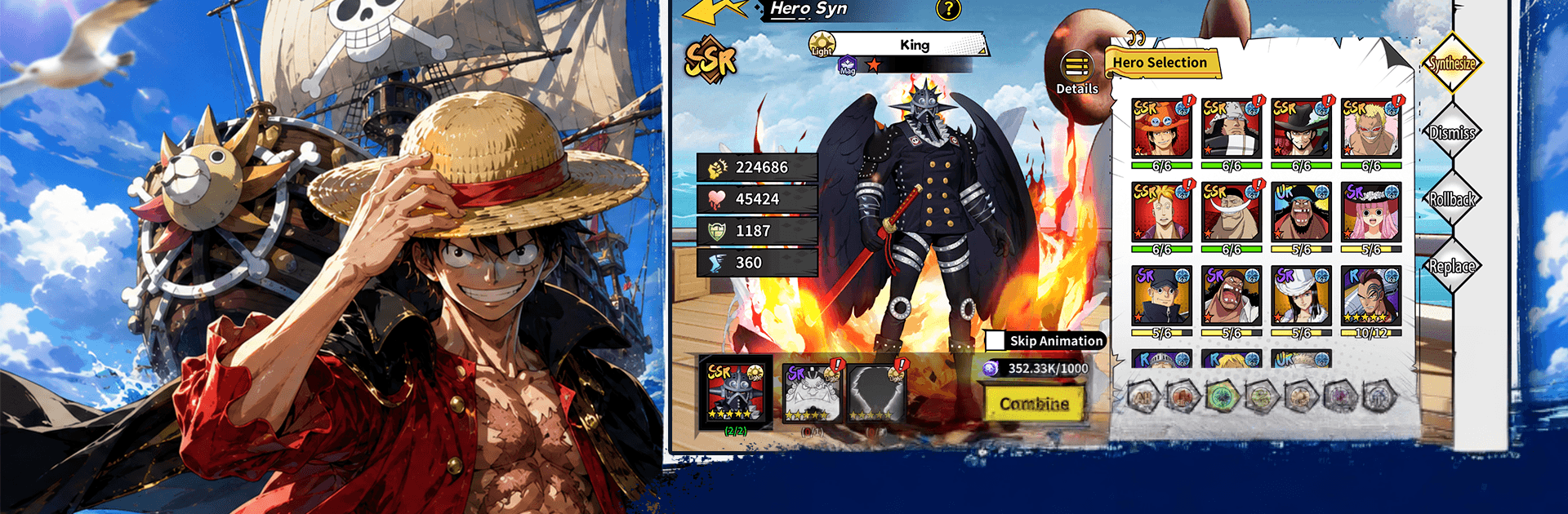
Grand Sea Legends
Grand Sea Legends

Grand Sea Legends

Card

| NH Auto

Play on PC with BlueStacks or from our cloud

  • Overview
  • Game Features
  • How to Play

Page Modified On: August 11, 2026

Play Grand Sea Legends on PC or Mac

Step into the World of Grand Sea Legends, a thrilling Card game from the house of NH Auto. Play this Android game on BlueStacks App Player and experience immersive gaming on PC or Mac.

About the Game

Grand Sea Legends is a seafaring Card game where you build a fearless crew, chart new routes, and outsmart rivals on the open ocean. It blends card-driven strategy with light, hands-off progression, so your fleet keeps growing even when you’re not tapping away. Expect quick decisions, smart synergies, and that “one more voyage” feeling as you hop between mysterious islands and tough encounters. Prefer playing on your computer sometimes? It also runs nicely on BlueStacks.

Game Features

  • Card-Driven Battles: Make every turn count with ability cards that shape the fight. Choose the right moves, set up combos, and counter threats before they snowball.
  • Build Your Crew: Recruit distinct companions with specialized roles. Mix tanks, damage dealers, and support to craft lineups that actually feel different to play.
  • Ship and Hero Upgrades: Strengthen your flagship and enhance your favorite heroes to push into trickier waters and take on nastier foes.
  • Island Hopping Adventure: Scout uncharted spots for loot, events, and surprises. Each route feels like a mini story with risks and payoffs.
  • Big Boss Showdowns: Face sea monsters and elite captains that demand timing and a smart plan, not just higher stats.
  • Competitive PvP: Put your best formation against other players and see whose strategy holds up under pressure.
  • Progress While You’re Away: Your fleet keeps gathering resources when you’re offline, so you can return, tweak your deck, and jump right back into the action.

Start your journey now. Download the game on BlueStacks, invite your friends, and march on a new adventure.


Game Features

Enhancements

  • Macros
  • Multi Instance
  • Multi Instance Sync
  • Script
  • Enhancements
Macros

Macros

Automate the predictable in Grand Sea Legends and transform your gameplay with Macros. Get access to inventive Macros in the BlueStacks Macro Community
Multi Instance

Multi Instance

Play Grand Sea Legends on one window. And chat with your friend on the other. Press CTRL + Shift + 8 to open the Multi-Instance Manager. And start creating fresh instances or clone an existing one.
Multi Instance Sync

Multi Instance Sync

Play Grand Sea Legends with the power of Multi-Instance Sync. Replicate what you are doing on the main instance on all other instances. Level up faster, play more.
Script

Script

Script your way to gaming glory in Grand Sea Legends with BlueStacks Script. Write and run a set of commands to automate repeated tasks. Trigger the command by assigning it to any key.
Read More

How to Download and Play Grand Sea Legends on PC or Mac

  • Download and install BlueStacks on your PC or Mac

  • Complete Google sign-in to access the Play Store, or do it later

  • Look for Grand Sea Legends in the search bar at the top right corner

  • Click to install Grand Sea Legends from the search results

  • Complete Google sign-in (if you skipped step 2) to install Grand Sea Legends

  • Click the Grand Sea Legends icon on the home screen to start playing

video
Watch Video

Minimum System Requirements

With BlueStacks 5, you can get started on a PC that fulfills the following requirements.

  • Operating System

    Microsoft Windows 7 or above, macOS 11 (Big Sur) or above

  • Processor

    Intel, AMD or Apple Silicon Processor

  • RAM

    at least 4GB

  • HDD

    10GB Free Disk Space

Note:

* You must be an Administrator on your PC. Up to date graphics drivers from Microsoft or the chipset vendor.

Grand Sea Legends - FAQs

  • How to play Grand Sea Legends on Windows PC & Mac?

    Play Grand Sea Legends on your PC or Mac by following these simple steps.

    • Click on 'Play Grand Sea Legends on PC’ to download BlueStacks
    • Install it and log-in to Google Play Store
    • Launch and play the game.
  • Why is BlueStacks the fastest and safest platform to play games on PC?

    BlueStacks respects your privacy and is always safe and secure to use. It does not carry any malware, spyware, or any sort of additional software that could harm your PC.

    It is engineered to optimize speed and performance for a seamless gaming experience.

  • What are Grand Sea Legends PC requirements?

    Minimum requirement to run Grand Sea Legends on your PC

    • OS: Microsoft Windows 7 or above MacOS 11 (Big Sur) or above
    • Processor: Intel, AMD or Apple Silicon Processor
    • RAM: Your PC must have at least 4GB of RAM. (Note that having 4GB or more disk space is not a substitute for RAM)
    • HDD: 10GB Free Disk Space.
    • You must be an Administrator on your PC.