Hardwood Backgammon Pro

Hardwood Backgammon Pro

Card

| Silver Creek Entertainment

Play on PC with BlueStacks or from our cloud

  • Overview
  • Game Features
  • How to Play

Page Modified On: October 24, 2025

Play Hardwood Backgammon Pro on PC or Mac

Explore a whole new adventure with Hardwood Backgammon Pro, a Card game created by Silver Creek Entertainment. Experience great gameplay with BlueStacks, the most popular gaming platform to play Android games on your PC or Mac.

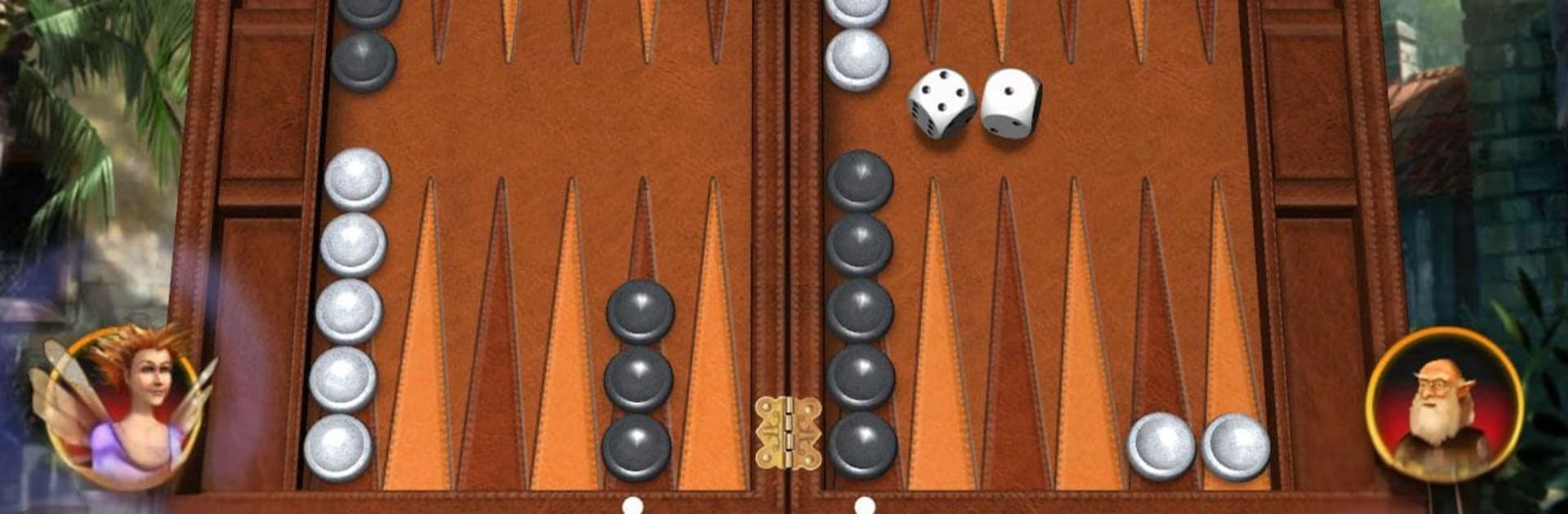
Hardwood Backgammon Pro feels like the old board pulled onto a screen, but cleaner and calmer. The controls stay simple, so pieces move with a quick drag and the dice roll has a nice snap to it. There is proper match play with the doubling cube, which keeps things tense when a game starts turning. The built in AI runs on a neural net and is not a pushover, so solo games actually teach better decision making instead of just handing out wins. When friends are around, there is a local two player option that works like pass and play, and online matches fill fast with people from everywhere.

The look is surprisingly polished for a classic board game. Players can swap styles, like rounded or square white dice, brown leather or redwood boards, and checkers that range from black and white marble to green and black gem inlay. Backgrounds include a seaside village with soft wave sounds or a shiny gold paint scene, so the whole table has a bit of atmosphere without getting noisy. Achievements and a global leaderboard give extra goals if someone wants more than a quick race off the bar. It runs fine on phones or tablets, and on PC with BlueStacks the bigger screen and mouse make moving stacks neat and quick, nothing fiddly.

Make your gaming sessions memorable with precise controls that give you an edge in close combats and visuals that pop up, bringing every character to life.


Game Features

Enhancements

  • Macros
  • Multi Instance
  • Multi Instance Sync
  • Script
  • Enhancements
Macros

Macros

Automate the predictable in Hardwood Backgammon Pro and transform your gameplay with Macros. Get access to inventive Macros in the BlueStacks Macro Community
Multi Instance

Multi Instance

Play Hardwood Backgammon Pro on one window. And chat with your friend on the other. Press CTRL + Shift + 8 to open the Multi-Instance Manager. And start creating fresh instances or clone an existing one.
Multi Instance Sync

Multi Instance Sync

Play Hardwood Backgammon Pro with the power of Multi-Instance Sync. Replicate what you are doing on the main instance on all other instances. Level up faster, play more.
Script

Script

Script your way to gaming glory in Hardwood Backgammon Pro with BlueStacks Script. Write and run a set of commands to automate repeated tasks. Trigger the command by assigning it to any key.
Read More

How to Download and Play Hardwood Backgammon Pro on PC or Mac

  • Download and install BlueStacks on your PC or Mac

  • Complete Google sign-in to access the Play Store, or do it later

  • Look for Hardwood Backgammon Pro in the search bar at the top right corner

  • Click to install Hardwood Backgammon Pro from the search results

  • Complete Google sign-in (if you skipped step 2) to install Hardwood Backgammon Pro

  • Click the Hardwood Backgammon Pro icon on the home screen to start playing

video
Watch Video

Minimum System Requirements

With BlueStacks 5, you can get started on a PC that fulfills the following requirements.

  • Operating System

    Microsoft Windows 7 or above, macOS 11 (Big Sur) or above

  • Processor

    Intel, AMD or Apple Silicon Processor

  • RAM

    at least 4GB

  • HDD

    10GB Free Disk Space

Note:

* You must be an Administrator on your PC. Up to date graphics drivers from Microsoft or the chipset vendor.

Hardwood Backgammon Pro - FAQs

  • How to play Hardwood Backgammon Pro on Windows PC & Mac?

    Play Hardwood Backgammon Pro on your PC or Mac by following these simple steps.

    • Click on 'Play Hardwood Backgammon Pro on PC’ to download BlueStacks
    • Install it and log-in to Google Play Store
    • Launch and play the game.
  • Why is BlueStacks the fastest and safest platform to play games on PC?

    BlueStacks respects your privacy and is always safe and secure to use. It does not carry any malware, spyware, or any sort of additional software that could harm your PC.

    It is engineered to optimize speed and performance for a seamless gaming experience.

  • What are Hardwood Backgammon Pro PC requirements?

    Minimum requirement to run Hardwood Backgammon Pro on your PC

    • OS: Microsoft Windows 7 or above MacOS 11 (Big Sur) or above
    • Processor: Intel, AMD or Apple Silicon Processor
    • RAM: Your PC must have at least 4GB of RAM. (Note that having 4GB or more disk space is not a substitute for RAM)
    • HDD: 10GB Free Disk Space.
    • You must be an Administrator on your PC.