Jolly Card Poker
Jolly Card Poker

Jolly Card Poker

Card

| Ivan Marinković

Play on PC with BlueStacks or from our cloud

  • Overview
  • Game Features
  • How to Play

Page Modified On: September 19, 2025

Play Jolly Card Poker on PC or Mac

Join millions to experience Jolly Card Poker, an exciting Card game from Ivan Marinković. With BlueStacks App Player, you are always a step ahead of your opponent, ready to outplay them with faster gameplay and better control with the mouse and keyboard on your PC or Mac.

About the Game

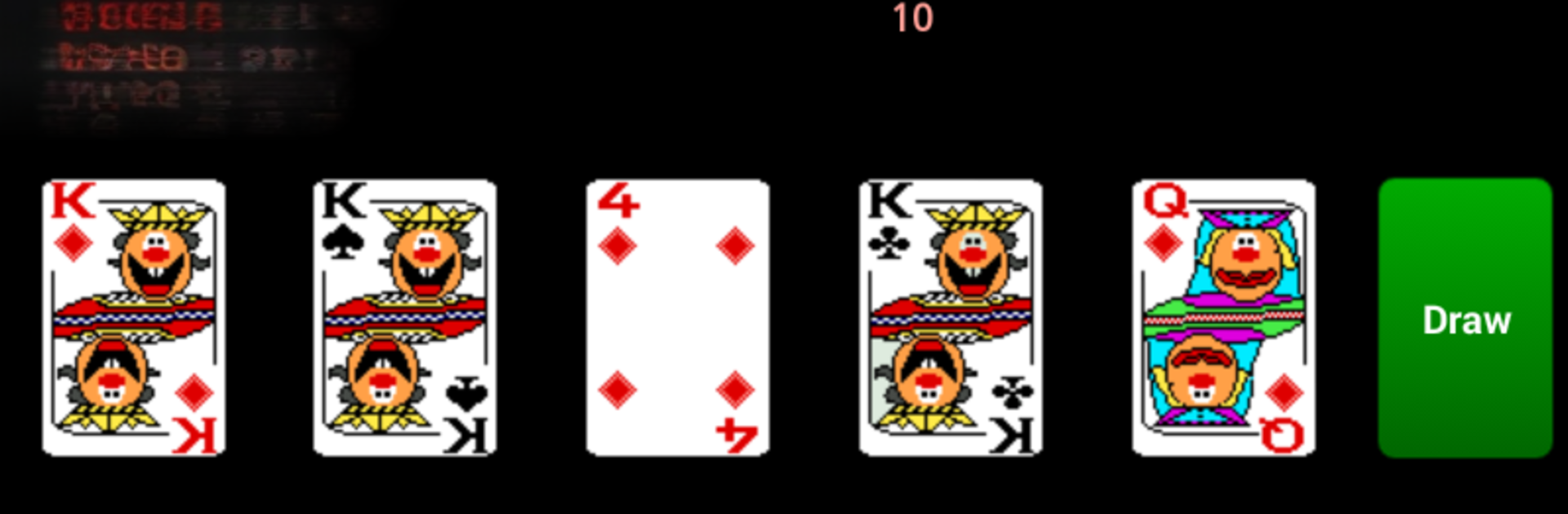
Jolly Card Poker brings that classic casino video poker vibe to your screen—simple, quick, and oddly addictive. Built by Ivan Marinković, it sticks to the roots of the genre while giving you handy tools that keep the action smooth, like smart holds and clean, tap-friendly controls. It’s a straightforward Card experience you can play on the go or kick back with on a bigger display using BlueStacks.

Game Features

  • Classic video poker feel: Hold the cards you want, draw the rest, and chase familiar hands just like you would on a real machine.
  • Smart Auto Hold: Don’t want to overthink every decision? Auto Hold can mark the best cards for you based on optimal play. Switch it on or off with a tap.
  • Flexible betting: Set your wager anywhere from 1 to 99 before dealing. It starts at 10 by default, and you can tweak it with quick taps or press and hold to open a handy bet dialog.
  • Joker in the deck: A wild Joker shakes up your strategy and opens the door to more winning combos, including straights and straight flushes when it fits.
  • Snappy, no-fuss controls: Tap to hold or release, deal again in a second, and keep the rounds flowing—great for short breaks or long runs.
  • Play your way: Use Auto Hold to practice solid strategy, or turn it off and trust your instincts for a more old-school feel.
  • Looks great on desktop: Prefer a bigger view and mouse clicks? Fire it up on your PC with BlueStacks and settle in for longer sessions.

Start your journey now. Download the game on BlueStacks, invite your friends, and march on a new adventure.


Game Features

Enhancements

  • Macros
  • Multi Instance
  • Multi Instance Sync
  • Script
  • Enhancements
Macros

Macros

Automate the predictable in Jolly Card Poker and transform your gameplay with Macros. Get access to inventive Macros in the BlueStacks Macro Community
Multi Instance

Multi Instance

Play Jolly Card Poker on one window. And chat with your friend on the other. Press CTRL + Shift + 8 to open the Multi-Instance Manager. And start creating fresh instances or clone an existing one.
Multi Instance Sync

Multi Instance Sync

Play Jolly Card Poker with the power of Multi-Instance Sync. Replicate what you are doing on the main instance on all other instances. Level up faster, play more.
Script

Script

Script your way to gaming glory in Jolly Card Poker with BlueStacks Script. Write and run a set of commands to automate repeated tasks. Trigger the command by assigning it to any key.
Read More

How to Download and Play Jolly Card Poker on PC or Mac

  • Download and install BlueStacks on your PC or Mac

  • Complete Google sign-in to access the Play Store, or do it later

  • Look for Jolly Card Poker in the search bar at the top right corner

  • Click to install Jolly Card Poker from the search results

  • Complete Google sign-in (if you skipped step 2) to install Jolly Card Poker

  • Click the Jolly Card Poker icon on the home screen to start playing

video
Watch Video

Minimum System Requirements

With BlueStacks 5, you can get started on a PC that fulfills the following requirements.

  • Operating System

    Microsoft Windows 7 or above, macOS 11 (Big Sur) or above

  • Processor

    Intel, AMD or Apple Silicon Processor

  • RAM

    at least 4GB

  • HDD

    10GB Free Disk Space

Note:

* You must be an Administrator on your PC. Up to date graphics drivers from Microsoft or the chipset vendor.

Jolly Card Poker - FAQs

  • How to play Jolly Card Poker on Windows PC & Mac?

    Play Jolly Card Poker on your PC or Mac by following these simple steps.

    • Click on 'Play Jolly Card Poker on PC’ to download BlueStacks
    • Install it and log-in to Google Play Store
    • Launch and play the game.
  • Why is BlueStacks the fastest and safest platform to play games on PC?

    BlueStacks respects your privacy and is always safe and secure to use. It does not carry any malware, spyware, or any sort of additional software that could harm your PC.

    It is engineered to optimize speed and performance for a seamless gaming experience.

  • What are Jolly Card Poker PC requirements?

    Minimum requirement to run Jolly Card Poker on your PC

    • OS: Microsoft Windows 7 or above MacOS 11 (Big Sur) or above
    • Processor: Intel, AMD or Apple Silicon Processor
    • RAM: Your PC must have at least 4GB of RAM. (Note that having 4GB or more disk space is not a substitute for RAM)
    • HDD: 10GB Free Disk Space.
    • You must be an Administrator on your PC.