Power Awakened: Galactic Clash

Power Awakened: Galactic Clash

Card

| Rival Dev

Play on PC with BlueStacks or from our cloud

  • Overview
  • Game Features
  • How to Play

Page Modified On: January 02, 2026

Play Power Awakened: Galactic Clash on PC or Mac

From the innovators and creators at Rival Dev, Power Awakened: Galactic Clash is another fun addition to the World of Card games. Go beyond your mobile screen and play it bigger and better on your PC or Mac. An immersive experience awaits you.

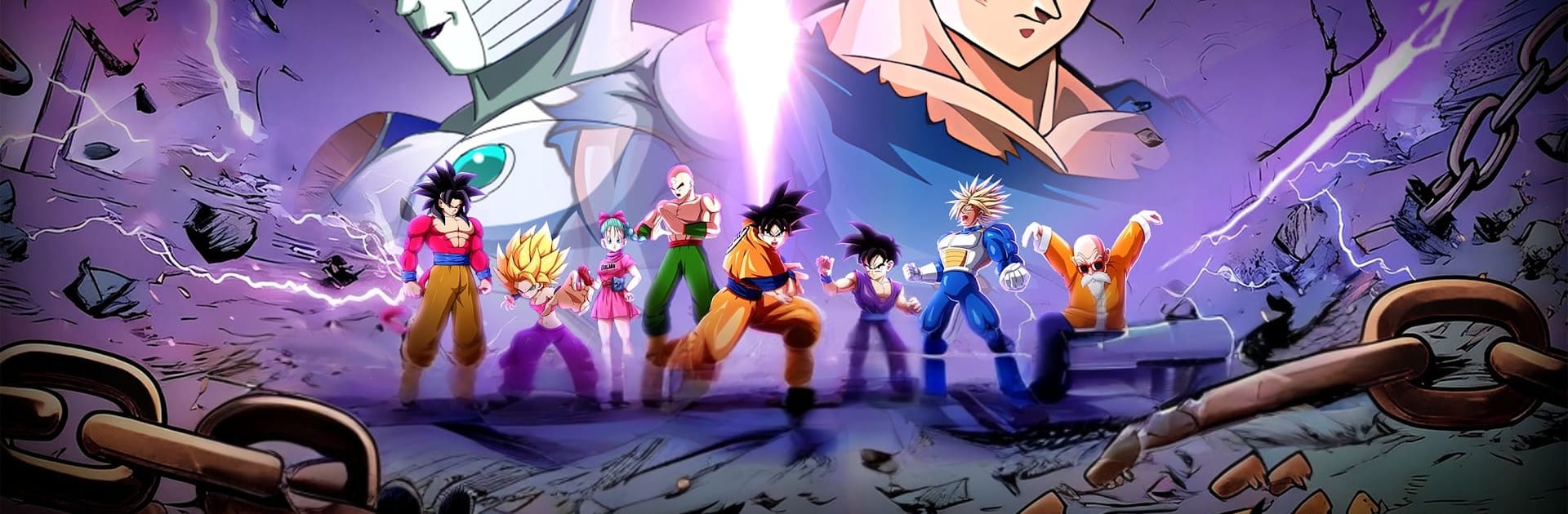
Power Awakened: Galactic Clash plays like a flashy squad battler where the fun is all about building a crew that actually works together. Players collect a bunch of wild-looking heroes, then tweak lineups so traits and roles click into place. Battles have quick bursts of action with big specials, and there is just enough timing and target choice to keep it from feeling like auto only. The hook is in the matchups. Tanks that soak, supports that flip fights with buffs, glass cannons that melt the wrong target if nobody checks them. Awakening and upgrading unlock extra skills, so a hero that looked average early can suddenly carry once the right gear and passives are online.

On PC with BlueStacks, it is smooth to play for longer runs. Mouse clicks make swapping targets and firing ultimates snappy, and the larger screen makes stat pages and synergy notes easier to read without squinting. There is a story path with bosses for farming, and real-time PvP where quick choices actually matter, since one mistimed burst loses a round fast. The ranking grind moves at a decent pace, and when new events drop, they add fresh fighters and side challenges to chase materials. It is bright, a bit loud in the best way, and it rewards players who like to puzzle over team comps between the fireworks.

Make your gaming sessions memorable with precise controls that give you an edge in close combats and visuals that pop up, bringing every character to life.


Game Features

Enhancements

  • Macros
  • Multi Instance
  • Multi Instance Sync
  • Script
  • Enhancements
Macros

Macros

Automate the predictable in Power Awakened: Galactic Clash and transform your gameplay with Macros. Get access to inventive Macros in the BlueStacks Macro Community
Multi Instance

Multi Instance

Play Power Awakened: Galactic Clash on one window. And chat with your friend on the other. Press CTRL + Shift + 8 to open the Multi-Instance Manager. And start creating fresh instances or clone an existing one.
Multi Instance Sync

Multi Instance Sync

Play Power Awakened: Galactic Clash with the power of Multi-Instance Sync. Replicate what you are doing on the main instance on all other instances. Level up faster, play more.
Script

Script

Script your way to gaming glory in Power Awakened: Galactic Clash with BlueStacks Script. Write and run a set of commands to automate repeated tasks. Trigger the command by assigning it to any key.
Read More

How to Download and Play Power Awakened: Galactic Clash on PC or Mac

  • Download and install BlueStacks on your PC or Mac

  • Complete Google sign-in to access the Play Store, or do it later

  • Look for Power Awakened: Galactic Clash in the search bar at the top right corner

  • Click to install Power Awakened: Galactic Clash from the search results

  • Complete Google sign-in (if you skipped step 2) to install Power Awakened: Galactic Clash

  • Click the Power Awakened: Galactic Clash icon on the home screen to start playing

video
Watch Video

Minimum System Requirements

With BlueStacks 5, you can get started on a PC that fulfills the following requirements.

  • Operating System

    Microsoft Windows 7 or above, macOS 11 (Big Sur) or above

  • Processor

    Intel, AMD or Apple Silicon Processor

  • RAM

    at least 4GB

  • HDD

    10GB Free Disk Space

Note:

* You must be an Administrator on your PC. Up to date graphics drivers from Microsoft or the chipset vendor.

Power Awakened: Galactic Clash - FAQs

  • How to play Power Awakened: Galactic Clash on Windows PC & Mac?

    Play Power Awakened: Galactic Clash on your PC or Mac by following these simple steps.

    • Click on 'Play Power Awakened: Galactic Clash on PC’ to download BlueStacks
    • Install it and log-in to Google Play Store
    • Launch and play the game.
  • Why is BlueStacks the fastest and safest platform to play games on PC?

    BlueStacks respects your privacy and is always safe and secure to use. It does not carry any malware, spyware, or any sort of additional software that could harm your PC.

    It is engineered to optimize speed and performance for a seamless gaming experience.

  • What are Power Awakened: Galactic Clash PC requirements?

    Minimum requirement to run Power Awakened: Galactic Clash on your PC

    • OS: Microsoft Windows 7 or above MacOS 11 (Big Sur) or above
    • Processor: Intel, AMD or Apple Silicon Processor
    • RAM: Your PC must have at least 4GB of RAM. (Note that having 4GB or more disk space is not a substitute for RAM)
    • HDD: 10GB Free Disk Space.
    • You must be an Administrator on your PC.