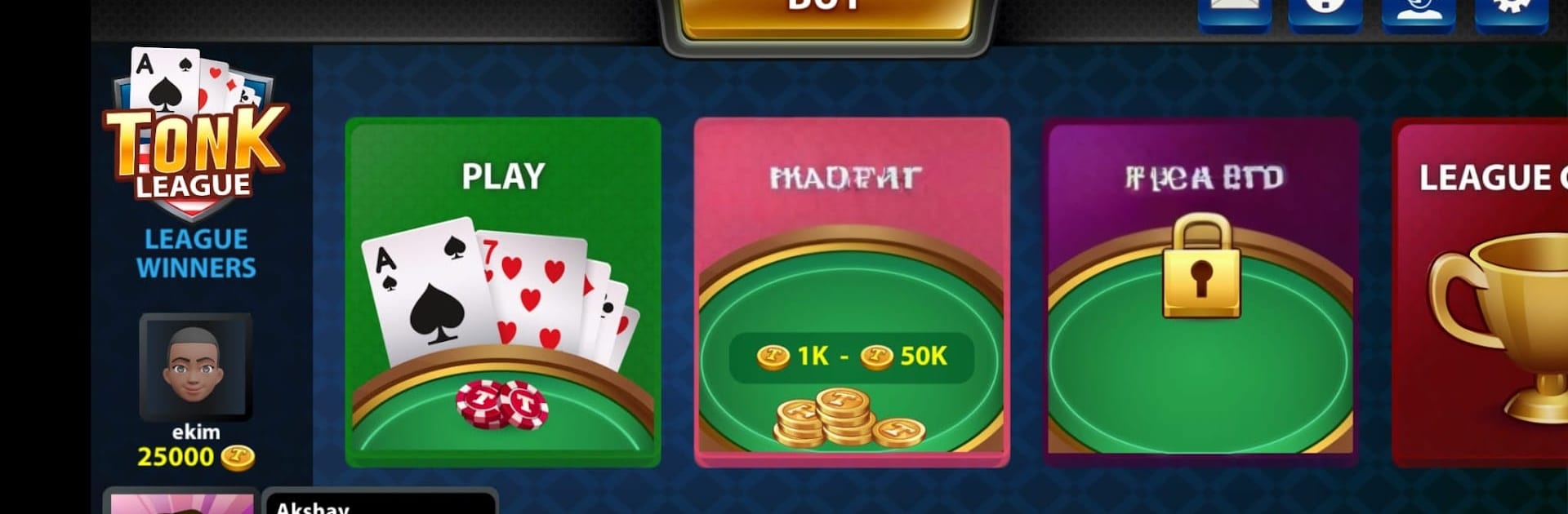
Tonk League Card Game

Tonk League Card Game

Card

| Garia Games Ltd

Play on PC with BlueStacks or from our cloud

  • Overview
  • Game Features
  • How to Play

Page Modified On: December 26, 2025

Play Tonk League Card Game on PC or Mac

Step into the World of Tonk League Card Game, a thrilling Card game from the house of Garia Games Ltd. Play this Android game on BlueStacks App Player and experience immersive gaming on PC or Mac.

About the Game

Tonk League Card Game puts a fast, old-school favorite right in your pocket. It’s all about quick 5-card rounds, bold moves, and a little nerve—build spreads, hit other players’ sets, or knock when you think you’re ahead. Whether you’re new to Tunk or already counting points in your sleep, the pace is snappy and the competition is lively. Made by Garia Games Ltd, this Card title feels great on mobile and also plays smoothly on PC with BlueStacks.

Game Features

  • Classic 5-Card Tonk: Play the traditional knock-rummy style that fans love. If you’ve tried Gin Rummy, you’ll pick up the rhythm fast.
  • Real-Time Multiplayer: Jump into tables with players online day and night—there’s always a match waiting.
  • Leagues & Live Tournaments: Test your game sense in ongoing league play and live events for serious bragging rights.
  • High-Stakes Tables: Ready to push it? Sit at rooms with 50,000+ coins and see who blinks first.
  • Private Tables with Friends: Host your own table for casual hangs or a friendly grudge match.
  • Frequent Chip Bonuses: Grab free chips every few hours to keep the cards shuffling.
  • Learn-As-You-Go Tips: Clear guidance on how to “spread,” “hit,” and “knock,” so newcomers don’t feel lost.
  • Authentic Rule Set: Faithful to the roots of Tonk (aka Tunk/Texas Tunk), keeping that classic, punchy feel.
  • Responsive Team: The developers are attentive to feedback and keep the experience polished and fair.

Get ready for a buttery smooth, high-performance gaming action only on BlueStacks.

Game Features

Enhancements

  • Macros
  • Multi Instance
  • Multi Instance Sync
  • Script
  • Enhancements
Macros

Macros

Automate the predictable in Tonk League Card Game and transform your gameplay with Macros. Get access to inventive Macros in the BlueStacks Macro Community
Multi Instance

Multi Instance

Play Tonk League Card Game on one window. And chat with your friend on the other. Press CTRL + Shift + 8 to open the Multi-Instance Manager. And start creating fresh instances or clone an existing one.
Multi Instance Sync

Multi Instance Sync

Play Tonk League Card Game with the power of Multi-Instance Sync. Replicate what you are doing on the main instance on all other instances. Level up faster, play more.
Script

Script

Script your way to gaming glory in Tonk League Card Game with BlueStacks Script. Write and run a set of commands to automate repeated tasks. Trigger the command by assigning it to any key.
Read More

How to Download and Play Tonk League Card Game on PC or Mac

  • Download and install BlueStacks on your PC or Mac

  • Complete Google sign-in to access the Play Store, or do it later

  • Look for Tonk League Card Game in the search bar at the top right corner

  • Click to install Tonk League Card Game from the search results

  • Complete Google sign-in (if you skipped step 2) to install Tonk League Card Game

  • Click the Tonk League Card Game icon on the home screen to start playing

video
Watch Video

Minimum System Requirements

With BlueStacks 5, you can get started on a PC that fulfills the following requirements.

  • Operating System

    Microsoft Windows 7 or above, macOS 11 (Big Sur) or above

  • Processor

    Intel, AMD or Apple Silicon Processor

  • RAM

    at least 4GB

  • HDD

    10GB Free Disk Space

Note:

* You must be an Administrator on your PC. Up to date graphics drivers from Microsoft or the chipset vendor.

Tonk League Card Game - FAQs

  • How to play Tonk League Card Game on Windows PC & Mac?

    Play Tonk League Card Game on your PC or Mac by following these simple steps.

    • Click on 'Play Tonk League Card Game on PC’ to download BlueStacks
    • Install it and log-in to Google Play Store
    • Launch and play the game.
  • Why is BlueStacks the fastest and safest platform to play games on PC?

    BlueStacks respects your privacy and is always safe and secure to use. It does not carry any malware, spyware, or any sort of additional software that could harm your PC.

    It is engineered to optimize speed and performance for a seamless gaming experience.

  • What are Tonk League Card Game PC requirements?

    Minimum requirement to run Tonk League Card Game on your PC

    • OS: Microsoft Windows 7 or above MacOS 11 (Big Sur) or above
    • Processor: Intel, AMD or Apple Silicon Processor
    • RAM: Your PC must have at least 4GB of RAM. (Note that having 4GB or more disk space is not a substitute for RAM)
    • HDD: 10GB Free Disk Space.
    • You must be an Administrator on your PC.