음양삼국:용의그림자
음양삼국:용의그림자

음양삼국:용의그림자

Card

| YOLO NETWORK PTE. LTD.

Play on PC with BlueStacks or from our cloud

  • Overview
  • Game Features
  • How to Play

Page Modified On: November 28, 2025

Play 음양삼국:용의그림자 on PC or Mac

음양삼국:용의그림자 brings the Card genre to life, and throws up exciting challenges for gamers. Developed by YOLO NETWORK PTE. LTD., this Android game is best experienced on BlueStacks, the World’s #1 app player for PC and Mac users.

About the Game

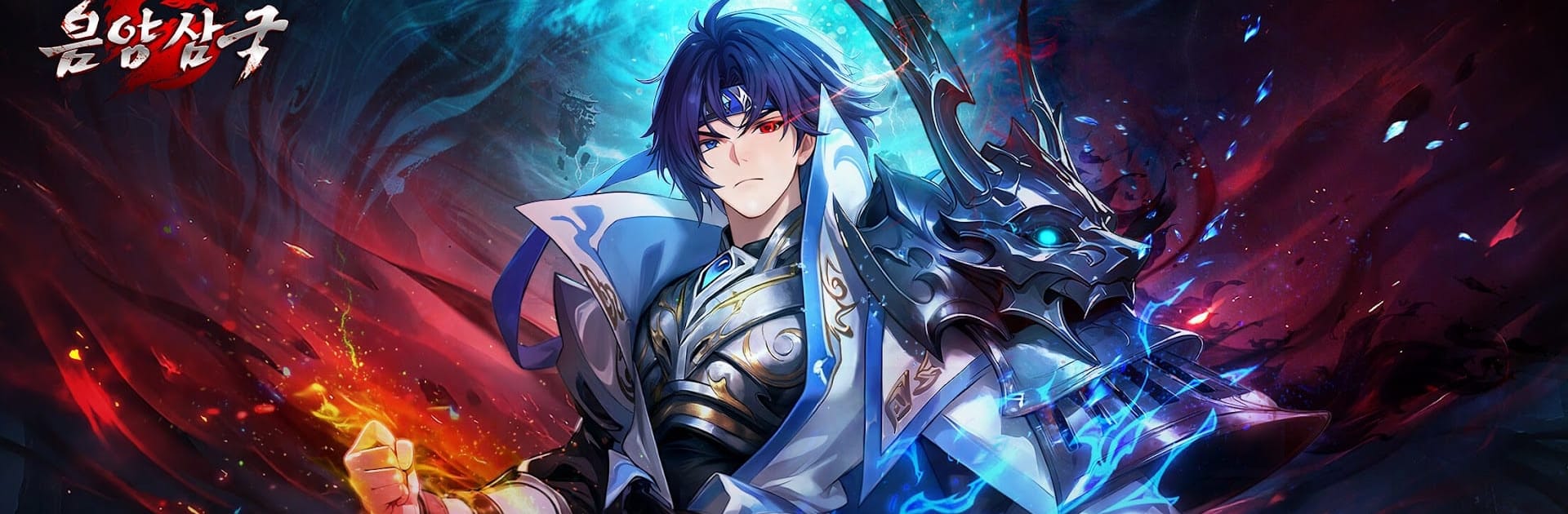
음양삼국:용의그림자 is a Card battler where legends of the Three Kingdoms collide with a shadowy spirit realm. Zhao Yun and other iconic generals cross between Yin and Yang to push back a creeping darkness and set the balance right again. Expect smart team-building, flashy skills, and battles that feel big without being complicated.

Game Features

  • Dual-World Adventure: Fight across the living world and the spirit world, facing corrupted heroes and shifting threats while Zhao Yun leads the charge against the dark tide.
  • Team Synergy That Matters: Build lineups that actually click. Mix generals whose skills amplify each other to squeeze out clutch wins when it counts.
  • Progress That Sticks: Swap a master general or change roles without losing the effort you’ve put in. Your growth carries over, so you can experiment freely and keep your best ideas rolling.
  • Fast, Generous Progression: Daily logins and regular check-ins hand you useful rewards, helping you power up quickly and jump into tougher content sooner.
  • Big, Flashy Skills: Ultimates crackle, sweep, and shine. Every clash feels dramatic, and timing a perfect burst is as satisfying as it looks.
  • Battle with Hongyeon: Team up with Hongyeon for a sweet twist on combat—support effects and charming moments make fights a little warmer and a lot more fun.
  • Easy to Enjoy on PC: If you like playing with a keyboard and larger display, the game runs smoothly on BlueStacks, keeping controls crisp and the action clear.
  • From a Trusted Team: Developed by YOLO NETWORK PTE. LTD., this take on the Three Kingdoms blends familiar heroes with a fresh Yin–Yang spin that’s easy to pick up and hard to put down.

Start your journey now. Download the game on BlueStacks, invite your friends, and march on a new adventure.


Game Features

Enhancements

  • Macros
  • Multi Instance
  • Multi Instance Sync
  • Script
  • Enhancements
Macros

Macros

Automate the predictable in 음양삼국:용의그림자 and transform your gameplay with Macros. Get access to inventive Macros in the BlueStacks Macro Community
Multi Instance

Multi Instance

Play 음양삼국:용의그림자 on one window. And chat with your friend on the other. Press CTRL + Shift + 8 to open the Multi-Instance Manager. And start creating fresh instances or clone an existing one.
Multi Instance Sync

Multi Instance Sync

Play 음양삼국:용의그림자 with the power of Multi-Instance Sync. Replicate what you are doing on the main instance on all other instances. Level up faster, play more.
Script

Script

Script your way to gaming glory in 음양삼국:용의그림자 with BlueStacks Script. Write and run a set of commands to automate repeated tasks. Trigger the command by assigning it to any key.
Read More

How to Download and Play 음양삼국:용의그림자 on PC or Mac

  • Download and install BlueStacks on your PC or Mac

  • Complete Google sign-in to access the Play Store, or do it later

  • Look for 음양삼국:용의그림자 in the search bar at the top right corner

  • Click to install 음양삼국:용의그림자 from the search results

  • Complete Google sign-in (if you skipped step 2) to install 음양삼국:용의그림자

  • Click the 음양삼국:용의그림자 icon on the home screen to start playing

video
Watch Video

Minimum System Requirements

With BlueStacks 5, you can get started on a PC that fulfills the following requirements.

  • Operating System

    Microsoft Windows 7 or above, macOS 11 (Big Sur) or above

  • Processor

    Intel, AMD or Apple Silicon Processor

  • RAM

    at least 4GB

  • HDD

    10GB Free Disk Space

Note:

* You must be an Administrator on your PC. Up to date graphics drivers from Microsoft or the chipset vendor.

음양삼국:용의그림자 - FAQs

  • How to play 음양삼국:용의그림자 on Windows PC & Mac?

    Play 음양삼국:용의그림자 on your PC or Mac by following these simple steps.

    • Click on 'Play 음양삼국:용의그림자 on PC’ to download BlueStacks
    • Install it and log-in to Google Play Store
    • Launch and play the game.
  • Why is BlueStacks the fastest and safest platform to play games on PC?

    BlueStacks respects your privacy and is always safe and secure to use. It does not carry any malware, spyware, or any sort of additional software that could harm your PC.

    It is engineered to optimize speed and performance for a seamless gaming experience.

  • What are 음양삼국:용의그림자 PC requirements?

    Minimum requirement to run 음양삼국:용의그림자 on your PC

    • OS: Microsoft Windows 7 or above MacOS 11 (Big Sur) or above
    • Processor: Intel, AMD or Apple Silicon Processor
    • RAM: Your PC must have at least 4GB of RAM. (Note that having 4GB or more disk space is not a substitute for RAM)
    • HDD: 10GB Free Disk Space.
    • You must be an Administrator on your PC.