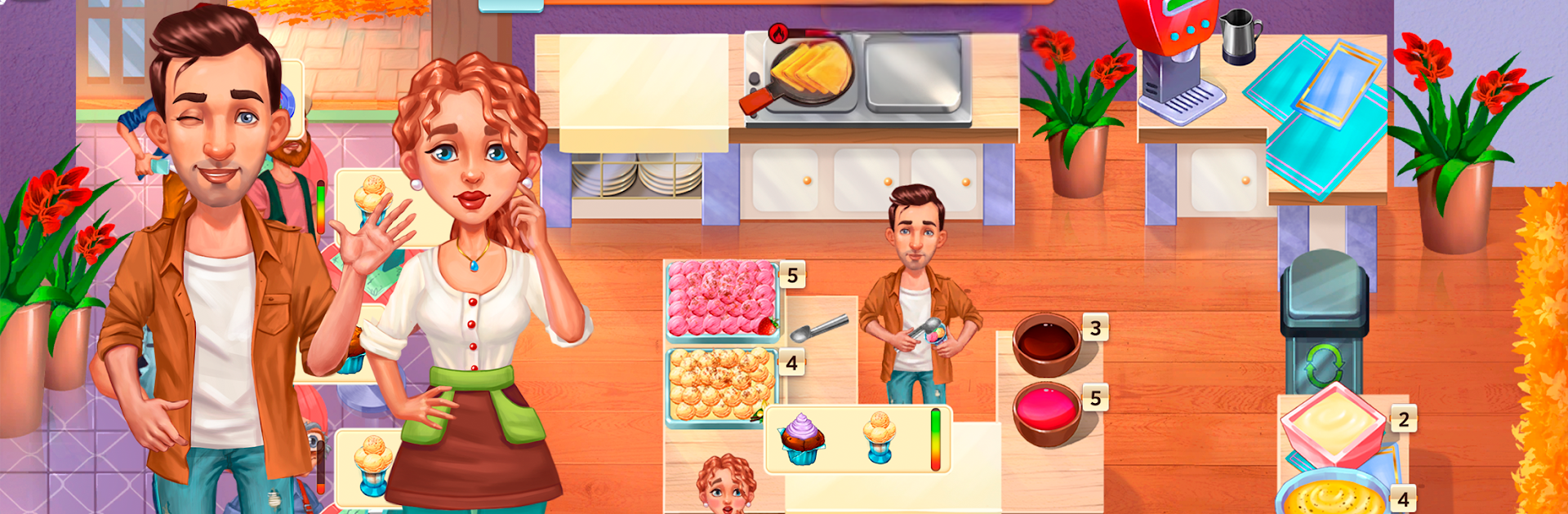
Baking Bustle: Cooking game

Baking Bustle: Cooking game

Casual

| GameHouse LLC

Play on PC with BlueStacks or from our cloud

  • Overview
  • Game Features
  • How to Play

Page Modified On: January 02, 2026

Play Baking Bustle: Cooking game on PC or Mac

Step into the World of Baking Bustle: Cooking game, a thrilling Casual game from the house of GameHouse LLC. Play this Android game on BlueStacks App Player and experience immersive gaming on PC or Mac.

Baking Bustle is that classic time management cooking rush where everything happens at once and somehow that is the fun. Players hop between stations with Ashley and Scott, flipping pancakes, stacking burgers, ladling soup, then catching a taco order before a customer storms off. The whole thing is about quick clicks and smart sequencing, deciding who to serve first, and keeping supplies topped up so the kitchen does not stall at the worst moment. Customers come with different quirks and patience levels, timers creep down, and the visuals stay bright and cheerful even when the line gets long. Levels are short but snappy, there are a lot of them, and each one asks for a set amount of cash before it lets you move on.

On PC with BlueStacks, the mouse makes the tap-heavy rhythm feel smooth, and the bigger screen helps spot tiny order icons without squinting. There are Normal and Easy modes, so it can be a laid back session or a proper scramble. A quick tutorial brings new players up to speed, and every level includes a strategy hint that actually helps when the pace ramps up. It is not about deep story twists, more about the satisfying loop of watching tickets, cooking fast, and keeping the kitchen from falling behind. There is a subscription option that opens other story games if someone wants more, but this one stands on its fast, clean gameplay and that pleasant just-one-more-level pull.

Get ready for a buttery smooth, high-performance gaming action only on BlueStacks.

Game Features

Enhancements

  • Macros
  • Multi Instance
  • Script
  • Repeated Tap
  • Enhancements
Macros

Macros

Automate the predictable in Baking Bustle: Cooking game and transform your gameplay with Macros. Get access to inventive Macros in the BlueStacks Macro Community
Multi Instance

Multi Instance

Play Baking Bustle: Cooking game on one window. And chat with your friend on the other. Press CTRL + Shift + 8 to open the Multi-Instance Manager. And start creating fresh instances or clone an existing one.
Script

Script

Script your way to gaming glory in Baking Bustle: Cooking game with BlueStacks Script. Write and run a set of commands to automate repeated tasks. Trigger the command by assigning it to any key.
Repeated Tap

Repeated Tap

BlueStacks lets you master Baking Bustle: Cooking game with useful features like the Repeated Tap. Now you do not have to press the same key repeatedly to initiate an action. Just assign it to one key and you are good to go.
Read More

How to Download and Play Baking Bustle: Cooking game on PC or Mac

  • Download and install BlueStacks on your PC or Mac

  • Complete Google sign-in to access the Play Store, or do it later

  • Look for Baking Bustle: Cooking game in the search bar at the top right corner

  • Click to install Baking Bustle: Cooking game from the search results

  • Complete Google sign-in (if you skipped step 2) to install Baking Bustle: Cooking game

  • Click the Baking Bustle: Cooking game icon on the home screen to start playing

video
Watch Video

Minimum System Requirements

With BlueStacks 5, you can get started on a PC that fulfills the following requirements.

  • Operating System

    Microsoft Windows 7 or above, macOS 11 (Big Sur) or above

  • Processor

    Intel, AMD or Apple Silicon Processor

  • RAM

    at least 4GB

  • HDD

    10GB Free Disk Space

Note:

* You must be an Administrator on your PC. Up to date graphics drivers from Microsoft or the chipset vendor.

Baking Bustle: Cooking game - FAQs

  • How to play Baking Bustle: Cooking game on Windows PC & Mac?

    Play Baking Bustle: Cooking game on your PC or Mac by following these simple steps.

    • Click on 'Play Baking Bustle: Cooking game on PC’ to download BlueStacks
    • Install it and log-in to Google Play Store
    • Launch and play the game.
  • Why is BlueStacks the fastest and safest platform to play games on PC?

    BlueStacks respects your privacy and is always safe and secure to use. It does not carry any malware, spyware, or any sort of additional software that could harm your PC.

    It is engineered to optimize speed and performance for a seamless gaming experience.

  • What are Baking Bustle: Cooking game PC requirements?

    Minimum requirement to run Baking Bustle: Cooking game on your PC

    • OS: Microsoft Windows 7 or above MacOS 11 (Big Sur) or above
    • Processor: Intel, AMD or Apple Silicon Processor
    • RAM: Your PC must have at least 4GB of RAM. (Note that having 4GB or more disk space is not a substitute for RAM)
    • HDD: 10GB Free Disk Space.
    • You must be an Administrator on your PC.