Battlefield Deadly Hunt

Battlefield Deadly Hunt

Casual

| OdysseyApp

Play on PC with BlueStacks or from our cloud

  • Overview
  • Game Features
  • How to Play

Page Modified On: October 12, 2026

Play Battlefield Deadly Hunt on PC or Mac

Explore a whole new adventure with Battlefield Deadly Hunt, a Casual game created by OdysseyApp. Experience great gameplay with BlueStacks, the most popular gaming platform to play Android games on your PC or Mac.

About the Game

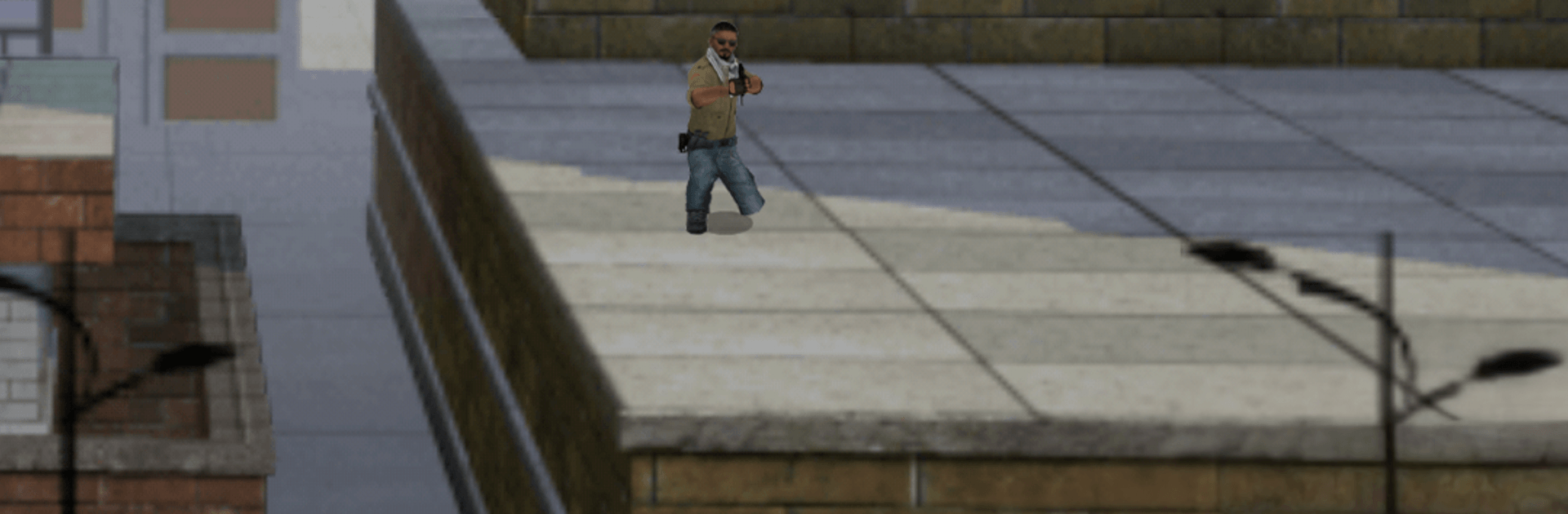
In Battlefield Deadly Hunt, every step you take matters. It’s a Casual single-player shooter with a tactical edge, built around sharp aim, smart positioning, and using the environment to your advantage. As you push deeper into tougher scenarios, you’ll unlock stronger gear and sharpen your instincts until you’re the one setting the pace. Prefer a bigger view? It also runs smoothly on BlueStacks.

Game Features

  • Tactical Gunplay: Work the angles, pick your moments, and make every shot count.
  • Smart Use of Terrain: Slip behind cover, climb to better sightlines, and turn chokepoints into opportunities.
  • Focused Single-Player Action: Tackle bite-sized missions that steadily raise the stakes and keep you thinking.
  • Weapon Unlocks: Earn access to more advanced firearms as you progress, expanding your options in each fight.
  • Planning Meets Reflexes: Scout your approach, set priorities, and switch to quick reactions when things heat up.
  • Difficulty That Grows With You: Enemies hit harder and demand cleaner execution the further you go.
  • Clean, Straightforward Controls: Intuitive aiming and movement let you concentrate on decisions, not busywork.
  • Become the Survivor: Learn from each encounter, adapt fast, and turn chaotic shootouts into controlled wins.

Get ready for a buttery smooth, high-performance gaming action only on BlueStacks.

Game Features

Enhancements

  • Macros
  • Multi Instance
  • Script
  • Repeated Tap
  • Enhancements
Macros

Macros

Automate the predictable in Battlefield Deadly Hunt and transform your gameplay with Macros. Get access to inventive Macros in the BlueStacks Macro Community
Multi Instance

Multi Instance

Play Battlefield Deadly Hunt on one window. And chat with your friend on the other. Press CTRL + Shift + 8 to open the Multi-Instance Manager. And start creating fresh instances or clone an existing one.
Script

Script

Script your way to gaming glory in Battlefield Deadly Hunt with BlueStacks Script. Write and run a set of commands to automate repeated tasks. Trigger the command by assigning it to any key.
Repeated Tap

Repeated Tap

BlueStacks lets you master Battlefield Deadly Hunt with useful features like the Repeated Tap. Now you do not have to press the same key repeatedly to initiate an action. Just assign it to one key and you are good to go.
Read More

How to Download and Play Battlefield Deadly Hunt on PC or Mac

  • Download and install BlueStacks on your PC or Mac

  • Complete Google sign-in to access the Play Store, or do it later

  • Look for Battlefield Deadly Hunt in the search bar at the top right corner

  • Click to install Battlefield Deadly Hunt from the search results

  • Complete Google sign-in (if you skipped step 2) to install Battlefield Deadly Hunt

  • Click the Battlefield Deadly Hunt icon on the home screen to start playing

video
Watch Video

Minimum System Requirements

With BlueStacks 5, you can get started on a PC that fulfills the following requirements.

  • Operating System

    Microsoft Windows 7 or above, macOS 11 (Big Sur) or above

  • Processor

    Intel, AMD or Apple Silicon Processor

  • RAM

    at least 4GB

  • HDD

    10GB Free Disk Space

Note:

* You must be an Administrator on your PC. Up to date graphics drivers from Microsoft or the chipset vendor.

Battlefield Deadly Hunt - FAQs

  • How to play Battlefield Deadly Hunt on Windows PC & Mac?

    Play Battlefield Deadly Hunt on your PC or Mac by following these simple steps.

    • Click on 'Play Battlefield Deadly Hunt on PC’ to download BlueStacks
    • Install it and log-in to Google Play Store
    • Launch and play the game.
  • Why is BlueStacks the fastest and safest platform to play games on PC?

    BlueStacks respects your privacy and is always safe and secure to use. It does not carry any malware, spyware, or any sort of additional software that could harm your PC.

    It is engineered to optimize speed and performance for a seamless gaming experience.

  • What are Battlefield Deadly Hunt PC requirements?

    Minimum requirement to run Battlefield Deadly Hunt on your PC

    • OS: Microsoft Windows 7 or above MacOS 11 (Big Sur) or above
    • Processor: Intel, AMD or Apple Silicon Processor
    • RAM: Your PC must have at least 4GB of RAM. (Note that having 4GB or more disk space is not a substitute for RAM)
    • HDD: 10GB Free Disk Space.
    • You must be an Administrator on your PC.