Chillquarium
Chillquarium

Chillquarium

Casual

| Snapbreak

Play on PC with BlueStacks or from our cloud

  • Overview
  • Game Features
  • How to Play

Page Modified On: June 02, 2026

Play Chillquarium on PC or Mac

Step into the World of Chillquarium, a thrilling Casual game from the house of Snapbreak. Play this Android game on BlueStacks App Player and experience immersive gaming on PC or Mac.

About the Game

Chillquarium is a Casual aquarium idle game that’s all about soothing vibes and slow, satisfying progress. Buy a few fish, watch them swim in real time, and let the coins roll in while you relax. It’s the kind of chill you can enjoy in short bursts or long sessions—and it also feels great on PC with BlueStacks.

Game Features

  • Real-time aquarium — Fish glide, lights shift, and the tank follows a day/night rhythm that matches your clock for an easy, ambient backdrop.
  • Idle profits made simple — Stock your tank, feed your swimmers, and come back to a fuller wallet. Sell grown fish to fund bigger plans and rarer finds.
  • From starter bowl to showpiece — Begin with a small setup and steadily turn it into your dream display with decorations and layout tweaks that feel personal.
  • 156 species to collect — Fill out a deep collection of 156 unique fish, then chase rare and ultra-rare color variants to perfect your lineup.
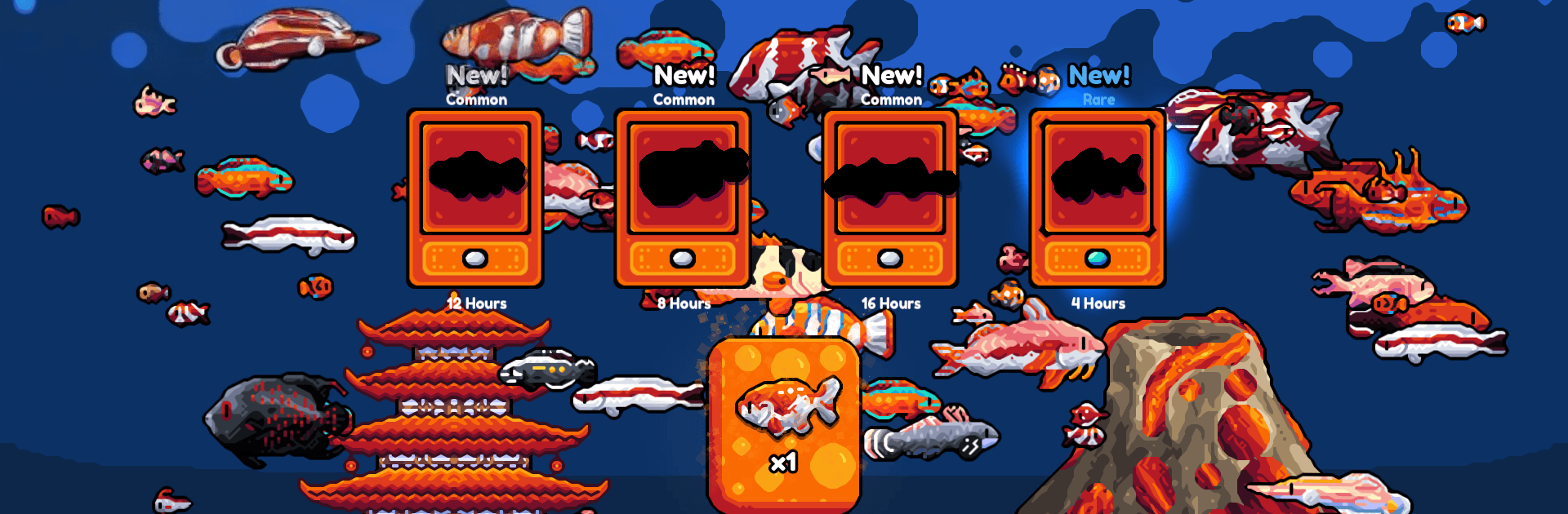
  • Booster pack reveals — Crack open packs to discover new species and special looks; there’s always that “one more pack” temptation.
  • Growth bursts when you need them — Kick off fast-feeding moments to help fish grow quicker and push your profits a bit higher.
  • Customize your calm — Adjust the look and feel of your tank so it’s as cozy, colorful, or minimal as you want—great for zoning out between tasks.

BlueStacks gives you more room to focus on the game and less time adjusting around mobile limitations.


Game Features

Enhancements

  • Macros
  • Multi Instance
  • Script
  • Repeated Tap
  • Enhancements
Macros

Macros

Automate the predictable in Chillquarium and transform your gameplay with Macros. Get access to inventive Macros in the BlueStacks Macro Community
Multi Instance

Multi Instance

Play Chillquarium on one window. And chat with your friend on the other. Press CTRL + Shift + 8 to open the Multi-Instance Manager. And start creating fresh instances or clone an existing one.
Script

Script

Script your way to gaming glory in Chillquarium with BlueStacks Script. Write and run a set of commands to automate repeated tasks. Trigger the command by assigning it to any key.
Repeated Tap

Repeated Tap

BlueStacks lets you master Chillquarium with useful features like the Repeated Tap. Now you do not have to press the same key repeatedly to initiate an action. Just assign it to one key and you are good to go.
Read More

How to Download and Play Chillquarium on PC or Mac

  • Download and install BlueStacks on your PC or Mac

  • Complete Google sign-in to access the Play Store, or do it later

  • Look for Chillquarium in the search bar at the top right corner

  • Click to install Chillquarium from the search results

  • Complete Google sign-in (if you skipped step 2) to install Chillquarium

  • Click the Chillquarium icon on the home screen to start playing

video
Watch Video

Minimum System Requirements

With BlueStacks 5, you can get started on a PC that fulfills the following requirements.

  • Operating System

    Microsoft Windows 7 or above, macOS 11 (Big Sur) or above

  • Processor

    Intel, AMD or Apple Silicon Processor

  • RAM

    at least 4GB

  • HDD

    10GB Free Disk Space

Note:

* You must be an Administrator on your PC. Up to date graphics drivers from Microsoft or the chipset vendor.

Chillquarium - FAQs

  • How to play Chillquarium on Windows PC & Mac?

    Play Chillquarium on your PC or Mac by following these simple steps.

    • Click on 'Play Chillquarium on PC’ to download BlueStacks
    • Install it and log-in to Google Play Store
    • Launch and play the game.
  • Why is BlueStacks the fastest and safest platform to play games on PC?

    BlueStacks respects your privacy and is always safe and secure to use. It does not carry any malware, spyware, or any sort of additional software that could harm your PC.

    It is engineered to optimize speed and performance for a seamless gaming experience.

  • What are Chillquarium PC requirements?

    Minimum requirement to run Chillquarium on your PC

    • OS: Microsoft Windows 7 or above MacOS 11 (Big Sur) or above
    • Processor: Intel, AMD or Apple Silicon Processor
    • RAM: Your PC must have at least 4GB of RAM. (Note that having 4GB or more disk space is not a substitute for RAM)
    • HDD: 10GB Free Disk Space.
    • You must be an Administrator on your PC.