Christmas Knit Color Connect

Christmas Knit Color Connect

Casual

| LoveColoring Game

Play on PC with BlueStacks or from our cloud

  • Overview
  • Game Features
  • How to Play

Page Modified On: October 30, 2026

Play Christmas Knit Color Connect on PC or Mac

Step into the World of Christmas Knit Color Connect, a thrilling Casual game from the house of LoveColoring Game. Play this Android game on BlueStacks App Player and experience immersive gaming on PC or Mac.

About the Game

Christmas Knit Color Connect is a Casual puzzler that blends cozy knitting vibes with satisfying path-making logic. You’ll guide colorful yarn between pegs, fill the board without tangling lines, and watch sweet holiday illustrations quietly appear. It’s calm, tactile, and a little bit addictive—in the best way.

Game Features

  • Connect-and-reveal puzzles: Match colored pegs with clean yarn paths, complete the board, and see a hidden Christmas image emerge like a finished stitch.
  • Gentle, no-timer play: Take your time—no countdowns here—so you can test routes, backtrack, and settle into a comfortable rhythm.
  • Smart path planning: Weave lines that don’t cross or block each other; every connection nudges the final artwork closer to complete.
  • Festive artwork gallery: Bring cozy sweaters, ribboned gifts, snow-dusted cottages, playful reindeer mugs, and scarfed snowmen to life in bright seasonal colors.
  • Easy to learn, pleasantly tricky: Simple rules get you going fast, while later layouts add just enough challenge to keep your brain engaged.
  • Satisfying finish moments: That last thread clicks everything together, turning scattered points into a neat, handmade-looking design.
  • Play for a minute or a while: Sneak in a quick break or unwind for a longer session—either way, it’s a calm space to clear your head.
  • Subtle BlueStacks boost: Prefer a bigger canvas and smooth input? Christmas Knit Color Connect feels especially comfy on BlueStacks without changing how you like to play.

Ready to top the leaderboard? We bet you do. Let precise controls and sharp visuals optimized on BlueStacks lead you to victory.


Game Features

Enhancements

  • Macros
  • Multi Instance
  • Script
  • Repeated Tap
  • Enhancements
Macros

Macros

Automate the predictable in Christmas Knit Color Connect and transform your gameplay with Macros. Get access to inventive Macros in the BlueStacks Macro Community
Multi Instance

Multi Instance

Play Christmas Knit Color Connect on one window. And chat with your friend on the other. Press CTRL + Shift + 8 to open the Multi-Instance Manager. And start creating fresh instances or clone an existing one.
Script

Script

Script your way to gaming glory in Christmas Knit Color Connect with BlueStacks Script. Write and run a set of commands to automate repeated tasks. Trigger the command by assigning it to any key.
Repeated Tap

Repeated Tap

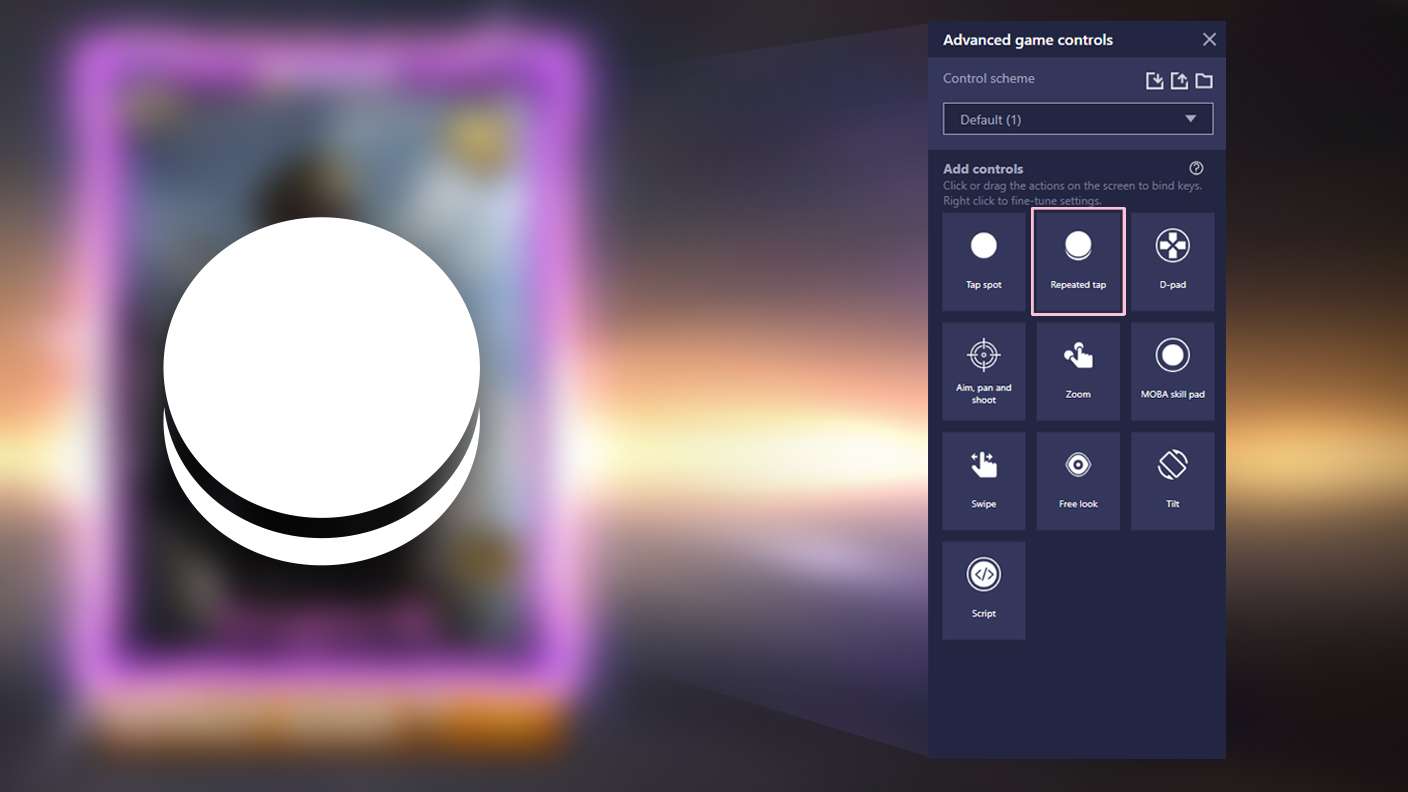
BlueStacks lets you master Christmas Knit Color Connect with useful features like the Repeated Tap. Now you do not have to press the same key repeatedly to initiate an action. Just assign it to one key and you are good to go.
Read More

How to Download and Play Christmas Knit Color Connect on PC or Mac

  • Download and install BlueStacks on your PC or Mac

  • Complete Google sign-in to access the Play Store, or do it later

  • Look for Christmas Knit Color Connect in the search bar at the top right corner

  • Click to install Christmas Knit Color Connect from the search results

  • Complete Google sign-in (if you skipped step 2) to install Christmas Knit Color Connect

  • Click the Christmas Knit Color Connect icon on the home screen to start playing

video
Watch Video

Minimum System Requirements

With BlueStacks 5, you can get started on a PC that fulfills the following requirements.

  • Operating System

    Microsoft Windows 7 or above, macOS 11 (Big Sur) or above

  • Processor

    Intel, AMD or Apple Silicon Processor

  • RAM

    at least 4GB

  • HDD

    10GB Free Disk Space

Note:

* You must be an Administrator on your PC. Up to date graphics drivers from Microsoft or the chipset vendor.

Christmas Knit Color Connect - FAQs

  • How to play Christmas Knit Color Connect on Windows PC & Mac?

    Play Christmas Knit Color Connect on your PC or Mac by following these simple steps.

    • Click on 'Play Christmas Knit Color Connect on PC’ to download BlueStacks
    • Install it and log-in to Google Play Store
    • Launch and play the game.
  • Why is BlueStacks the fastest and safest platform to play games on PC?

    BlueStacks respects your privacy and is always safe and secure to use. It does not carry any malware, spyware, or any sort of additional software that could harm your PC.

    It is engineered to optimize speed and performance for a seamless gaming experience.

  • What are Christmas Knit Color Connect PC requirements?

    Minimum requirement to run Christmas Knit Color Connect on your PC

    • OS: Microsoft Windows 7 or above MacOS 11 (Big Sur) or above
    • Processor: Intel, AMD or Apple Silicon Processor
    • RAM: Your PC must have at least 4GB of RAM. (Note that having 4GB or more disk space is not a substitute for RAM)
    • HDD: 10GB Free Disk Space.
    • You must be an Administrator on your PC.