Clean Teeth Craze
Clean Teeth Craze

Clean Teeth Craze

Casual

| AymGame

Play on PC with BlueStacks or from our cloud

  • Overview
  • Game Features
  • How to Play

Page Modified On: December 26, 2025

Play Clean Teeth Craze on PC or Mac

Join millions to experience Clean Teeth Craze, an exciting Casual game from AymGame. With BlueStacks App Player, you are always a step ahead of your opponent, ready to outplay them with faster gameplay and better control with the mouse and keyboard on your PC or Mac.

About the Game

Clean Teeth Craze turns tooth care into a chill, oddly satisfying hobby. You’ll brush, polish, restore, and beautify teeth while soaking in soft ASMR sounds that make the whole thing feel almost meditative. It’s a relaxed Casual experience from AymGame that lets you fix up messy mouths and watch each smile come back to life.

Game Features

  • Soothing ASMR vibes: Hear the gentle buzz of brushes, the crisp flick of tools, and those ultra-satisfying finishing touches that make every step feel calm and focused.
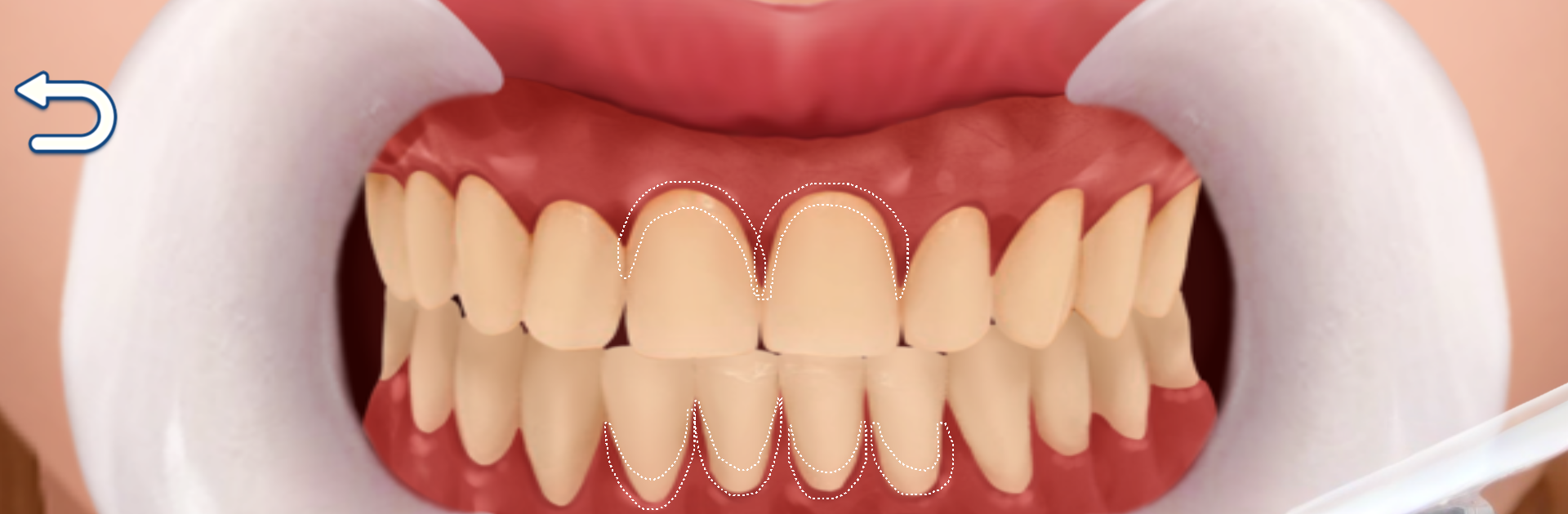
  • Transformations that pop: Take on stained, chipped, or uneven teeth and guide them toward clean, bright, and neatly aligned results. Watching the before-and-after never gets old.
  • Realistic tools and procedures: Brush, scale, whiten, and handle orthodontic adjustments with lifelike instruments that make each action feel hands-on and believable.
  • Creative aesthetics: Shape and color each tooth to match your vision. You’re part dentist, part artist—tweaking details until the final look clicks.
  • Close-up visuals: Crisp, up-close angles and detailed textures highlight every polish and restoration, making small changes feel meaningful.
  • Progress that feels good: Each completed case brings a clear sense of accomplishment, whether you’re fixing tiny flaws or pulling off a full glow-up.
  • Easy to relax with: The slow, thoughtful rhythm makes it great for unwinding after a busy day—pick up a case, zone in, and enjoy the process.
  • Optional big-screen play: Want the tiny details even sharper? Clean Teeth Craze also plays nicely on BlueStacks for PC, with those calming sounds filling the room.

Make your gaming sessions memorable with precise controls that give you an edge in close combats and visuals that pop up, bringing every character to life.


Game Features

Enhancements

  • Macros
  • Multi Instance
  • Script
  • Repeated Tap
  • Enhancements
Macros

Macros

Automate the predictable in Clean Teeth Craze and transform your gameplay with Macros. Get access to inventive Macros in the BlueStacks Macro Community
Multi Instance

Multi Instance

Play Clean Teeth Craze on one window. And chat with your friend on the other. Press CTRL + Shift + 8 to open the Multi-Instance Manager. And start creating fresh instances or clone an existing one.
Script

Script

Script your way to gaming glory in Clean Teeth Craze with BlueStacks Script. Write and run a set of commands to automate repeated tasks. Trigger the command by assigning it to any key.
Repeated Tap

Repeated Tap

BlueStacks lets you master Clean Teeth Craze with useful features like the Repeated Tap. Now you do not have to press the same key repeatedly to initiate an action. Just assign it to one key and you are good to go.
Read More

How to Download and Play Clean Teeth Craze on PC or Mac

  • Download and install BlueStacks on your PC or Mac

  • Complete Google sign-in to access the Play Store, or do it later

  • Look for Clean Teeth Craze in the search bar at the top right corner

  • Click to install Clean Teeth Craze from the search results

  • Complete Google sign-in (if you skipped step 2) to install Clean Teeth Craze

  • Click the Clean Teeth Craze icon on the home screen to start playing

video
Watch Video

Minimum System Requirements

With BlueStacks 5, you can get started on a PC that fulfills the following requirements.

  • Operating System

    Microsoft Windows 7 or above, macOS 11 (Big Sur) or above

  • Processor

    Intel, AMD or Apple Silicon Processor

  • RAM

    at least 4GB

  • HDD

    10GB Free Disk Space

Note:

* You must be an Administrator on your PC. Up to date graphics drivers from Microsoft or the chipset vendor.

Clean Teeth Craze - FAQs

  • How to play Clean Teeth Craze on Windows PC & Mac?

    Play Clean Teeth Craze on your PC or Mac by following these simple steps.

    • Click on 'Play Clean Teeth Craze on PC’ to download BlueStacks
    • Install it and log-in to Google Play Store
    • Launch and play the game.
  • Why is BlueStacks the fastest and safest platform to play games on PC?

    BlueStacks respects your privacy and is always safe and secure to use. It does not carry any malware, spyware, or any sort of additional software that could harm your PC.

    It is engineered to optimize speed and performance for a seamless gaming experience.

  • What are Clean Teeth Craze PC requirements?

    Minimum requirement to run Clean Teeth Craze on your PC

    • OS: Microsoft Windows 7 or above MacOS 11 (Big Sur) or above
    • Processor: Intel, AMD or Apple Silicon Processor
    • RAM: Your PC must have at least 4GB of RAM. (Note that having 4GB or more disk space is not a substitute for RAM)
    • HDD: 10GB Free Disk Space.
    • You must be an Administrator on your PC.