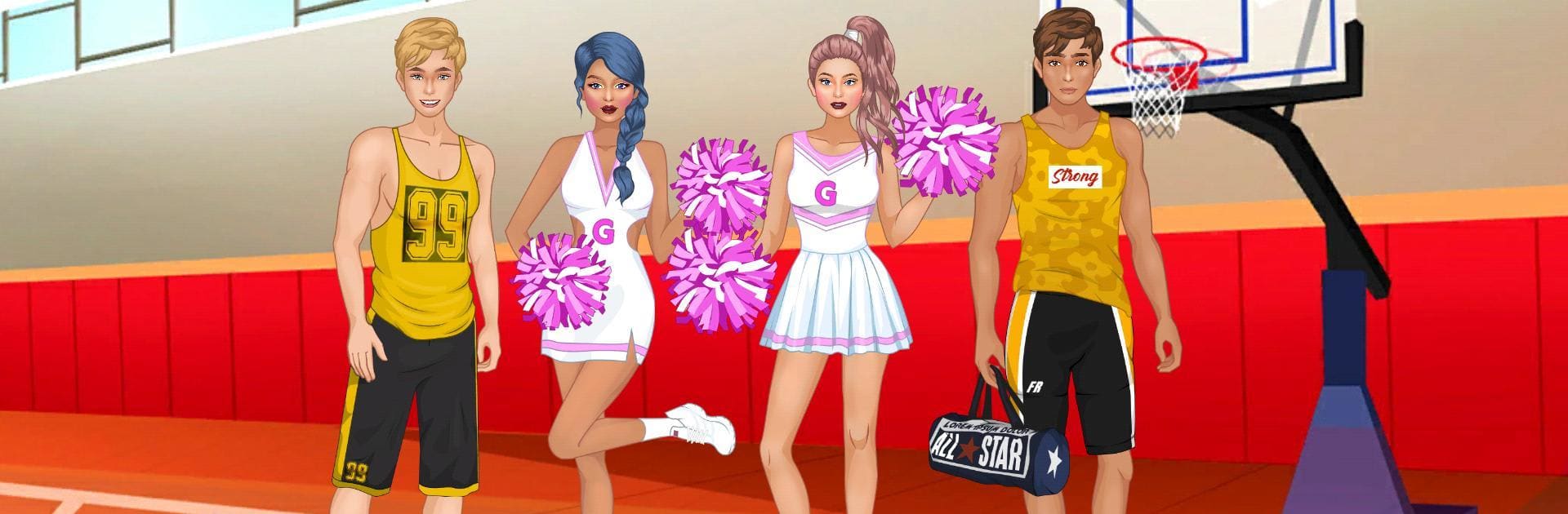
College Sport Team Makeover

College Sport Team Makeover

Casual

| Teenage Fashion Dress Up

Play on PC with BlueStacks or from our cloud

  • Overview
  • Game Features
  • How to Play

Page Modified On: January 09, 2026

Play College Sport Team Makeover on PC or Mac

Join millions to experience College Sport Team Makeover, an exciting Casual game from Teenage Fashion Dress Up. With BlueStacks App Player, you are always a step ahead of your opponent, ready to outplay them with faster gameplay and better control with the mouse and keyboard on your PC or Mac.

About the Game

College Sport Team Makeover is a Casual fashion playground from Teenage Fashion Dress Up where the campus all-stars hand you the style reins. You’ll dress two girls and two boys as a coordinated team or give each their own vibe for game day, hallway hangs, or a night out—then snap the perfect pic. Prefer a bigger screen? It also plays great on BlueStacks.

Game Features

  • Four-Character Styling — Work with two girls and two boys on one screen, making it easy to compare fits and build a cohesive look (or go totally different for each).
  • Deep Customization — Pick skin tones, try fresh hairstyles, and layer on accessories to craft a personal style for every player.
  • Big Wardrobe, Big Energy — From sporty uniforms to laid-back casual pieces, there’s a lot to mix and match, and each character gets their own selection.
  • Team or Solo Vibes — Want matching colors for a unified squad? Or unique outfits that show off personality? You’re in charge.
  • Scene Picker — Set the mood with backgrounds like the classroom, corridors, cafeteria, parks, or shopping streets to frame your look just right.
  • Quick Snapshots — Hit the camera button to save your favorite ensembles and keep track of styling ideas.
  • Easy, Tap-Friendly Play — Swap items fast, compare pieces on the fly, and fine-tune details without fuss.
  • Endless Combos — So many clothing options and tweaks that you can keep experimenting and still find new looks.

Get ready for a buttery smooth, high-performance gaming action only on BlueStacks.

Game Features

Enhancements

  • Macros
  • Multi Instance
  • Script
  • Repeated Tap
  • Enhancements
Macros

Macros

Automate the predictable in College Sport Team Makeover and transform your gameplay with Macros. Get access to inventive Macros in the BlueStacks Macro Community
Multi Instance

Multi Instance

Play College Sport Team Makeover on one window. And chat with your friend on the other. Press CTRL + Shift + 8 to open the Multi-Instance Manager. And start creating fresh instances or clone an existing one.
Script

Script

Script your way to gaming glory in College Sport Team Makeover with BlueStacks Script. Write and run a set of commands to automate repeated tasks. Trigger the command by assigning it to any key.
Repeated Tap

Repeated Tap

BlueStacks lets you master College Sport Team Makeover with useful features like the Repeated Tap. Now you do not have to press the same key repeatedly to initiate an action. Just assign it to one key and you are good to go.
Read More

How to Download and Play College Sport Team Makeover on PC or Mac

  • Download and install BlueStacks on your PC or Mac

  • Complete Google sign-in to access the Play Store, or do it later

  • Look for College Sport Team Makeover in the search bar at the top right corner

  • Click to install College Sport Team Makeover from the search results

  • Complete Google sign-in (if you skipped step 2) to install College Sport Team Makeover

  • Click the College Sport Team Makeover icon on the home screen to start playing

video
Watch Video

Minimum System Requirements

With BlueStacks 5, you can get started on a PC that fulfills the following requirements.

  • Operating System

    Microsoft Windows 7 or above, macOS 11 (Big Sur) or above

  • Processor

    Intel, AMD or Apple Silicon Processor

  • RAM

    at least 4GB

  • HDD

    10GB Free Disk Space

Note:

* You must be an Administrator on your PC. Up to date graphics drivers from Microsoft or the chipset vendor.

College Sport Team Makeover - FAQs

  • How to play College Sport Team Makeover on Windows PC & Mac?

    Play College Sport Team Makeover on your PC or Mac by following these simple steps.

    • Click on 'Play College Sport Team Makeover on PC’ to download BlueStacks
    • Install it and log-in to Google Play Store
    • Launch and play the game.
  • Why is BlueStacks the fastest and safest platform to play games on PC?

    BlueStacks respects your privacy and is always safe and secure to use. It does not carry any malware, spyware, or any sort of additional software that could harm your PC.

    It is engineered to optimize speed and performance for a seamless gaming experience.

  • What are College Sport Team Makeover PC requirements?

    Minimum requirement to run College Sport Team Makeover on your PC

    • OS: Microsoft Windows 7 or above MacOS 11 (Big Sur) or above
    • Processor: Intel, AMD or Apple Silicon Processor
    • RAM: Your PC must have at least 4GB of RAM. (Note that having 4GB or more disk space is not a substitute for RAM)
    • HDD: 10GB Free Disk Space.
    • You must be an Administrator on your PC.