Dino Theme Park Craft: Ride Dinosaur Rollercoaster

Dino Theme Park Craft: Ride Dinosaur Rollercoaster

Casual

| Play Cool Zombie Sport Games

Play on PC with BlueStacks or from our cloud

  • Overview
  • Game Features
  • How to Play

Page Modified On: September 02, 2025

Play Dino Theme Park Craft: Ride Dinosaur Rollercoaster on PC or Mac

Step into the World of Dino Theme Park Craft: Ride Dinosaur Rollercoaster, a thrilling Casual game from the house of Survival Crafting & Exploration Adventure Games. Play this Android game on BlueStacks App Player and experience immersive gaming on PC or Mac.

About the Game

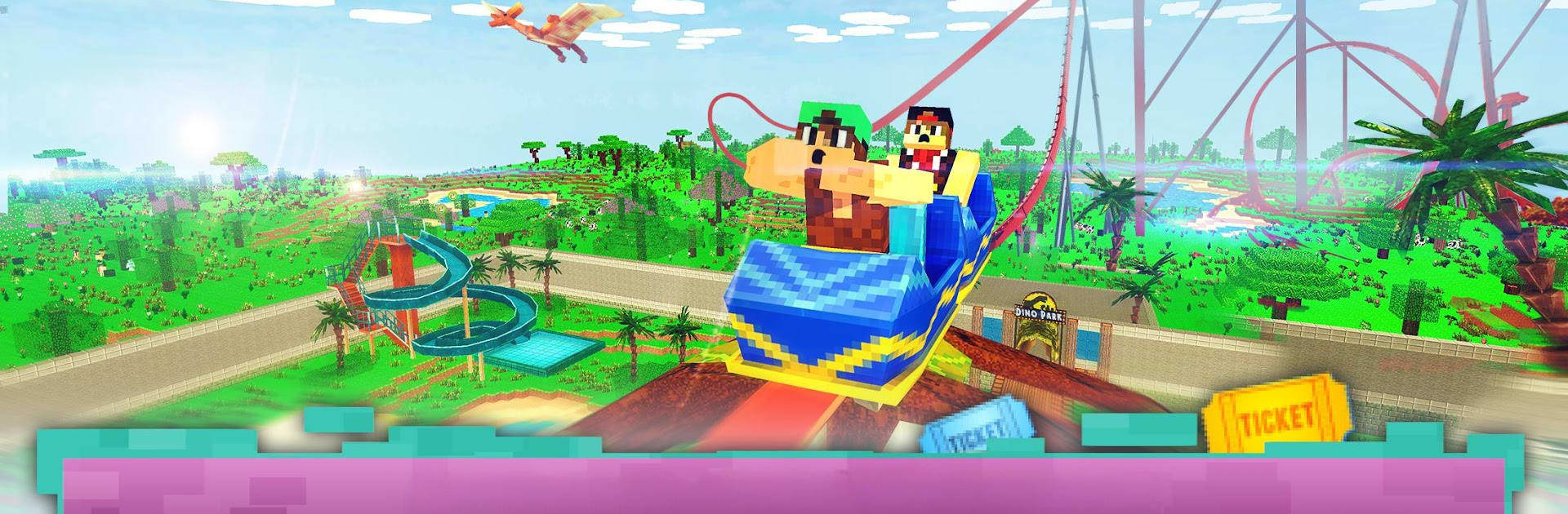
Dino Theme Park Craft: Ride Dinosaur Rollercoaster hands you a run-down dino park and says, “It’s yours now—fix it, flip it, or rebuild the whole thing.” Sketch wild coasters, place attractions, and keep guests happy while prehistoric heavyweights stomp around in the distance. It’s a Casual sandbox from Survival Crafting & Exploration Adventure Games that mixes relaxed building with silly mini-games and the occasional T-Rex scare. Prefer a bigger screen and tighter controls? BlueStacks handles that nicely.

Game Features

  • Build It Your Way: Clear out old rides or start fresh. Use easy crafting tools to place blocks, follow blueprints, and shape the park you want, from pathways to towering coaster tracks.
  • Ride What You Create: Don’t just admire your handiwork—hop in the cart and test those twists, drops, and loops you designed yourself.
  • Park Makeover Tools: Gather resources, unlock plans, and snap together structures fast. It’s approachable, even if you’re not usually into building games.
  • Attractions for Everyone: Mix a dino carousel, a roaring roller coaster, water slides, and even a VR spot for quick, family-friendly fun.
  • Mini-Games & Social Moments: Hit the dance floor, try quirky challenges, and chat with visitors as the park gets busier.
  • Dinosaurs on the Loose: Expect surprise encounters with big, toothy residents. Find shelter, keep calm, and get the park running again.
  • Open-World Exploring: Wander a blocky, prehistoric landscape to discover new areas, pick up materials, and expand your park footprint.
  • Grow the Business: Earn cash, upgrade facilities, and keep guests coming back with smarter layouts and flashier attractions.

Ready to top the leaderboard? We bet you do. Let precise controls and sharp visuals optimized on BlueStacks lead you to victory.


Game Features

Enhancements

  • Macros
  • Multi Instance
  • Script
  • Repeated Tap
  • Enhancements
Macros

Macros

Automate the predictable in Dino Theme Park Craft: Ride Dinosaur Rollercoaster and transform your gameplay with Macros. Get access to inventive Macros in the BlueStacks Macro Community
Multi Instance

Multi Instance

Play Dino Theme Park Craft: Ride Dinosaur Rollercoaster on one window. And chat with your friend on the other. Press CTRL + Shift + 8 to open the Multi-Instance Manager. And start creating fresh instances or clone an existing one.
Script

Script

Script your way to gaming glory in Dino Theme Park Craft: Ride Dinosaur Rollercoaster with BlueStacks Script. Write and run a set of commands to automate repeated tasks. Trigger the command by assigning it to any key.
Repeated Tap

Repeated Tap

BlueStacks lets you master Dino Theme Park Craft: Ride Dinosaur Rollercoaster with useful features like the Repeated Tap. Now you do not have to press the same key repeatedly to initiate an action. Just assign it to one key and you are good to go.
Read More

How to Download and Play Dino Theme Park Craft: Ride Dinosaur Rollercoaster on PC or Mac

  • Download and install BlueStacks on your PC or Mac

  • Complete Google sign-in to access the Play Store, or do it later

  • Look for Dino Theme Park Craft: Ride Dinosaur Rollercoaster in the search bar at the top right corner

  • Click to install Dino Theme Park Craft: Ride Dinosaur Rollercoaster from the search results

  • Complete Google sign-in (if you skipped step 2) to install Dino Theme Park Craft: Ride Dinosaur Rollercoaster

  • Click the Dino Theme Park Craft: Ride Dinosaur Rollercoaster icon on the home screen to start playing

video
Watch Video

Minimum System Requirements

With BlueStacks 5, you can get started on a PC that fulfills the following requirements.

  • Operating System

    Microsoft Windows 7 or above, macOS 11 (Big Sur) or above

  • Processor

    Intel, AMD or Apple Silicon Processor

  • RAM

    at least 4GB

  • HDD

    10GB Free Disk Space

Note:

* You must be an Administrator on your PC. Up to date graphics drivers from Microsoft or the chipset vendor.

Dino Theme Park Craft: Ride Dinosaur Rollercoaster - FAQs

  • How to play Dino Theme Park Craft: Ride Dinosaur Rollercoaster on Windows PC & Mac?

    Play Dino Theme Park Craft: Ride Dinosaur Rollercoaster on your PC or Mac by following these simple steps.

    • Click on 'Play Dino Theme Park Craft: Ride Dinosaur Rollercoaster on PC’ to download BlueStacks
    • Install it and log-in to Google Play Store
    • Launch and play the game.
  • Why is BlueStacks the fastest and safest platform to play games on PC?

    BlueStacks respects your privacy and is always safe and secure to use. It does not carry any malware, spyware, or any sort of additional software that could harm your PC.

    It is engineered to optimize speed and performance for a seamless gaming experience.

  • What are Dino Theme Park Craft: Ride Dinosaur Rollercoaster PC requirements?

    Minimum requirement to run Dino Theme Park Craft: Ride Dinosaur Rollercoaster on your PC

    • OS: Microsoft Windows 7 or above MacOS 11 (Big Sur) or above
    • Processor: Intel, AMD or Apple Silicon Processor
    • RAM: Your PC must have at least 4GB of RAM. (Note that having 4GB or more disk space is not a substitute for RAM)
    • HDD: 10GB Free Disk Space.
    • You must be an Administrator on your PC.