Pou 3D
Pou 3D

Pou 3D

Casual

| Zakeh

Play on PC with BlueStacks or from our cloud

  • Overview
  • Game Features
  • How to Play

Page Modified On: December 15, 2025

Play Pou 3D on PC or Mac

Step into the World of Pou 3D, a thrilling Casual game from the house of Zakeh. Play this Android game on BlueStacks App Player and experience immersive gaming on PC or Mac.

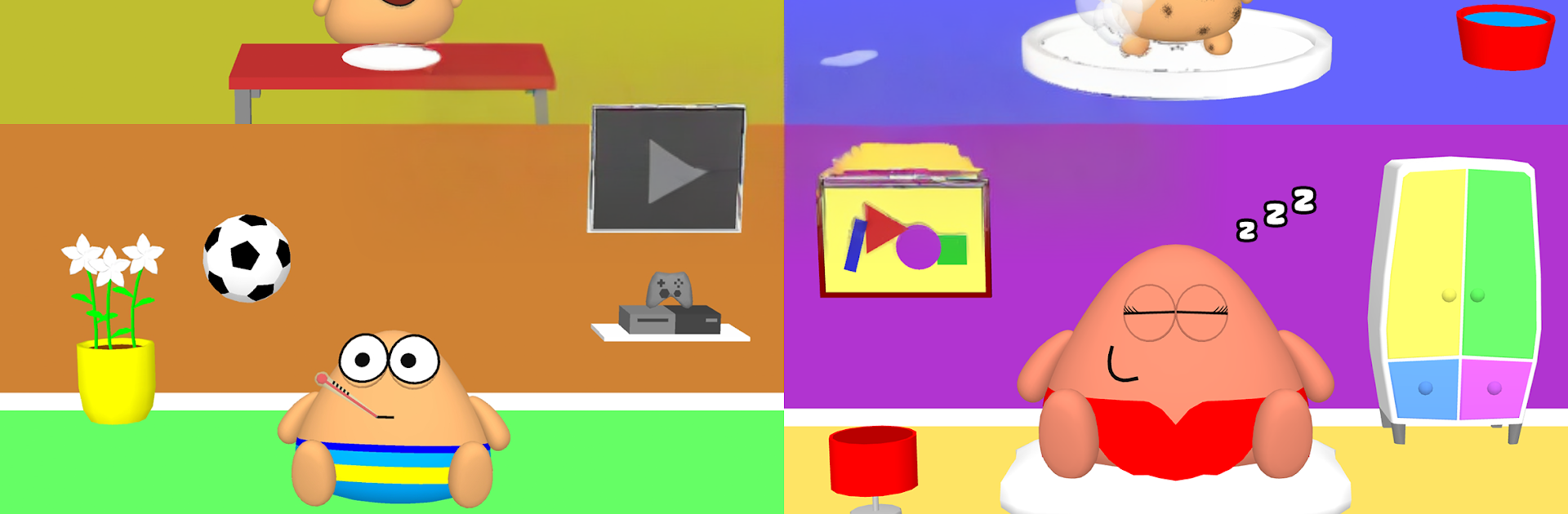
Pou 3D is basically looking after a squishy alien pet. Players feed it snacks, wash off the grime, tuck it in, and it grows as the routine keeps going. The loop is simple but satisfying, and the little reactions from Pou make the chores feel playful rather than repetitive. There are quick mini games to earn coins between tasks, and those coins turn into more outfits and decorations. On PC with BlueStacks, the mini games feel smoother with a mouse, and the larger screen makes dressing Pou and rearranging rooms less fiddly.

Customization is the hook here. There are colors, hats, glasses, full outfits, plus themes and furniture for the rooms and a small garden outside. The pet and the home both slowly match a style, which is fun to tweak over time. Progress unlocks achievements and occasional special items, so there is usually one more goal to chase without pressure. There is a light social side too, where friends can be visited and played with, which adds a bit of life without turning it into a big online thing. It is low stress and easy to pick up for a few minutes, or to idle with for longer. Players looking for fast action probably will not stay long, but anyone who enjoys caring games and decorating will find a cozy time here.

Make your gaming sessions memorable with precise controls that give you an edge in close combats and visuals that pop up, bringing every character to life.


Game Features

Enhancements

  • Macros
  • Multi Instance
  • Script
  • Repeated Tap
  • Enhancements
Macros

Macros

Automate the predictable in Pou 3D and transform your gameplay with Macros. Get access to inventive Macros in the BlueStacks Macro Community
Multi Instance

Multi Instance

Play Pou 3D on one window. And chat with your friend on the other. Press CTRL + Shift + 8 to open the Multi-Instance Manager. And start creating fresh instances or clone an existing one.
Script

Script

Script your way to gaming glory in Pou 3D with BlueStacks Script. Write and run a set of commands to automate repeated tasks. Trigger the command by assigning it to any key.
Repeated Tap

Repeated Tap

BlueStacks lets you master Pou 3D with useful features like the Repeated Tap. Now you do not have to press the same key repeatedly to initiate an action. Just assign it to one key and you are good to go.
Read More

How to Download and Play Pou 3D on PC or Mac

  • Download and install BlueStacks on your PC or Mac

  • Complete Google sign-in to access the Play Store, or do it later

  • Look for Pou 3D in the search bar at the top right corner

  • Click to install Pou 3D from the search results

  • Complete Google sign-in (if you skipped step 2) to install Pou 3D

  • Click the Pou 3D icon on the home screen to start playing

video
Watch Video

Minimum System Requirements

With BlueStacks 5, you can get started on a PC that fulfills the following requirements.

  • Operating System

    Microsoft Windows 7 or above, macOS 11 (Big Sur) or above

  • Processor

    Intel, AMD or Apple Silicon Processor

  • RAM

    at least 4GB

  • HDD

    10GB Free Disk Space

Note:

* You must be an Administrator on your PC. Up to date graphics drivers from Microsoft or the chipset vendor.

Pou 3D - FAQs

  • How to play Pou 3D on Windows PC & Mac?

    Play Pou 3D on your PC or Mac by following these simple steps.

    • Click on 'Play Pou 3D on PC’ to download BlueStacks
    • Install it and log-in to Google Play Store
    • Launch and play the game.
  • Why is BlueStacks the fastest and safest platform to play games on PC?

    BlueStacks respects your privacy and is always safe and secure to use. It does not carry any malware, spyware, or any sort of additional software that could harm your PC.

    It is engineered to optimize speed and performance for a seamless gaming experience.

  • What are Pou 3D PC requirements?

    Minimum requirement to run Pou 3D on your PC

    • OS: Microsoft Windows 7 or above MacOS 11 (Big Sur) or above
    • Processor: Intel, AMD or Apple Silicon Processor
    • RAM: Your PC must have at least 4GB of RAM. (Note that having 4GB or more disk space is not a substitute for RAM)
    • HDD: 10GB Free Disk Space.
    • You must be an Administrator on your PC.