Gear Hero Clash
Gear Hero Clash

Gear Hero Clash

Casual

| Hello Games Team

Play on PC with BlueStacks or from our cloud

  • Overview
  • Game Features
  • How to Play

Page Modified On: October 09, 2026

Play Gear Hero Clash on PC or Mac

Explore a whole new adventure with Gear Hero Clash, a Casual game created by Hello Games Team. Experience great gameplay with BlueStacks, the most popular gaming platform to play Android games on your PC or Mac.

About the Game

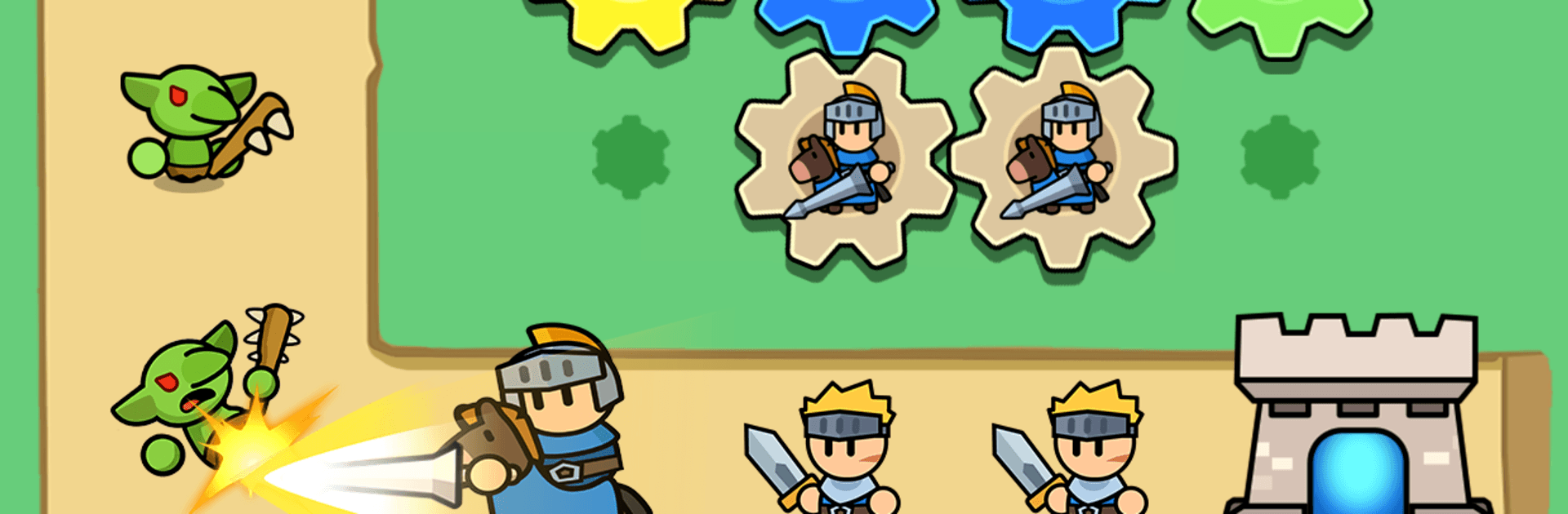
Gear Hero Clash is a smart, satisfying blend where planning beats frantic tapping. You merge gears to forge heroes, place them on a board, and watch your setup hold the line against relentless waves. It’s a Casual strategy experience that rewards clever layouts, not button-mashing. Prefer a bigger view while you play? It runs smoothly on BlueStacks, too.

Game Features

  • Merge-first tactics: Start each fight by combining gears to unlock stronger heroes, then let your formation do the heavy lifting while you fine-tune placements.
  • Board control that matters: Drag, drop, and rearrange units to squeeze more power from synergies and positioning—good planning turns close calls into clean wins.
  • Heroes, attributes, and classes: Build with three distinct attributes and a wide range of classes, each packing unique skills you can mix for smart, surprising combos.
  • Effect gears that change fights: Equip special effect gears to tweak attacks, boost defenses, or trigger skill chains that flip a battle on its head.
  • Fresh encounters across 100+ stages: Tackle varied enemy types and stage rules so runs don’t blur together; expect new twists that nudge you to rethink your setup.
  • Idle-friendly with offline gains: Set an auto-battle formation to keep progress rolling, then return to claim what you’ve earned and refine your build.
  • Quick, one-hand controls: Simple swipes make placing and merging a breeze, yet the depth sneaks up on you when you start chasing the perfect lineup.
  • Play your way, no rush: Gather resources as you go and invest them into the strategies you like most—thoughtful choices beat raw speed every time.

BlueStacks gives you more room to focus on the game and less time adjusting around mobile limitations.


Game Features

Enhancements

  • Macros
  • Multi Instance
  • Script
  • Repeated Tap
  • Enhancements
Macros

Macros

Automate the predictable in Gear Hero Clash and transform your gameplay with Macros. Get access to inventive Macros in the BlueStacks Macro Community
Multi Instance

Multi Instance

Play Gear Hero Clash on one window. And chat with your friend on the other. Press CTRL + Shift + 8 to open the Multi-Instance Manager. And start creating fresh instances or clone an existing one.
Script

Script

Script your way to gaming glory in Gear Hero Clash with BlueStacks Script. Write and run a set of commands to automate repeated tasks. Trigger the command by assigning it to any key.
Repeated Tap

Repeated Tap

BlueStacks lets you master Gear Hero Clash with useful features like the Repeated Tap. Now you do not have to press the same key repeatedly to initiate an action. Just assign it to one key and you are good to go.
Read More

How to Download and Play Gear Hero Clash on PC or Mac

  • Download and install BlueStacks on your PC or Mac

  • Complete Google sign-in to access the Play Store, or do it later

  • Look for Gear Hero Clash in the search bar at the top right corner

  • Click to install Gear Hero Clash from the search results

  • Complete Google sign-in (if you skipped step 2) to install Gear Hero Clash

  • Click the Gear Hero Clash icon on the home screen to start playing

video
Watch Video

Minimum System Requirements

With BlueStacks 5, you can get started on a PC that fulfills the following requirements.

  • Operating System

    Microsoft Windows 7 or above, macOS 11 (Big Sur) or above

  • Processor

    Intel, AMD or Apple Silicon Processor

  • RAM

    at least 4GB

  • HDD

    10GB Free Disk Space

Note:

* You must be an Administrator on your PC. Up to date graphics drivers from Microsoft or the chipset vendor.

Gear Hero Clash - FAQs

  • How to play Gear Hero Clash on Windows PC & Mac?

    Play Gear Hero Clash on your PC or Mac by following these simple steps.

    • Click on 'Play Gear Hero Clash on PC’ to download BlueStacks
    • Install it and log-in to Google Play Store
    • Launch and play the game.
  • Why is BlueStacks the fastest and safest platform to play games on PC?

    BlueStacks respects your privacy and is always safe and secure to use. It does not carry any malware, spyware, or any sort of additional software that could harm your PC.

    It is engineered to optimize speed and performance for a seamless gaming experience.

  • What are Gear Hero Clash PC requirements?

    Minimum requirement to run Gear Hero Clash on your PC

    • OS: Microsoft Windows 7 or above MacOS 11 (Big Sur) or above
    • Processor: Intel, AMD or Apple Silicon Processor
    • RAM: Your PC must have at least 4GB of RAM. (Note that having 4GB or more disk space is not a substitute for RAM)
    • HDD: 10GB Free Disk Space.
    • You must be an Administrator on your PC.