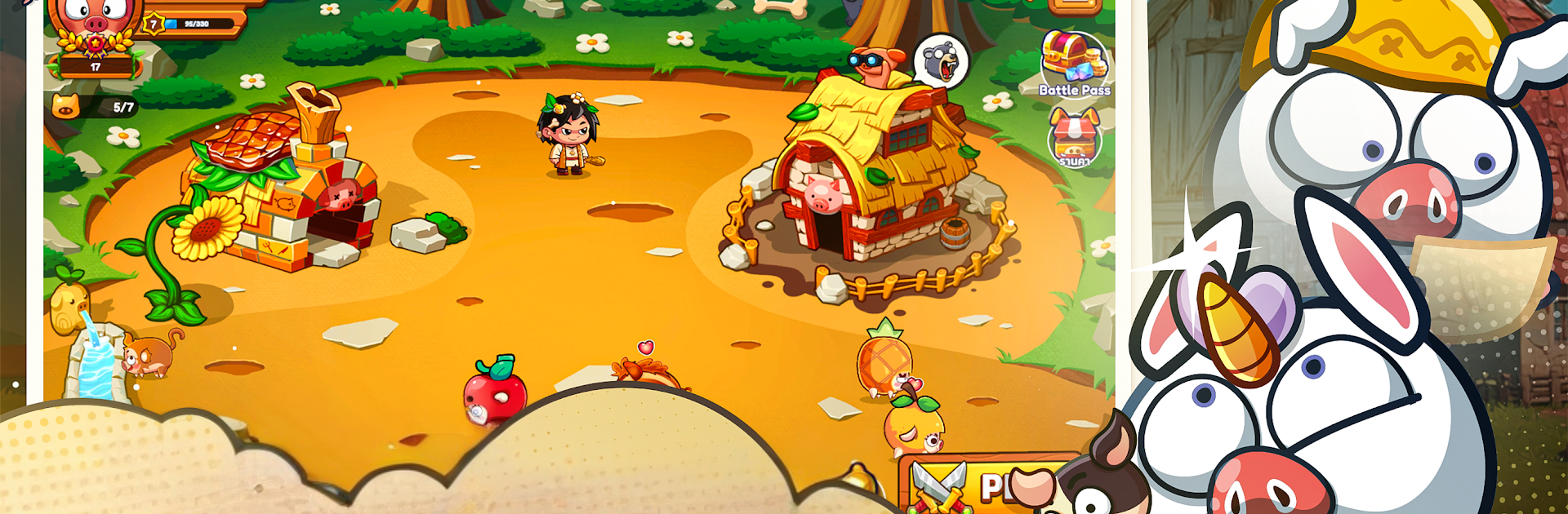
แฮปปี้คนเลี้ยงหมู - Happy Hog

แฮปปี้คนเลี้ยงหมู - Happy Hog

Casual

| Indraft Innovation

Play on PC with BlueStacks or from our cloud

  • Overview
  • Game Features
  • How to Play

Page Modified On: November 10, 2025

Play แฮปปี้คนเลี้ยงหมู - Happy Hog on PC or Mac

Step into the World of แฮปปี้คนเลี้ยงหมู – Happy Hog, a thrilling Casual game from the house of Indraft Innovation. Play this Android game on BlueStacks App Player and experience immersive gaming on PC or Mac.

About the Game

แฮปปี้คนเลี้ยงหมู – Happy Hog is back, and it’s every bit the cozy, cheeky farm life you remember—just busier. This Casual game from Indraft Innovation lets you build a bustling hog farm, collect quirky breeds, and get a little mischievous with friends. Expect lighthearted chaos, plenty of progress to chase, and that “just one more check-in” feeling.

Game Features

  • Build and Expand: Upgrade pens, barns, and storage to host more hogs and keep your farm humming with activity and income.
  • Breed and Collect: Pair hogs to discover rare looks and personalities. Completing collections unlocks sweet rewards and bragging rights.
  • Play Nice… or Be Naughty: Help neighbors with feed and healing—or raid rival farms, swipe prized hogs, and start a playful back-and-forth.
  • Smart Feeding, Bigger Payouts: Snag feed from the factory at good prices, keep those bellies full, and watch your gold pile up.
  • Protect Your Favorites: Set defenses and outwit would-be thieves. Your cutest hogs deserve a safe pen.
  • Visit and Adventure: Hop between farms to explore, help, hassle, or just snoop. Who’s hoarding the rare ones? You’ll find out.
  • Trade with the Community: Swap items and rare hogs with other players to finish sets faster and fine-tune your lineup.
  • Friendly Competition: Climb past your friends on the rankings and become the go-to Happy Hog master in your circle.
  • Free to Play: Jump in for free, with optional in-app purchases if you want to speed things up or snag special items.
  • Play on Your Terms: Prefer a bigger screen? You can also play on PC with BlueStacks for comfy controls while you manage your herd.

Ready to top the leaderboard? We bet you do. Let precise controls and sharp visuals optimized on BlueStacks lead you to victory.


Game Features

Enhancements

  • Macros
  • Multi Instance
  • Script
  • Repeated Tap
  • Enhancements
Macros

Macros

Automate the predictable in แฮปปี้คนเลี้ยงหมู - Happy Hog and transform your gameplay with Macros. Get access to inventive Macros in the BlueStacks Macro Community
Multi Instance

Multi Instance

Play แฮปปี้คนเลี้ยงหมู - Happy Hog on one window. And chat with your friend on the other. Press CTRL + Shift + 8 to open the Multi-Instance Manager. And start creating fresh instances or clone an existing one.
Script

Script

Script your way to gaming glory in แฮปปี้คนเลี้ยงหมู - Happy Hog with BlueStacks Script. Write and run a set of commands to automate repeated tasks. Trigger the command by assigning it to any key.
Repeated Tap

Repeated Tap

BlueStacks lets you master แฮปปี้คนเลี้ยงหมู - Happy Hog with useful features like the Repeated Tap. Now you do not have to press the same key repeatedly to initiate an action. Just assign it to one key and you are good to go.
Read More

How to Download and Play แฮปปี้คนเลี้ยงหมู - Happy Hog on PC or Mac

  • Download and install BlueStacks on your PC or Mac

  • Complete Google sign-in to access the Play Store, or do it later

  • Look for แฮปปี้คนเลี้ยงหมู - Happy Hog in the search bar at the top right corner

  • Click to install แฮปปี้คนเลี้ยงหมู - Happy Hog from the search results

  • Complete Google sign-in (if you skipped step 2) to install แฮปปี้คนเลี้ยงหมู - Happy Hog

  • Click the แฮปปี้คนเลี้ยงหมู - Happy Hog icon on the home screen to start playing

video
Watch Video

Minimum System Requirements

With BlueStacks 5, you can get started on a PC that fulfills the following requirements.

  • Operating System

    Microsoft Windows 7 or above, macOS 11 (Big Sur) or above

  • Processor

    Intel, AMD or Apple Silicon Processor

  • RAM

    at least 4GB

  • HDD

    10GB Free Disk Space

Note:

* You must be an Administrator on your PC. Up to date graphics drivers from Microsoft or the chipset vendor.

แฮปปี้คนเลี้ยงหมู - Happy Hog - FAQs

  • How to play แฮปปี้คนเลี้ยงหมู - Happy Hog on Windows PC & Mac?

    Play แฮปปี้คนเลี้ยงหมู - Happy Hog on your PC or Mac by following these simple steps.

    • Click on 'Play แฮปปี้คนเลี้ยงหมู - Happy Hog on PC’ to download BlueStacks
    • Install it and log-in to Google Play Store
    • Launch and play the game.
  • Why is BlueStacks the fastest and safest platform to play games on PC?

    BlueStacks respects your privacy and is always safe and secure to use. It does not carry any malware, spyware, or any sort of additional software that could harm your PC.

    It is engineered to optimize speed and performance for a seamless gaming experience.

  • What are แฮปปี้คนเลี้ยงหมู - Happy Hog PC requirements?

    Minimum requirement to run แฮปปี้คนเลี้ยงหมู - Happy Hog on your PC

    • OS: Microsoft Windows 7 or above MacOS 11 (Big Sur) or above
    • Processor: Intel, AMD or Apple Silicon Processor
    • RAM: Your PC must have at least 4GB of RAM. (Note that having 4GB or more disk space is not a substitute for RAM)
    • HDD: 10GB Free Disk Space.
    • You must be an Administrator on your PC.