Hello Coffee Shop: cafe game

Hello Coffee Shop: cafe game

Casual

| Appstree Inc.

Play on PC with BlueStacks or from our cloud

  • Overview
  • Game Features
  • How to Play

Page Modified On: June 29, 2026

Play Hello Coffee Shop: cafe game on PC or Mac

Hello Coffee Shop: cafe game by Appstree Inc. has plenty to keep you busy. BlueStacks lets you play it on PC or Mac with more screen space, better control, and fewer mobile limits.

About the Game

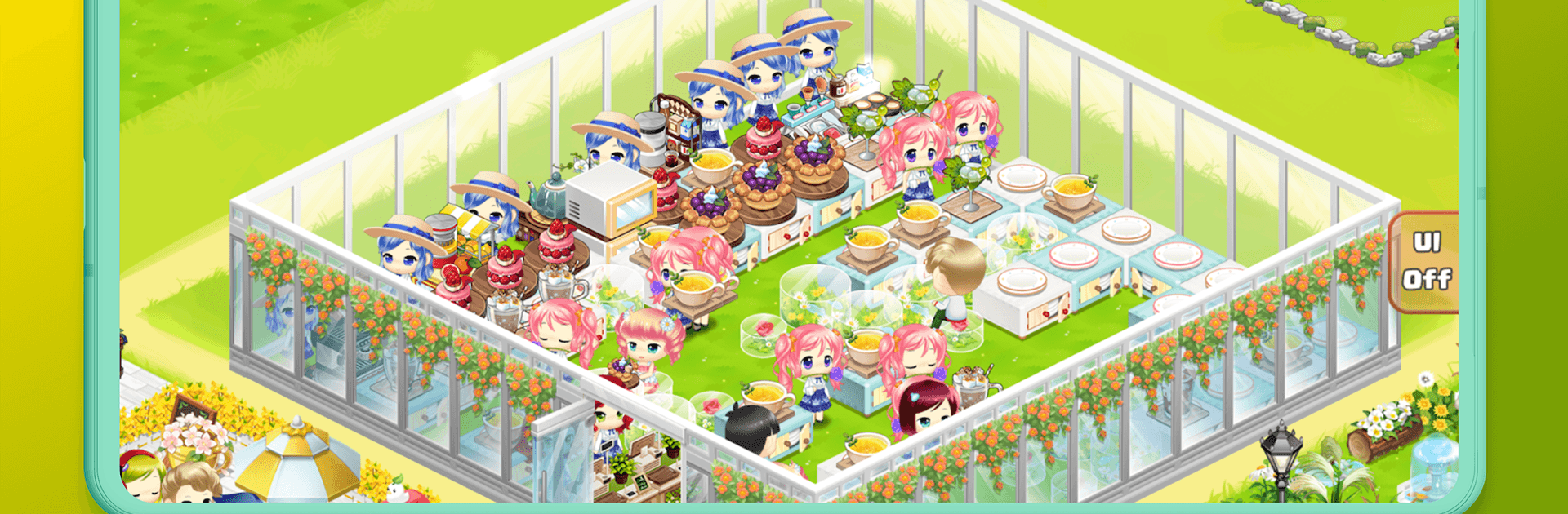
Hello Coffee Shop: cafe game is a cozy Casual management game where you turn a tiny café into a buzzing hangout. You’ll juggle drink orders, keep desserts flying off the counter, and make smart choices to grow your place without losing that warm, neighborhood vibe. It’s relaxed, a little competitive, and surprisingly strategic—especially when you start teaming up with other players.

Game Features

  • Real-time customers
    Handle a steady flow of visitors who show up to sip coffee, snack on sweets, and judge your service. Keep things moving or watch the line get grumpy.

  • More than one way to sell
    Run the register, pack takeout, schedule smart car deliveries, and even send boat shipments. Mix channels to keep profits rolling all day.

  • Reputation actually matters
    Stylish décor, thoughtful layouts, and sharp staff outfits boost your rep—and your foot traffic. A prettier shop isn’t just for show.

  • Staff you can shape
    Hire baristas and helpers, then train and upgrade them. Assign the right person to the right job to shave seconds off every order.

  • Unlock new ventures
    Pass shop-grade tests to open extra stalls and services, including a fruit juice stand, a merchandise corner, smart car delivery, boat orders, and even a BBQ shop.

  • Grow your own ingredients
    Turn a big garden into a personal orchard. Harvest fresh fruit to power up your menu and keep those juice lovers happy.

  • Team play with purpose
    Join a franchise, coordinate with other players, and tackle missions together for shared goals and bragging rights.

  • Make it yours
    Mix and match decorations and staff costumes to create a café vibe that’s unmistakably you.

  • Play where you want
    Prefer a bigger screen and smoother controls? You can also play on PC using BlueStacks.

Start your journey now. Download the game on BlueStacks, invite your friends, and march on a new adventure.


Game Features

Enhancements

  • Macros
  • Multi Instance
  • Script
  • Repeated Tap
  • Enhancements
Macros

Macros

Automate the predictable in Hello Coffee Shop: cafe game and transform your gameplay with Macros. Get access to inventive Macros in the BlueStacks Macro Community
Multi Instance

Multi Instance

Play Hello Coffee Shop: cafe game on one window. And chat with your friend on the other. Press CTRL + Shift + 8 to open the Multi-Instance Manager. And start creating fresh instances or clone an existing one.
Script

Script

Script your way to gaming glory in Hello Coffee Shop: cafe game with BlueStacks Script. Write and run a set of commands to automate repeated tasks. Trigger the command by assigning it to any key.
Repeated Tap

Repeated Tap

BlueStacks lets you master Hello Coffee Shop: cafe game with useful features like the Repeated Tap. Now you do not have to press the same key repeatedly to initiate an action. Just assign it to one key and you are good to go.
Read More

How to Download and Play Hello Coffee Shop: cafe game on PC or Mac

  • Download and install BlueStacks on your PC or Mac

  • Complete Google sign-in to access the Play Store, or do it later

  • Look for Hello Coffee Shop: cafe game in the search bar at the top right corner

  • Click to install Hello Coffee Shop: cafe game from the search results

  • Complete Google sign-in (if you skipped step 2) to install Hello Coffee Shop: cafe game

  • Click the Hello Coffee Shop: cafe game icon on the home screen to start playing

video
Watch Video

Minimum System Requirements

With BlueStacks 5, you can get started on a PC that fulfills the following requirements.

  • Operating System

    Microsoft Windows 7 or above, macOS 11 (Big Sur) or above

  • Processor

    Intel, AMD or Apple Silicon Processor

  • RAM

    at least 4GB

  • HDD

    10GB Free Disk Space

Note:

* You must be an Administrator on your PC. Up to date graphics drivers from Microsoft or the chipset vendor.

Hello Coffee Shop: cafe game - FAQs

  • How to play Hello Coffee Shop: cafe game on Windows PC & Mac?

    Play Hello Coffee Shop: cafe game on your PC or Mac by following these simple steps.

    • Click on 'Play Hello Coffee Shop: cafe game on PC’ to download BlueStacks
    • Install it and log-in to Google Play Store
    • Launch and play the game.
  • Why is BlueStacks the fastest and safest platform to play games on PC?

    BlueStacks respects your privacy and is always safe and secure to use. It does not carry any malware, spyware, or any sort of additional software that could harm your PC.

    It is engineered to optimize speed and performance for a seamless gaming experience.

  • What are Hello Coffee Shop: cafe game PC requirements?

    Minimum requirement to run Hello Coffee Shop: cafe game on your PC

    • OS: Microsoft Windows 7 or above MacOS 11 (Big Sur) or above
    • Processor: Intel, AMD or Apple Silicon Processor
    • RAM: Your PC must have at least 4GB of RAM. (Note that having 4GB or more disk space is not a substitute for RAM)
    • HDD: 10GB Free Disk Space.
    • You must be an Administrator on your PC.