Hobby Farm Show 2
Hobby Farm Show 2

Hobby Farm Show 2

Casual

| DELTAMEDIA, CHASTNOE PREDPRIYATIE

Play on PC with BlueStacks or from our cloud

  • Overview
  • Game Features
  • How to Play

Page Modified On: January 02, 2026

Play Hobby Farm Show 2 on PC or Mac

Join millions to experience Hobby Farm Show 2, an exciting Casual game from DELTAMEDIA, CHASTNOE PREDPRIYATIE. With BlueStacks App Player, you are always a step ahead of your opponent, ready to outplay them with faster gameplay and better control with the mouse and keyboard on your PC or Mac.

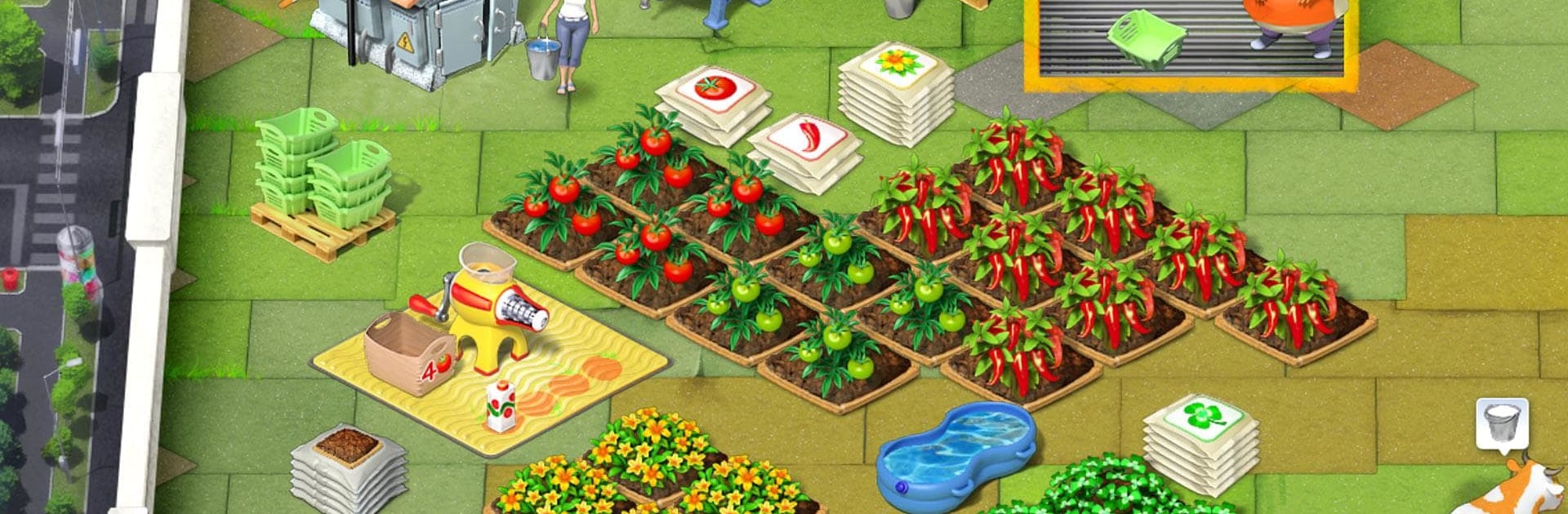
Hobby Farm Show 2 is a cheerful time‑management farming game that drops players onto a rooftop 30 floors above the city. Instead of wide open fields, everything happens on a compact grid, so every plot and machine matters. Players help Lisa juggle planting, watering, milking cows, and turning those ingredients into finished goods while the city buzzes below. It feels like a small puzzle each round, where timing, routing, and quick clicks are the difference between squeaking by or nailing the target. The rooftop angle is not just a skin either, the tight space forces smart choices and gives the whole thing a neat city‑farm flavor that stands out.

There are 50 short episodes that build nicely, adding new tasks and tighter goals without turning into a headache. Runs can feel chill or tense depending on how efficiently players chain actions and keep machines fed. Controls are clean on PC with BlueStacks, and a mouse makes it easier to scoop drops, set queues, and keep an eye on what should fire next. The art is bright, feedback pops off the screen, and mistakes rarely feel punishing, so it is very easy to say just one more level and mean three. Anyone who likes classic farm time‑management with simple rules, brisk pacing, and that little buzz when a plan comes together will probably feel at home here.

Start your journey now. Download the game on BlueStacks, invite your friends, and march on a new adventure.


Game Features

Enhancements

  • Macros
  • Multi Instance
  • Script
  • Repeated Tap
  • Enhancements
Macros

Macros

Automate the predictable in Hobby Farm Show 2 and transform your gameplay with Macros. Get access to inventive Macros in the BlueStacks Macro Community
Multi Instance

Multi Instance

Play Hobby Farm Show 2 on one window. And chat with your friend on the other. Press CTRL + Shift + 8 to open the Multi-Instance Manager. And start creating fresh instances or clone an existing one.
Script

Script

Script your way to gaming glory in Hobby Farm Show 2 with BlueStacks Script. Write and run a set of commands to automate repeated tasks. Trigger the command by assigning it to any key.
Repeated Tap

Repeated Tap

BlueStacks lets you master Hobby Farm Show 2 with useful features like the Repeated Tap. Now you do not have to press the same key repeatedly to initiate an action. Just assign it to one key and you are good to go.
Read More

How to Download and Play Hobby Farm Show 2 on PC or Mac

  • Download and install BlueStacks on your PC or Mac

  • Complete Google sign-in to access the Play Store, or do it later

  • Look for Hobby Farm Show 2 in the search bar at the top right corner

  • Click to install Hobby Farm Show 2 from the search results

  • Complete Google sign-in (if you skipped step 2) to install Hobby Farm Show 2

  • Click the Hobby Farm Show 2 icon on the home screen to start playing

video
Watch Video

Minimum System Requirements

With BlueStacks 5, you can get started on a PC that fulfills the following requirements.

  • Operating System

    Microsoft Windows 7 or above, macOS 11 (Big Sur) or above

  • Processor

    Intel, AMD or Apple Silicon Processor

  • RAM

    at least 4GB

  • HDD

    10GB Free Disk Space

Note:

* You must be an Administrator on your PC. Up to date graphics drivers from Microsoft or the chipset vendor.

Hobby Farm Show 2 - FAQs

  • How to play Hobby Farm Show 2 on Windows PC & Mac?

    Play Hobby Farm Show 2 on your PC or Mac by following these simple steps.

    • Click on 'Play Hobby Farm Show 2 on PC’ to download BlueStacks
    • Install it and log-in to Google Play Store
    • Launch and play the game.
  • Why is BlueStacks the fastest and safest platform to play games on PC?

    BlueStacks respects your privacy and is always safe and secure to use. It does not carry any malware, spyware, or any sort of additional software that could harm your PC.

    It is engineered to optimize speed and performance for a seamless gaming experience.

  • What are Hobby Farm Show 2 PC requirements?

    Minimum requirement to run Hobby Farm Show 2 on your PC

    • OS: Microsoft Windows 7 or above MacOS 11 (Big Sur) or above
    • Processor: Intel, AMD or Apple Silicon Processor
    • RAM: Your PC must have at least 4GB of RAM. (Note that having 4GB or more disk space is not a substitute for RAM)
    • HDD: 10GB Free Disk Space.
    • You must be an Administrator on your PC.