Kingdom Chronicles 2 (Full)

Kingdom Chronicles 2 (Full)

Strategy

| DELTAMEDIA, CHASTNOE PREDPRIYATIE

Play on PC with BlueStacks or from our cloud

  • Overview
  • Game Features
  • How to Play

Page Modified On: May 05, 2026

Play Kingdom Chronicles 2 (Full) on PC or Mac

Join millions to experience Kingdom Chronicles 2 (Full), an exciting Strategy game from DELTAMEDIA, CHASTNOE PREDPRIYATIE. With BlueStacks App Player, you are always a step ahead of your opponent, ready to outplay them with faster gameplay and better control with the mouse and keyboard on your PC or Mac.

About the Game

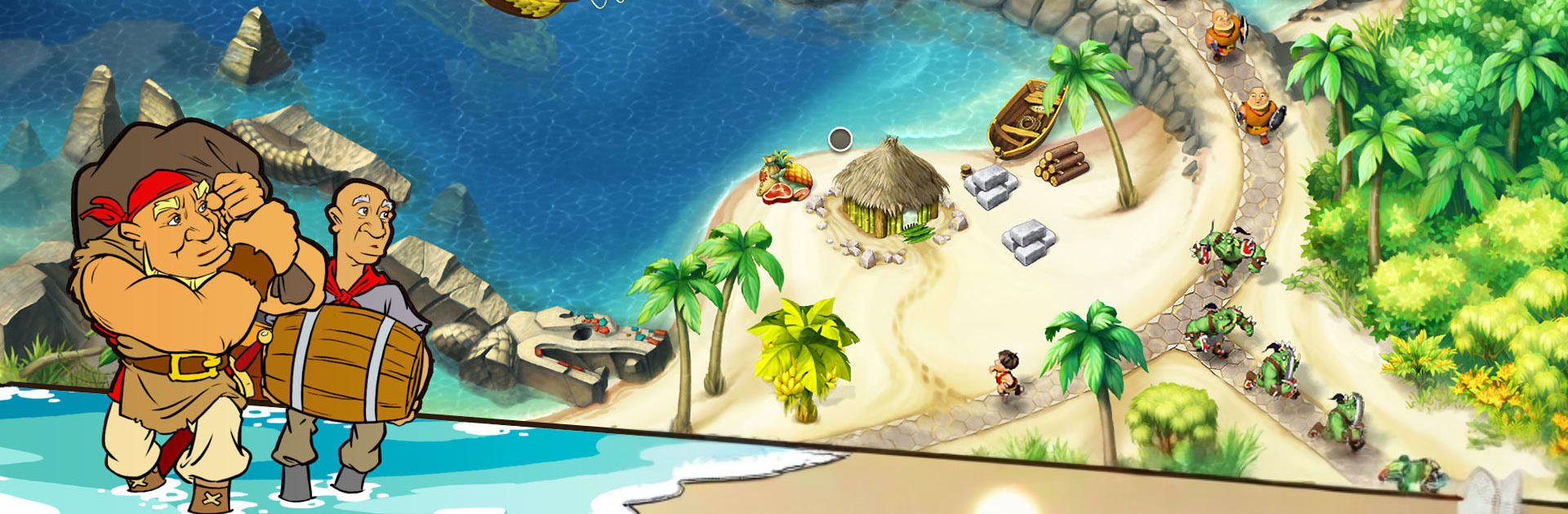
Kingdom Chronicles 2 (Full) is a lively Strategy adventure where quick thinking meets classic town-building fun. You’ll juggle workers, clerks, and brave warriors as you rebuild settlements, chase down troublesome orcs, and outsmart a scheming villain. Expect a blend of resource management, light combat, and clever problem-solving wrapped around a rescue mission with a few magical twists.

Game Features

  • Hands-on Strategy: Plan your moves, assign tasks, and time your actions to keep construction, harvesting, and defense humming along without a hitch.
  • Build and Restore: Turn ruins into thriving villages and bustling towns by upgrading structures, clearing paths, and keeping the workforce motivated.
  • Hire, Train, Command: Balance your crew—send workers to gather and build, clerks to manage resources, and warriors to protect your progress when trouble shows up.
  • Puzzles and Roadblocks: Navigate tricky obstacles, unlock shortcuts, and solve bite-sized challenges that keep each stage fresh.
  • Magic on Your Side: Collect powerful artifacts and tap into mystical abilities that speed up tasks, fortify defenses, or give you an edge in tight spots.
  • Heroic Story Beats: Track a villain across the realm, rally allies, and push forward to save the princess—one completed objective at a time.
  • Combat with Purpose: Skirmish with orc bands and other foes while keeping your economy steady; winning means more than swinging a sword.
  • Replay-Friendly Goals: Chase faster times, cleaner runs, or more efficient builds as you refine your route through each level.
  • PC-Friendly on BlueStacks: Prefer a bigger screen and precise clicks? Kingdom Chronicles 2 (Full) runs smoothly on BlueStacks for comfortable play sessions.
  • From the Creators: Built by DELTAMEDIA, CHASTNOE PREDPRIYATIE, this Strategy journey mixes warmth, humor, and just the right amount of pressure.

Ready to top the leaderboard? We bet you do. Let precise controls and sharp visuals optimized on BlueStacks lead you to victory.


Game Features

Enhancements

  • Macros
  • Multi Instance
  • Multi Instance Sync
  • Eco Mode
  • Enhancements
Macros

Macros

Skip the boring parts of a game. Play Kingdom Chronicles 2 (Full) with Macros and get the edge. Simply record a sequence of commands and execute them at any moment.
Multi Instance

Multi Instance

Why limit to one game on your phone when you can play many on your PC? Open multiple instances of Kingdom Chronicles 2 (Full) at once with Multi-Instance. Leverage the power of different accounts by doing more.
Multi Instance Sync

Multi Instance Sync

Get the best out of Kingdom Chronicles 2 (Full) with Multi-Instance Sync. Play the game from different accounts and build your own empire. Use Multi-instance sync to repeat the action in the main BlueStacks instance on all other instances.
Eco Mode

Eco Mode

Find the rarest heroes by making multiple summons in Kingdom Chronicles 2 (Full). And while you are at it, reduce your PC’s resource consumption with the Eco Mode. Farm efficiently. Get the best results.
Read More

How to Download and Play Kingdom Chronicles 2 (Full) on PC or Mac

  • Download and install BlueStacks on your PC or Mac

  • Complete Google sign-in to access the Play Store, or do it later

  • Look for Kingdom Chronicles 2 (Full) in the search bar at the top right corner

  • Click to install Kingdom Chronicles 2 (Full) from the search results

  • Complete Google sign-in (if you skipped step 2) to install Kingdom Chronicles 2 (Full)

  • Click the Kingdom Chronicles 2 (Full) icon on the home screen to start playing

video
Watch Video

Minimum System Requirements

With BlueStacks 5, you can get started on a PC that fulfills the following requirements.

  • Operating System

    Microsoft Windows 7 or above, macOS 11 (Big Sur) or above

  • Processor

    Intel, AMD or Apple Silicon Processor

  • RAM

    at least 4GB

  • HDD

    10GB Free Disk Space

Note:

* You must be an Administrator on your PC. Up to date graphics drivers from Microsoft or the chipset vendor.

Kingdom Chronicles 2 (Full) - FAQs

  • How to play Kingdom Chronicles 2 (Full) on Windows PC & Mac?

    Play Kingdom Chronicles 2 (Full) on your PC or Mac by following these simple steps.

    • Click on 'Play Kingdom Chronicles 2 (Full) on PC’ to download BlueStacks
    • Install it and log-in to Google Play Store
    • Launch and play the game.
  • Why is BlueStacks the fastest and safest platform to play games on PC?

    BlueStacks respects your privacy and is always safe and secure to use. It does not carry any malware, spyware, or any sort of additional software that could harm your PC.

    It is engineered to optimize speed and performance for a seamless gaming experience.

  • What are Kingdom Chronicles 2 (Full) PC requirements?

    Minimum requirement to run Kingdom Chronicles 2 (Full) on your PC

    • OS: Microsoft Windows 7 or above MacOS 11 (Big Sur) or above
    • Processor: Intel, AMD or Apple Silicon Processor
    • RAM: Your PC must have at least 4GB of RAM. (Note that having 4GB or more disk space is not a substitute for RAM)
    • HDD: 10GB Free Disk Space.
    • You must be an Administrator on your PC.