Last light
Last light

Last light

Casual

| Dinosaur-Games

Play on PC with BlueStacks or from our cloud

  • Overview
  • Game Features
  • How to Play

Page Modified On: April 24, 2026

Play Last light on PC or Mac

Step into the World of Last light, a thrilling Casual game from the house of Dinosaur-Games. Play this Android game on BlueStacks App Player and experience immersive gaming on PC or Mac.

About the Game

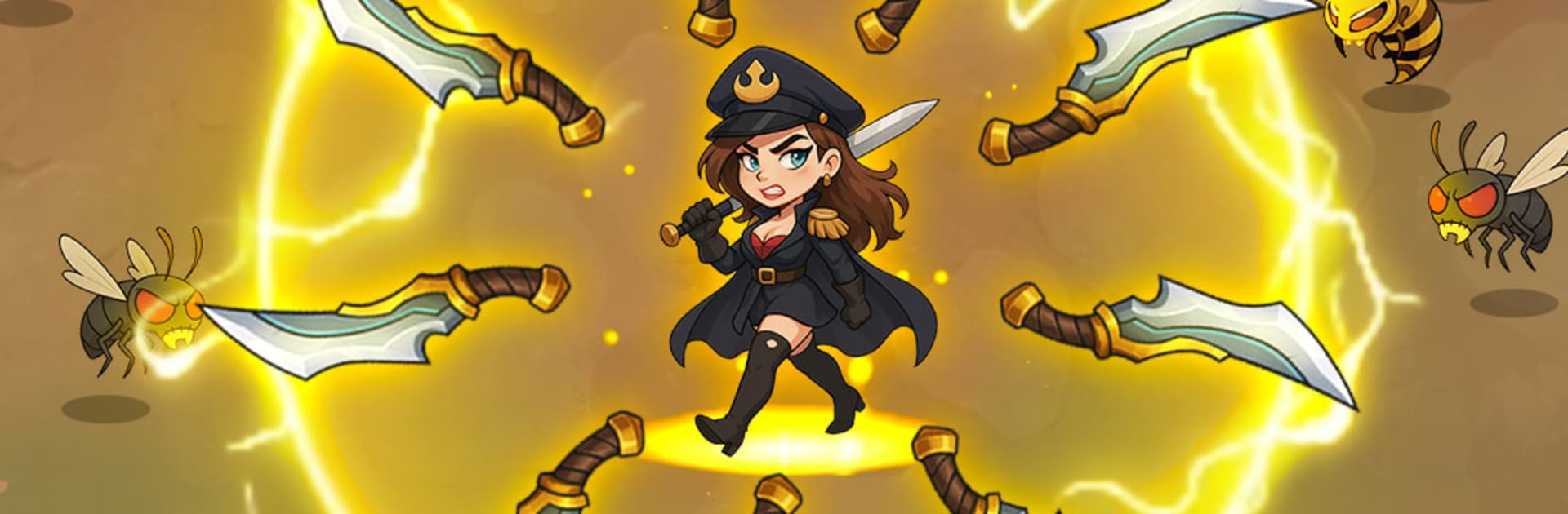
Last light is a Casual survival builder from Dinosaur-Games where the world’s gone sideways and you’re the one holding the line. It blends fast, slice-and-dodge combat with base building, tough calls about who does what, and the constant pressure of the undead at your fences. It’s punchy, strategic, and surprisingly personal as your little community fights to stay on its feet.

Game Features

  • Blade-first combat: Dash through thick zombie swarms, time your swings, and carve out breathing room. Each run ramps up the chaos and rewards clean positioning and quick decisions.
  • Power-ups that matter: Unlock stronger blades, stack smart upgrades, and watch your build snowball. There’s always another tweak to make you just a bit deadlier.
  • Build a real safe zone: Put up walls, place traps, and set resource stations exactly where they’ll count. Every structure buys time when the night gets loud.
  • Research and resilience: Push tech upgrades to boost defenses, production, and survivor efficiency. Small improvements add up when waves don’t stop.
  • People, not pawns: Manage survivors with different skills and quirks. Assign jobs, keep morale steady, and deal with drama before it breaks your camp.
  • Risky runs into the ruins: Send teams to scavenge gear and supplies, uncover scraps of the past, and expand your reach one block at a time.
  • Encounters with a twist: Meet traders, rivals, and the unpredictable in-between. Some deals help; others set traps.
  • Boss fights with teeth: Survive long enough and a towering threat shows up to test your setup and reflexes.
  • Ally up worldwide: Form alliances, pool resources, and coordinate strikes against huge hordes or hostile factions. Territory control feels earned.
  • Plays great on PC: Prefer a bigger screen and keyboard? Last light runs smoothly on BlueStacks without changing how the game feels.

Make your gaming sessions memorable with precise controls that give you an edge in close combats and visuals that pop up, bringing every character to life.


Game Features

Enhancements

  • Macros
  • Multi Instance
  • Script
  • Repeated Tap
  • Enhancements
Macros

Macros

Automate the predictable in Last light and transform your gameplay with Macros. Get access to inventive Macros in the BlueStacks Macro Community
Multi Instance

Multi Instance

Play Last light on one window. And chat with your friend on the other. Press CTRL + Shift + 8 to open the Multi-Instance Manager. And start creating fresh instances or clone an existing one.
Script

Script

Script your way to gaming glory in Last light with BlueStacks Script. Write and run a set of commands to automate repeated tasks. Trigger the command by assigning it to any key.
Repeated Tap

Repeated Tap

BlueStacks lets you master Last light with useful features like the Repeated Tap. Now you do not have to press the same key repeatedly to initiate an action. Just assign it to one key and you are good to go.
Read More

How to Download and Play Last light on PC or Mac

  • Download and install BlueStacks on your PC or Mac

  • Complete Google sign-in to access the Play Store, or do it later

  • Look for Last light in the search bar at the top right corner

  • Click to install Last light from the search results

  • Complete Google sign-in (if you skipped step 2) to install Last light

  • Click the Last light icon on the home screen to start playing

video
Watch Video

Minimum System Requirements

With BlueStacks 5, you can get started on a PC that fulfills the following requirements.

  • Operating System

    Microsoft Windows 7 or above, macOS 11 (Big Sur) or above

  • Processor

    Intel, AMD or Apple Silicon Processor

  • RAM

    at least 4GB

  • HDD

    10GB Free Disk Space

Note:

* You must be an Administrator on your PC. Up to date graphics drivers from Microsoft or the chipset vendor.

Last light - FAQs

  • How to play Last light on Windows PC & Mac?

    Play Last light on your PC or Mac by following these simple steps.

    • Click on 'Play Last light on PC’ to download BlueStacks
    • Install it and log-in to Google Play Store
    • Launch and play the game.
  • Why is BlueStacks the fastest and safest platform to play games on PC?

    BlueStacks respects your privacy and is always safe and secure to use. It does not carry any malware, spyware, or any sort of additional software that could harm your PC.

    It is engineered to optimize speed and performance for a seamless gaming experience.

  • What are Last light PC requirements?

    Minimum requirement to run Last light on your PC

    • OS: Microsoft Windows 7 or above MacOS 11 (Big Sur) or above
    • Processor: Intel, AMD or Apple Silicon Processor
    • RAM: Your PC must have at least 4GB of RAM. (Note that having 4GB or more disk space is not a substitute for RAM)
    • HDD: 10GB Free Disk Space.
    • You must be an Administrator on your PC.