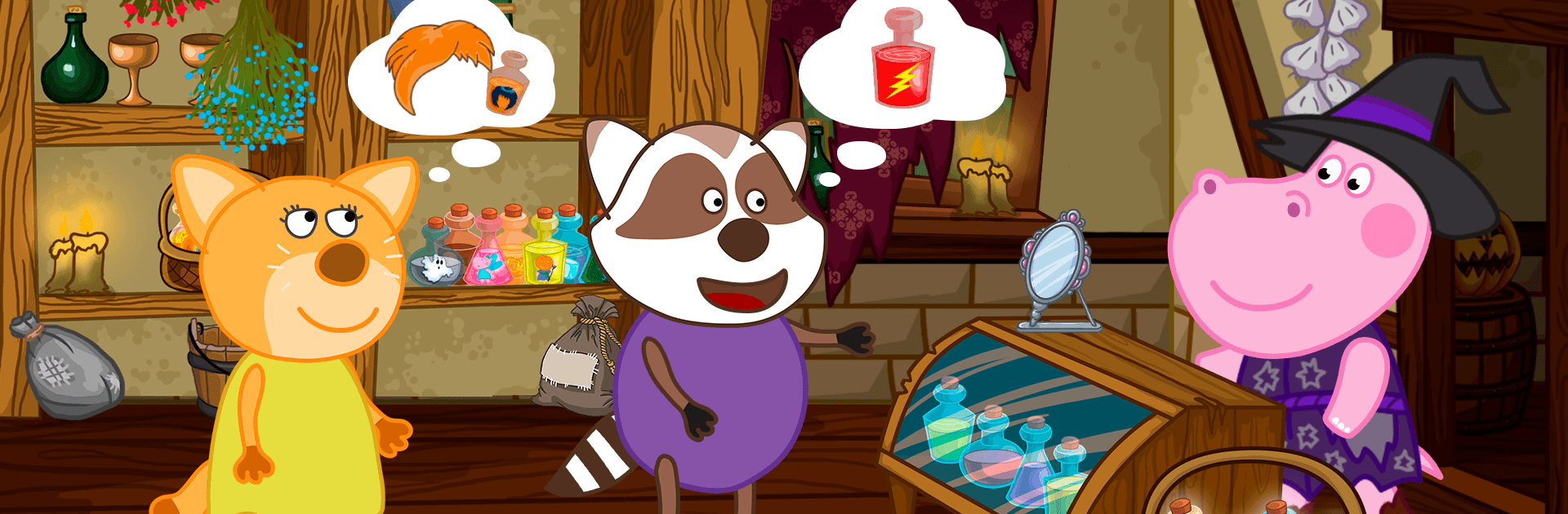
Magic school: Little witch

Magic school: Little witch

Casual

| Happy Hippo - Kids Games

Play on PC with BlueStacks or from our cloud

  • Overview
  • Game Features
  • How to Play

Page Modified On: August 17, 2026

Play Magic school: Little witch on PC or Mac

Magic school: Little witch brings the Casual genre to life, and throws up exciting challenges for gamers. Developed by Happy Hippo – Kids Games, this Android game is best experienced on BlueStacks, the World’s #1 app player for PC and Mac users.

About the Game

Magic school: Little witch puts you in charge of a whimsical forest shop while the resident witch takes a well-earned break. It’s a lighthearted Casual adventure where you’ll brew colorful potions, try out cheeky spells, and hunt for ingredients across spooky-but-friendly locations. Expect short, hands-on activities that are easy for kids to pick up and fun for grown-ups to join in.

Game Features

  • Run the Forest Shop: Meet visitors with quirky problems and whip up the right remedy using your trusty recipe book.
  • Hands-On Potion Crafting: Measure, mix, heat, and stir—watch ingredients bubble, sparkle, and change in surprising ways.
  • Ingredient Hunts: Track down mushrooms, crystals, and other curios in an old graveyard, a not-so-scary ghost castle, and a foggy marsh.
  • The Big Spellbook: Unlock new pages as you play, discover recipes, and learn playful spells with charming effects.
  • Kid-Friendly Mini-Games: Quick puzzles, sorting, tapping, and matching moments keep things lively without piling on pressure.
  • Clear, Gentle Guidance: Simple prompts help new players along, so kids can experiment and succeed on their own.
  • Cozy Spooky Vibe: Cute ghosts, chattering bats, and creaky doors set the scene—nothing harsh or jumpy.
  • Play Together: Perfect for short sessions and co-play, whether you’re helping with a recipe or cheering on a tricky search.
  • Easy to Pick Up: Intuitive tap-and-try controls make every task feel natural from the first minute.
  • Looks Great on a Bigger Screen: Prefer a roomier view? You can also play smoothly on PC with BlueStacks.

Start your journey now. Download the game on BlueStacks, invite your friends, and march on a new adventure.


Game Features

Enhancements

  • Macros
  • Multi Instance
  • Script
  • Repeated Tap
  • Enhancements
Macros

Macros

Automate the predictable in Magic school: Little witch and transform your gameplay with Macros. Get access to inventive Macros in the BlueStacks Macro Community
Multi Instance

Multi Instance

Play Magic school: Little witch on one window. And chat with your friend on the other. Press CTRL + Shift + 8 to open the Multi-Instance Manager. And start creating fresh instances or clone an existing one.
Script

Script

Script your way to gaming glory in Magic school: Little witch with BlueStacks Script. Write and run a set of commands to automate repeated tasks. Trigger the command by assigning it to any key.
Repeated Tap

Repeated Tap

BlueStacks lets you master Magic school: Little witch with useful features like the Repeated Tap. Now you do not have to press the same key repeatedly to initiate an action. Just assign it to one key and you are good to go.
Read More

How to Download and Play Magic school: Little witch on PC or Mac

  • Download and install BlueStacks on your PC or Mac

  • Complete Google sign-in to access the Play Store, or do it later

  • Look for Magic school: Little witch in the search bar at the top right corner

  • Click to install Magic school: Little witch from the search results

  • Complete Google sign-in (if you skipped step 2) to install Magic school: Little witch

  • Click the Magic school: Little witch icon on the home screen to start playing

video
Watch Video

Minimum System Requirements

With BlueStacks 5, you can get started on a PC that fulfills the following requirements.

  • Operating System

    Microsoft Windows 7 or above, macOS 11 (Big Sur) or above

  • Processor

    Intel, AMD or Apple Silicon Processor

  • RAM

    at least 4GB

  • HDD

    10GB Free Disk Space

Note:

* You must be an Administrator on your PC. Up to date graphics drivers from Microsoft or the chipset vendor.

Magic school: Little witch - FAQs

  • How to play Magic school: Little witch on Windows PC & Mac?

    Play Magic school: Little witch on your PC or Mac by following these simple steps.

    • Click on 'Play Magic school: Little witch on PC’ to download BlueStacks
    • Install it and log-in to Google Play Store
    • Launch and play the game.
  • Why is BlueStacks the fastest and safest platform to play games on PC?

    BlueStacks respects your privacy and is always safe and secure to use. It does not carry any malware, spyware, or any sort of additional software that could harm your PC.

    It is engineered to optimize speed and performance for a seamless gaming experience.

  • What are Magic school: Little witch PC requirements?

    Minimum requirement to run Magic school: Little witch on your PC

    • OS: Microsoft Windows 7 or above MacOS 11 (Big Sur) or above
    • Processor: Intel, AMD or Apple Silicon Processor
    • RAM: Your PC must have at least 4GB of RAM. (Note that having 4GB or more disk space is not a substitute for RAM)
    • HDD: 10GB Free Disk Space.
    • You must be an Administrator on your PC.