MC Bedrock Mods for Minecraft

MC Bedrock Mods for Minecraft

Casual

| MCModsHub

Play on PC with BlueStacks or from our cloud

  • Overview
  • Game Features
  • How to Play

Page Modified On: August 03, 2026

Play MC Bedrock Mods for Minecraft on PC or Mac

Bring your A-game to MC Bedrock Mods for Minecraft, the Casual game sensation from MCModsHub. Give your gameplay the much-needed boost with precise game controls, high FPS graphics, and top-tier features on your PC or Mac with BlueStacks.

About the Game

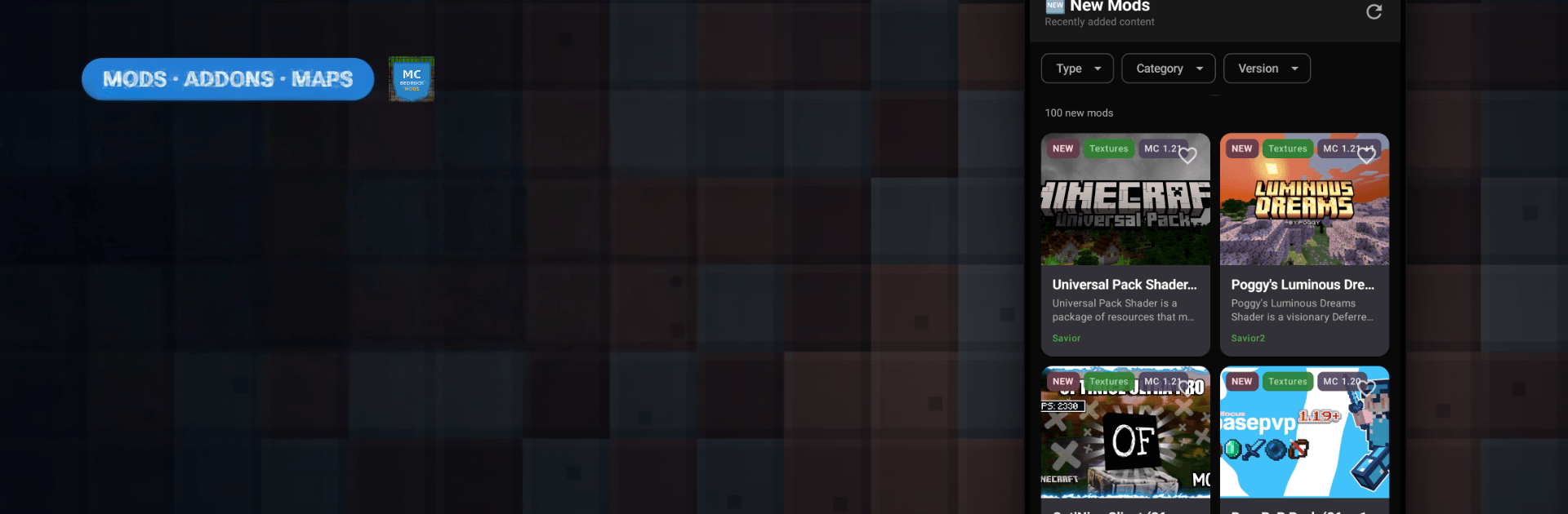
MC Bedrock Mods for Minecraft makes finding cool Bedrock and MCPE content feel easy and low-pressure, the way a Casual app should. Browse a huge stream of community-made mods, maps, textures, skins, and scripts, then drop them into your game with almost no setup. Want a fresh survival twist or a quick parkour fix? It’s all neatly organized on your phone—and it also works smoothly when you run it through BlueStacks on your computer.

Game Features

  • Massive library: Explore thousands of Bedrock-ready mods, addons, maps, texture packs, skins, and scripts, with new options popping up all the time.
  • Fast, friendly browsing: Find exactly what you’re after with clear categories and a smart search that understands multiple languages thanks to built-in translation.
  • One-tap install: Grab .mcpack, .mcaddon, or .mcworld files and open them directly in Minecraft—no manual file juggling.
  • Clear details at a glance: Each entry includes helpful descriptions, screenshots, and version info so you can see what fits your current Bedrock or MCPE setup before installing.
  • Handy sorting: Check out what’s Popular, New, Recently Updated, or Most Downloaded to spot trending picks without digging.
  • Favorites and history: Save your top finds for later and quickly revisit anything you’ve downloaded; both are accessible even when you’re offline.
  • Smart notifications: Get nudges when fresh, relevant content hits so you don’t miss a standout map or texture pack.
  • Wide compatibility: Designed for current Android versions of Minecraft Bedrock and MCPE, with supported versions listed on each mod page for peace of mind.

Get ready for a buttery smooth, high-performance gaming action only on BlueStacks.

Game Features

Enhancements

  • Macros
  • Multi Instance
  • Script
  • Repeated Tap
  • Enhancements
Macros

Macros

Automate the predictable in MC Bedrock Mods for Minecraft and transform your gameplay with Macros. Get access to inventive Macros in the BlueStacks Macro Community
Multi Instance

Multi Instance

Play MC Bedrock Mods for Minecraft on one window. And chat with your friend on the other. Press CTRL + Shift + 8 to open the Multi-Instance Manager. And start creating fresh instances or clone an existing one.
Script

Script

Script your way to gaming glory in MC Bedrock Mods for Minecraft with BlueStacks Script. Write and run a set of commands to automate repeated tasks. Trigger the command by assigning it to any key.
Repeated Tap

Repeated Tap

BlueStacks lets you master MC Bedrock Mods for Minecraft with useful features like the Repeated Tap. Now you do not have to press the same key repeatedly to initiate an action. Just assign it to one key and you are good to go.
Read More

How to Download and Play MC Bedrock Mods for Minecraft on PC or Mac

  • Download and install BlueStacks on your PC or Mac

  • Complete Google sign-in to access the Play Store, or do it later

  • Look for MC Bedrock Mods for Minecraft in the search bar at the top right corner

  • Click to install MC Bedrock Mods for Minecraft from the search results

  • Complete Google sign-in (if you skipped step 2) to install MC Bedrock Mods for Minecraft

  • Click the MC Bedrock Mods for Minecraft icon on the home screen to start playing

video
Watch Video

Minimum System Requirements

With BlueStacks 5, you can get started on a PC that fulfills the following requirements.

  • Operating System

    Microsoft Windows 7 or above, macOS 11 (Big Sur) or above

  • Processor

    Intel, AMD or Apple Silicon Processor

  • RAM

    at least 4GB

  • HDD

    10GB Free Disk Space

Note:

* You must be an Administrator on your PC. Up to date graphics drivers from Microsoft or the chipset vendor.

MC Bedrock Mods for Minecraft - FAQs

  • How to play MC Bedrock Mods for Minecraft on Windows PC & Mac?

    Play MC Bedrock Mods for Minecraft on your PC or Mac by following these simple steps.

    • Click on 'Play MC Bedrock Mods for Minecraft on PC’ to download BlueStacks
    • Install it and log-in to Google Play Store
    • Launch and play the game.
  • Why is BlueStacks the fastest and safest platform to play games on PC?

    BlueStacks respects your privacy and is always safe and secure to use. It does not carry any malware, spyware, or any sort of additional software that could harm your PC.

    It is engineered to optimize speed and performance for a seamless gaming experience.

  • What are MC Bedrock Mods for Minecraft PC requirements?

    Minimum requirement to run MC Bedrock Mods for Minecraft on your PC

    • OS: Microsoft Windows 7 or above MacOS 11 (Big Sur) or above
    • Processor: Intel, AMD or Apple Silicon Processor
    • RAM: Your PC must have at least 4GB of RAM. (Note that having 4GB or more disk space is not a substitute for RAM)
    • HDD: 10GB Free Disk Space.
    • You must be an Administrator on your PC.