Craft World Adventure

Craft World Adventure

Role Playing

| GAME JUNGLE (SMC-PRIVATE) LIMITED

Play on PC with BlueStacks or from our cloud

  • Overview
  • Game Features
  • How to Play

Page Modified On: August 03, 2026

Play Craft World Adventure on PC or Mac

Bring your A-game to Craft World Adventure, the Role Playing game sensation from GAME JUNGLE (SMC-PRIVATE) LIMITED. Give your gameplay the much-needed boost with precise game controls, high FPS graphics, and top-tier features on your PC or Mac with BlueStacks.

About the Game

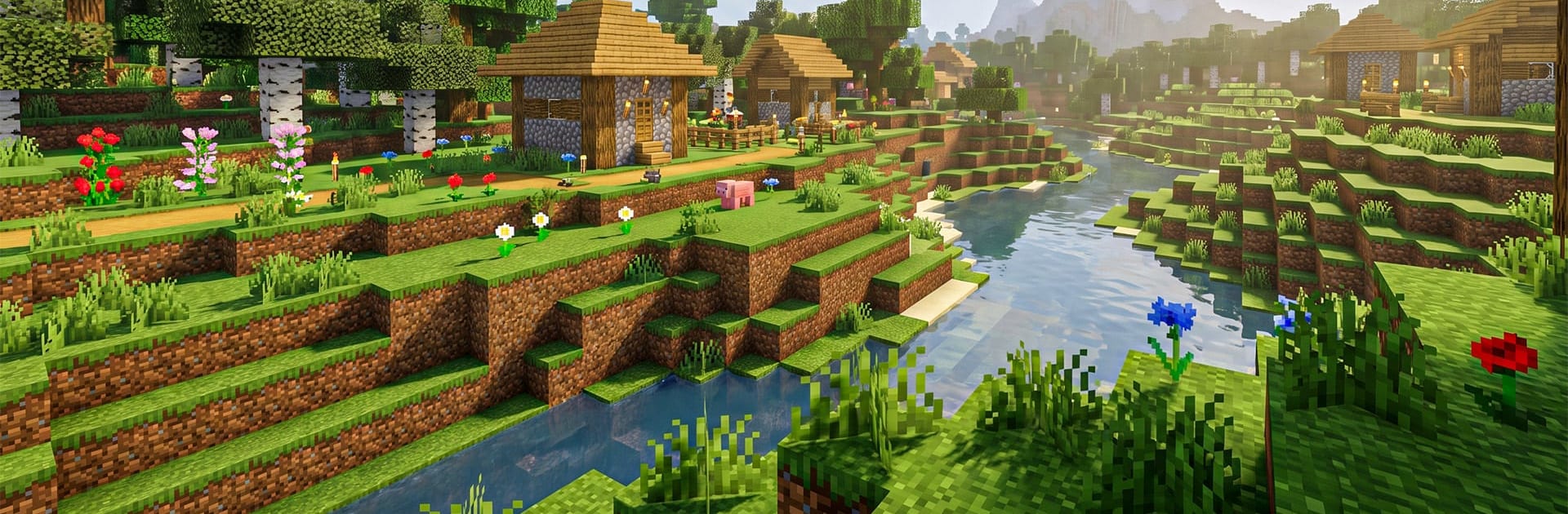
Craft World Adventure drops you into a big, blocky sandbox where your ideas turn into places you can actually explore. Gather, craft, and build while managing hunger, health, and whatever creeps in after sunset—or flip to Creative when you just want to make cool stuff without limits. It plays great on mobile and feels right at home on BlueStacks if you prefer a bigger screen and tighter controls.

Game Features

  • Massive open world: Roam forests, climb mountains, squeeze through caves, and poke around hidden nooks across varied biomes.
  • Survival with real stakes: Keep an eye on hunger and health, scavenge for supplies, and brace for nighttime threats and environmental hazards.
  • Creative Mode freedom: Turn off the pressure and build without resource limits—perfect for testing designs or finishing that dream base.
  • Crafting that counts: Collect wood, stone, and minerals to forge tools, weapons, and building pieces that actually shape how you play.
  • Build your way: Throw up a quick shelter, plan a cozy house, or connect a full village—block-by-block construction that’s easy to learn and fun to master.
  • Seamless controls and clean visuals: Smooth movement, responsive interactions, and crisp 3D graphics make gathering, mining, and building feel satisfying.
  • Classic block-crafting vibe: Familiar mechanics meet modern polish, so newcomers can jump in fast while sandbox pros still have depth to chew on.

Ready to top the leaderboard? We bet you do. Let precise controls and sharp visuals optimized on BlueStacks lead you to victory.


Game Features

Enhancements

  • Macros
  • Rerolling
  • Eco Mode
  • Multi Instance Sync
  • Enhancements
Macros

Macros

Focus more on the fun part of the game, skip the tedious aspects. Master Craft World Adventure with Macros. Record yourself completing the monotonous tasks you wish to automate and replay them later with just one keypress.
Rerolling

Rerolling

Speed up the rerolling process in Craft World Adventure. Perform multiple summons and keep looking for the best Heroes. Use Multi-Instance sync to replicate the rerolling mechanism in all instances.
Eco Mode

Eco Mode

Farm in-game resources with ease in Craft World Adventure. Enable the Eco Mode when running the game in multiple instances. And lower your PC's resource consumption.
Multi Instance Sync

Multi Instance Sync

With the Multi-instance Sync, you can do even more in Craft World Adventure. Sync the action of the main instance and repeat them in real time for all other instances. Sync and sit back, let the game progress unfold.
Read More

How to Download and Play Craft World Adventure on PC or Mac

  • Download and install BlueStacks on your PC or Mac

  • Complete Google sign-in to access the Play Store, or do it later

  • Look for Craft World Adventure in the search bar at the top right corner

  • Click to install Craft World Adventure from the search results

  • Complete Google sign-in (if you skipped step 2) to install Craft World Adventure

  • Click the Craft World Adventure icon on the home screen to start playing

video
Watch Video

Minimum System Requirements

With BlueStacks 5, you can get started on a PC that fulfills the following requirements.

  • Operating System

    Microsoft Windows 7 or above, macOS 11 (Big Sur) or above

  • Processor

    Intel, AMD or Apple Silicon Processor

  • RAM

    at least 4GB

  • HDD

    10GB Free Disk Space

Note:

* You must be an Administrator on your PC. Up to date graphics drivers from Microsoft or the chipset vendor.

Craft World Adventure - FAQs

  • How to play Craft World Adventure on Windows PC & Mac?

    Play Craft World Adventure on your PC or Mac by following these simple steps.

    • Click on 'Play Craft World Adventure on PC’ to download BlueStacks
    • Install it and log-in to Google Play Store
    • Launch and play the game.
  • Why is BlueStacks the fastest and safest platform to play games on PC?

    BlueStacks respects your privacy and is always safe and secure to use. It does not carry any malware, spyware, or any sort of additional software that could harm your PC.

    It is engineered to optimize speed and performance for a seamless gaming experience.

  • What are Craft World Adventure PC requirements?

    Minimum requirement to run Craft World Adventure on your PC

    • OS: Microsoft Windows 7 or above MacOS 11 (Big Sur) or above
    • Processor: Intel, AMD or Apple Silicon Processor
    • RAM: Your PC must have at least 4GB of RAM. (Note that having 4GB or more disk space is not a substitute for RAM)
    • HDD: 10GB Free Disk Space.
    • You must be an Administrator on your PC.