Mega Obby: Master Parkour

Mega Obby: Master Parkour

Casual

| H2T GLOBAL PTE. LTD.

Play on PC with BlueStacks or from our cloud

  • Overview
  • Game Features
  • How to Play

Page Modified On: September 18, 2026

Play Mega Obby: Master Parkour on PC or Mac

Bring your A-game to Mega Obby: Master Parkour, the Casual game sensation from H2T GLOBAL PTE. LTD.. Give your gameplay the much-needed boost with precise game controls, high FPS graphics, and top-tier features on your PC or Mac with BlueStacks.

About the Game

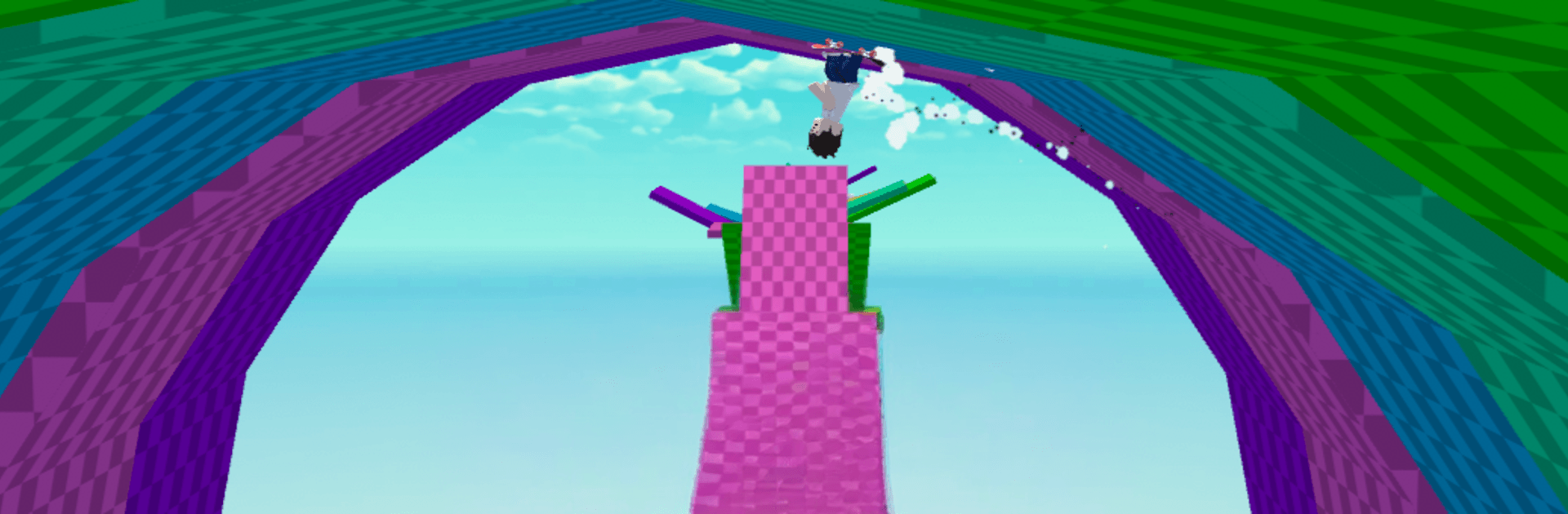
Mega Obby: Master Parkour is all about fast moves, sharp reflexes, and a little style. Sprint, hop, skate, or bike your way across tricky obstacle courses that reward timing and confidence. It’s a Casual game you can pick up for a quick run or settle in for a longer session—and it feels great on PC with BlueStacks if you’re after a bigger view and steady performance.

Game Features

  • Run, Skate, or Bike: Choose how you move—on foot, on a board, or on a bike—and tackle each course the way that feels best to you.
  • Varied Parkour Stages: Work through a stack of courses packed with jumps, gaps, moving platforms, and tight turns that steadily get more demanding.
  • Responsive Controls: Snappy, precise inputs make it easier to stick landings, adjust midair, and react when the floor drops out from under you.
  • Eye-Catching Effects: Bright colors, clean environments, and punchy visual flourishes keep every leap and slide easy to read and fun to watch.
  • Lively, Immersive Audio: Crisp sounds for every step, grind, and crash pull you into the action and make close calls feel even closer.
  • Personal Style: Customize your character with unique accessories to put your own spin on every run—subtle tweaks or loud flair, your call.
  • Smooth Difficulty Curve: Early courses teach the basics; later ones push your timing, rhythm, and nerves without feeling unfair.
  • Replay-Friendly Challenges: Chase cleaner lines, discover alternate routes, and go for that flawless run you know you’ve got in you.

Ready to top the leaderboard? We bet you do. Let precise controls and sharp visuals optimized on BlueStacks lead you to victory.


Game Features

Enhancements

  • Macros
  • Multi Instance
  • Script
  • Repeated Tap
  • Enhancements
Macros

Macros

Automate the predictable in Mega Obby: Master Parkour and transform your gameplay with Macros. Get access to inventive Macros in the BlueStacks Macro Community
Multi Instance

Multi Instance

Play Mega Obby: Master Parkour on one window. And chat with your friend on the other. Press CTRL + Shift + 8 to open the Multi-Instance Manager. And start creating fresh instances or clone an existing one.
Script

Script

Script your way to gaming glory in Mega Obby: Master Parkour with BlueStacks Script. Write and run a set of commands to automate repeated tasks. Trigger the command by assigning it to any key.
Repeated Tap

Repeated Tap

BlueStacks lets you master Mega Obby: Master Parkour with useful features like the Repeated Tap. Now you do not have to press the same key repeatedly to initiate an action. Just assign it to one key and you are good to go.
Read More

How to Download and Play Mega Obby: Master Parkour on PC or Mac

  • Download and install BlueStacks on your PC or Mac

  • Complete Google sign-in to access the Play Store, or do it later

  • Look for Mega Obby: Master Parkour in the search bar at the top right corner

  • Click to install Mega Obby: Master Parkour from the search results

  • Complete Google sign-in (if you skipped step 2) to install Mega Obby: Master Parkour

  • Click the Mega Obby: Master Parkour icon on the home screen to start playing

video
Watch Video

Minimum System Requirements

With BlueStacks 5, you can get started on a PC that fulfills the following requirements.

  • Operating System

    Microsoft Windows 7 or above, macOS 11 (Big Sur) or above

  • Processor

    Intel, AMD or Apple Silicon Processor

  • RAM

    at least 4GB

  • HDD

    10GB Free Disk Space

Note:

* You must be an Administrator on your PC. Up to date graphics drivers from Microsoft or the chipset vendor.

Mega Obby: Master Parkour - FAQs

  • How to play Mega Obby: Master Parkour on Windows PC & Mac?

    Play Mega Obby: Master Parkour on your PC or Mac by following these simple steps.

    • Click on 'Play Mega Obby: Master Parkour on PC’ to download BlueStacks
    • Install it and log-in to Google Play Store
    • Launch and play the game.
  • Why is BlueStacks the fastest and safest platform to play games on PC?

    BlueStacks respects your privacy and is always safe and secure to use. It does not carry any malware, spyware, or any sort of additional software that could harm your PC.

    It is engineered to optimize speed and performance for a seamless gaming experience.

  • What are Mega Obby: Master Parkour PC requirements?

    Minimum requirement to run Mega Obby: Master Parkour on your PC

    • OS: Microsoft Windows 7 or above MacOS 11 (Big Sur) or above
    • Processor: Intel, AMD or Apple Silicon Processor
    • RAM: Your PC must have at least 4GB of RAM. (Note that having 4GB or more disk space is not a substitute for RAM)
    • HDD: 10GB Free Disk Space.
    • You must be an Administrator on your PC.