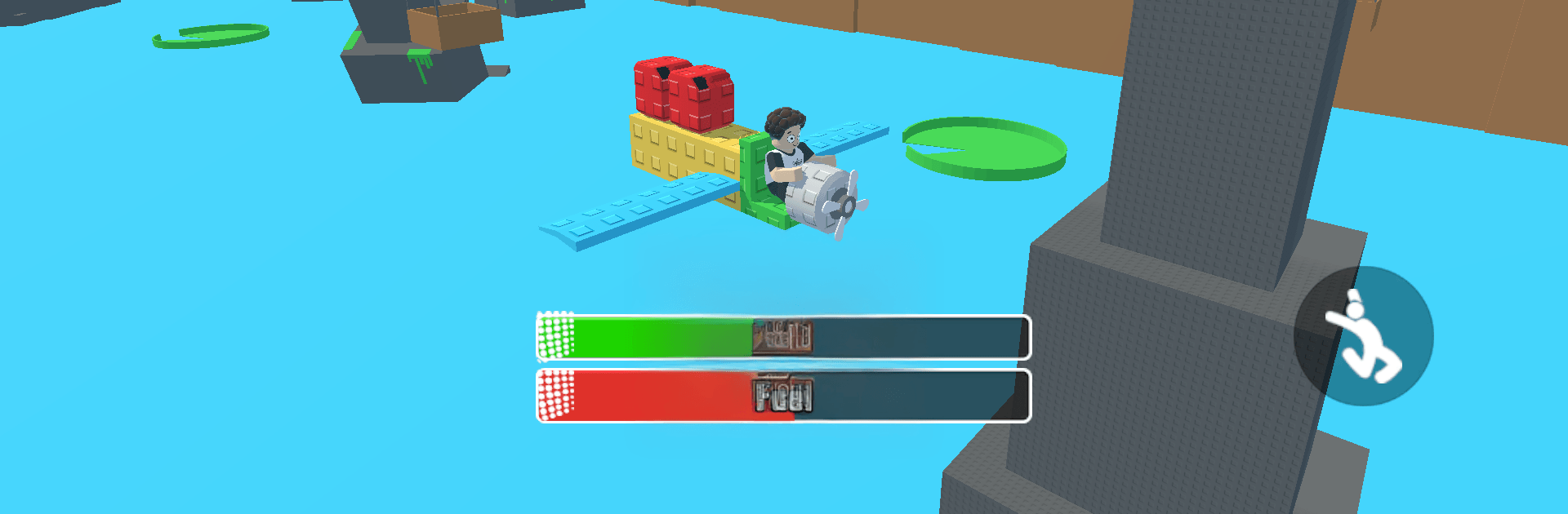
Build An AirPlane: Fly Master

Build An AirPlane: Fly Master

Adventure

| H2T GLOBAL PTE. LTD.

Play on PC with BlueStacks or from our cloud

  • Overview
  • Game Features
  • How to Play

Page Modified On: April 21, 2026

Play Build An AirPlane: Fly Master on PC or Mac

Step into the World of Build An AirPlane: Fly Master, a thrilling Adventure game from the house of H2T GLOBAL PTE. LTD.. Play this Android game on BlueStacks App Player and experience immersive gaming on PC or Mac.

About the Game

Build An AirPlane: Fly Master is all about tinkering, testing, and taking your custom plane to the open sky. It’s an Adventure by H2T GLOBAL PTE. LTD. where you start with simple parts and end up piloting a machine that feels truly yours. Want to race the clock, thread through tricky routes, or haul cargo across the map? It’s got that, plus the thrill of fine-tuning every detail until your ride handles just right. Prefer playing on PC? It’s smooth on BlueStacks with mouse and keyboard controls.

Game Features

  • Hands-on construction: Snap together fuselages, wings, stabilizers, and more, then tweak the layout until the balance feels perfect. You’re not just picking parts—you’re shaping how the plane flies.
  • Custom look, your style: Paint jobs, decals, and body shapes let you match performance with personality. Go sleek and minimal or bold and loud—it’s your workshop.
  • Engine tuning that matters: Upgrade power for quicker takeoff, push for higher altitude, and squeeze out better handling to tackle tougher routes without wobble.
  • Missions with bite: Run tight delivery routes, chase time in high-speed trials, or thread your way through blazing rings that demand clean lines and steady nerves.
  • Satisfying flight physics: Every adjustment changes how your aircraft lifts, turns, and lands, rewarding smart builds and steady piloting.
  • 3D sights and sound: Detailed models, crisp effects, and thundering engines sell the sensation of speed and height—from runway rumble to thin-air climbs.
  • Progress at your pace: Earn rewards from missions, reinvest in upgrades, and iterate on designs until your hangar showcases a fleet you’re proud to fly.

Ready to top the leaderboard? We bet you do. Let precise controls and sharp visuals optimized on BlueStacks lead you to victory.


Game Features

Enhancements

  • Macros
  • Multi Instance
  • Multi Instance Sync
  • Script
  • Enhancements
Macros

Macros

Automate the predictable in Build An AirPlane: Fly Master and transform your gameplay with Macros. Get access to inventive Macros in the BlueStacks Macro Community
Multi Instance

Multi Instance

Play Build An AirPlane: Fly Master on one window. And chat with your friend on the other. Press CTRL + Shift + 8 to open the Multi-Instance Manager. And start creating fresh instances or clone an existing one.
Multi Instance Sync

Multi Instance Sync

Play Build An AirPlane: Fly Master with the power of Multi-Instance Sync. Replicate what you are doing on the main instance on all other instances. Level up faster, play more.
Script

Script

Script your way to gaming glory in Build An AirPlane: Fly Master with BlueStacks Script. Write and run a set of commands to automate repeated tasks. Trigger the command by assigning it to any key.
Read More

How to Download and Play Build An AirPlane: Fly Master on PC or Mac

  • Download and install BlueStacks on your PC or Mac

  • Complete Google sign-in to access the Play Store, or do it later

  • Look for Build An AirPlane: Fly Master in the search bar at the top right corner

  • Click to install Build An AirPlane: Fly Master from the search results

  • Complete Google sign-in (if you skipped step 2) to install Build An AirPlane: Fly Master

  • Click the Build An AirPlane: Fly Master icon on the home screen to start playing

video
Watch Video

Minimum System Requirements

With BlueStacks 5, you can get started on a PC that fulfills the following requirements.

  • Operating System

    Microsoft Windows 7 or above, macOS 11 (Big Sur) or above

  • Processor

    Intel, AMD or Apple Silicon Processor

  • RAM

    at least 4GB

  • HDD

    10GB Free Disk Space

Note:

* You must be an Administrator on your PC. Up to date graphics drivers from Microsoft or the chipset vendor.

Build An AirPlane: Fly Master - FAQs

  • How to play Build An AirPlane: Fly Master on Windows PC & Mac?

    Play Build An AirPlane: Fly Master on your PC or Mac by following these simple steps.

    • Click on 'Play Build An AirPlane: Fly Master on PC’ to download BlueStacks
    • Install it and log-in to Google Play Store
    • Launch and play the game.
  • Why is BlueStacks the fastest and safest platform to play games on PC?

    BlueStacks respects your privacy and is always safe and secure to use. It does not carry any malware, spyware, or any sort of additional software that could harm your PC.

    It is engineered to optimize speed and performance for a seamless gaming experience.

  • What are Build An AirPlane: Fly Master PC requirements?

    Minimum requirement to run Build An AirPlane: Fly Master on your PC

    • OS: Microsoft Windows 7 or above MacOS 11 (Big Sur) or above
    • Processor: Intel, AMD or Apple Silicon Processor
    • RAM: Your PC must have at least 4GB of RAM. (Note that having 4GB or more disk space is not a substitute for RAM)
    • HDD: 10GB Free Disk Space.
    • You must be an Administrator on your PC.