Mini relax games-No wifi

Mini relax games-No wifi

Casual

| JMGame

Play on PC with BlueStacks or from our cloud

  • Overview
  • Game Features
  • How to Play

Page Modified On: June 02, 2026

Play Mini relax games-No wifi on PC or Mac

Mini relax games-No wifi by JMGame has plenty to keep you busy. BlueStacks lets you play it on PC or Mac with more screen space, better control, and fewer mobile limits.

About the Game

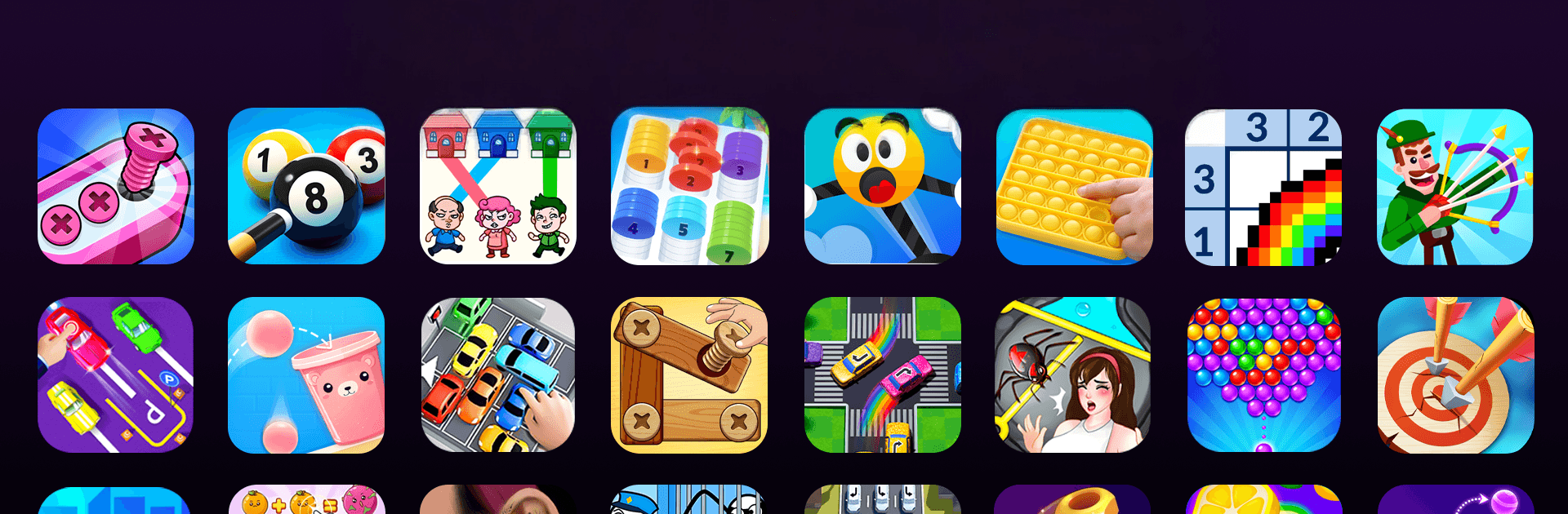
Mini relax games-No wifi is a Casual mix of quick, quirky mini games that you can jump into whenever you’ve got a spare minute. It’s all about low-stress fun: tap, draw, merge, and mash through bite-size challenges that feel great and don’t overstay their welcome. Everything works offline, and if you prefer a bigger screen, it runs nicely on BlueStacks too.

Game Features

  • Quick pick-up play: Short rounds built for waiting rooms, coffee breaks, or that last five minutes before bed.
  • Works without internet: No Wi-Fi? No problem. Play on planes, subways, or anywhere your signal disappears.
  • Soothing fidgets: Pop bubbles, slice soap, unscrew oddly satisfying panels—simple actions that scratch that “just one more” itch.
  • Bathroom dash chaos: Guide frantic characters through goofy obstacles to reach the restroom before the clock runs out.
  • Sketch-and-solve puzzles: Draw lines and shapes to change physics on the fly—shield a pup, reroute water, or complete clever objectives.
  • Fruit merges and tile swipes: Combine pieces into bigger, juicier results and breeze through colorful tile challenges with light strategy.
  • Tiny gadgets to poke: Spin a fidget spinner, press a stress button, and watch odd reactions loop in the most pleasing way.
  • Unexpected twists: Levels throw curveballs, sight gags, and playful mechanics that keep each tap a little surprising.
  • Easy controls for everyone: Straightforward gestures and friendly difficulty make it fun for kids, adults, and anyone in between.
  • Smooth on PC with BlueStacks: Prefer keyboard, mouse, and a comfy screen? It plays great there too.

Start your journey now. Download the game on BlueStacks, invite your friends, and march on a new adventure.


Game Features

Enhancements

  • Macros
  • Multi Instance
  • Script
  • Repeated Tap
  • Enhancements
Macros

Macros

Automate the predictable in Mini relax games-No wifi and transform your gameplay with Macros. Get access to inventive Macros in the BlueStacks Macro Community
Multi Instance

Multi Instance

Play Mini relax games-No wifi on one window. And chat with your friend on the other. Press CTRL + Shift + 8 to open the Multi-Instance Manager. And start creating fresh instances or clone an existing one.
Script

Script

Script your way to gaming glory in Mini relax games-No wifi with BlueStacks Script. Write and run a set of commands to automate repeated tasks. Trigger the command by assigning it to any key.
Repeated Tap

Repeated Tap

BlueStacks lets you master Mini relax games-No wifi with useful features like the Repeated Tap. Now you do not have to press the same key repeatedly to initiate an action. Just assign it to one key and you are good to go.
Read More

How to Download and Play Mini relax games-No wifi on PC or Mac

  • Download and install BlueStacks on your PC or Mac

  • Complete Google sign-in to access the Play Store, or do it later

  • Look for Mini relax games-No wifi in the search bar at the top right corner

  • Click to install Mini relax games-No wifi from the search results

  • Complete Google sign-in (if you skipped step 2) to install Mini relax games-No wifi

  • Click the Mini relax games-No wifi icon on the home screen to start playing

video
Watch Video

Minimum System Requirements

With BlueStacks 5, you can get started on a PC that fulfills the following requirements.

  • Operating System

    Microsoft Windows 7 or above, macOS 11 (Big Sur) or above

  • Processor

    Intel, AMD or Apple Silicon Processor

  • RAM

    at least 4GB

  • HDD

    10GB Free Disk Space

Note:

* You must be an Administrator on your PC. Up to date graphics drivers from Microsoft or the chipset vendor.

Mini relax games-No wifi - FAQs

  • How to play Mini relax games-No wifi on Windows PC & Mac?

    Play Mini relax games-No wifi on your PC or Mac by following these simple steps.

    • Click on 'Play Mini relax games-No wifi on PC’ to download BlueStacks
    • Install it and log-in to Google Play Store
    • Launch and play the game.
  • Why is BlueStacks the fastest and safest platform to play games on PC?

    BlueStacks respects your privacy and is always safe and secure to use. It does not carry any malware, spyware, or any sort of additional software that could harm your PC.

    It is engineered to optimize speed and performance for a seamless gaming experience.

  • What are Mini relax games-No wifi PC requirements?

    Minimum requirement to run Mini relax games-No wifi on your PC

    • OS: Microsoft Windows 7 or above MacOS 11 (Big Sur) or above
    • Processor: Intel, AMD or Apple Silicon Processor
    • RAM: Your PC must have at least 4GB of RAM. (Note that having 4GB or more disk space is not a substitute for RAM)
    • HDD: 10GB Free Disk Space.
    • You must be an Administrator on your PC.