Minifist - Martial Club Tycoon

Minifist - Martial Club Tycoon

Casual

| Jinshi Games

Play on PC with BlueStacks or from our cloud

  • Overview
  • Game Features
  • How to Play

Page Modified On: November 20, 2025

Play Minifist - Martial Club Tycoon on PC or Mac

Minifist – Martial Club Tycoon brings the Casual genre to life, and throws up exciting challenges for gamers. Developed by Jinshi Games, this Android game is best experienced on BlueStacks, the World’s #1 app player for PC and Mac users.

About the Game

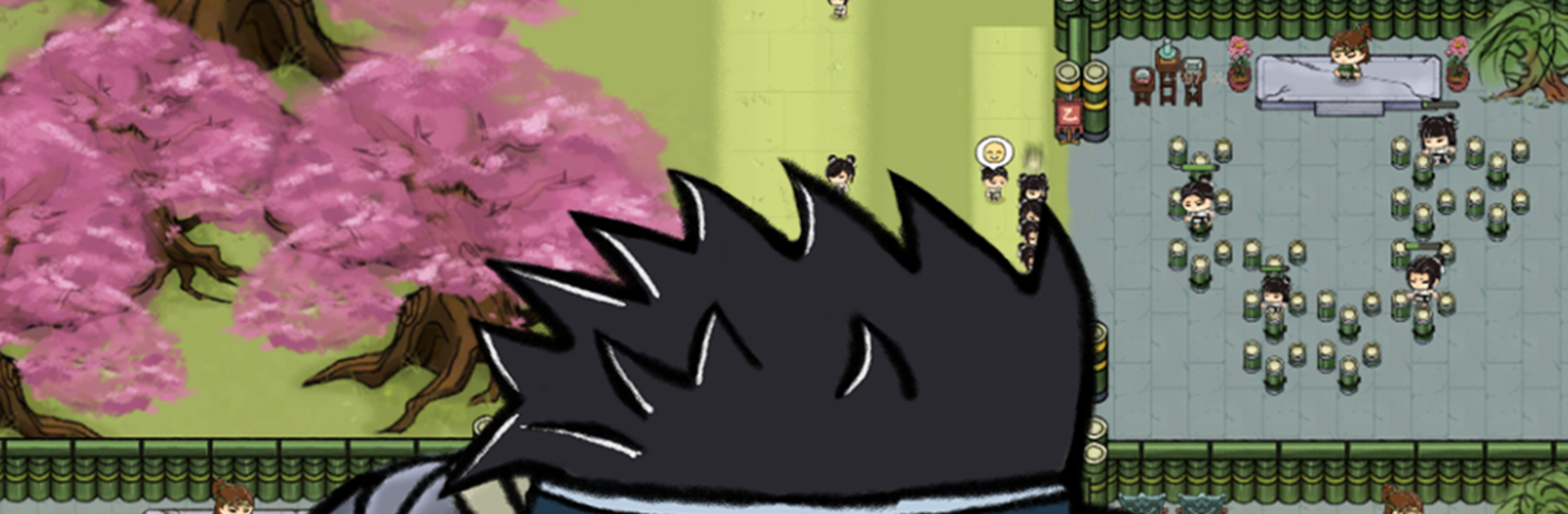
Minifist – Martial Club Tycoon is a Casual sim from Jinshi Games about building and running a martial arts school in an old-world setting. You’ll turn a modest yard into a respected club by training students, expanding facilities, and making smart calls day after day. It’s chill management with real payoffs—watch rookies grow into fighters who can hold their own in Wulin.

Game Features

  • Craft the Training Grounds: Set up boulder yards, pole gardens, wooden dummies, and balance beams. Each area sharpens different abilities, and your layout choices actually matter.
  • Grow from Unknown to Renowned: Expand halls, upgrade equipment, and polish amenities to attract more students and visiting masters. Prestige climbs as your club earns a name in the city.
  • Hands-On Coaching: Plan daily routines, pair mentors with fresh recruits, and queue drills that push students without burning them out. Tweak schedules when someone slacks or a prodigy appears.
  • Send Disciples on Outings: Dispatch trainees on toughening trips to bring back rare materials, relics, coin, and stories. Pick who goes, manage the risk, and enjoy the haul when they return.
  • Form a Tournament Squad: Recruit promising fighters and shape a team for martial arts tournaments. Win bouts, claim titles, and earn serious Wulin bragging rights.
  • Graduate and Keep the Lineage: Watch students evolve from hopefuls to recognized fighters. When they “graduate,” your reputation grows and new opportunities open up.
  • Play Your Way: Great for quick sessions or longer planning sprees. It’s smooth on mobile, and it feels right at home on PC with BlueStacks if you like keyboard-and-mouse control.

Make your gaming sessions memorable with precise controls that give you an edge in close combats and visuals that pop up, bringing every character to life.


Game Features

Enhancements

  • Macros
  • Multi Instance
  • Script
  • Repeated Tap
  • Enhancements
Macros

Macros

Automate the predictable in Minifist - Martial Club Tycoon and transform your gameplay with Macros. Get access to inventive Macros in the BlueStacks Macro Community
Multi Instance

Multi Instance

Play Minifist - Martial Club Tycoon on one window. And chat with your friend on the other. Press CTRL + Shift + 8 to open the Multi-Instance Manager. And start creating fresh instances or clone an existing one.
Script

Script

Script your way to gaming glory in Minifist - Martial Club Tycoon with BlueStacks Script. Write and run a set of commands to automate repeated tasks. Trigger the command by assigning it to any key.
Repeated Tap

Repeated Tap

BlueStacks lets you master Minifist - Martial Club Tycoon with useful features like the Repeated Tap. Now you do not have to press the same key repeatedly to initiate an action. Just assign it to one key and you are good to go.
Read More

How to Download and Play Minifist - Martial Club Tycoon on PC or Mac

  • Download and install BlueStacks on your PC or Mac

  • Complete Google sign-in to access the Play Store, or do it later

  • Look for Minifist - Martial Club Tycoon in the search bar at the top right corner

  • Click to install Minifist - Martial Club Tycoon from the search results

  • Complete Google sign-in (if you skipped step 2) to install Minifist - Martial Club Tycoon

  • Click the Minifist - Martial Club Tycoon icon on the home screen to start playing

video
Watch Video

Minimum System Requirements

With BlueStacks 5, you can get started on a PC that fulfills the following requirements.

  • Operating System

    Microsoft Windows 7 or above, macOS 11 (Big Sur) or above

  • Processor

    Intel, AMD or Apple Silicon Processor

  • RAM

    at least 4GB

  • HDD

    10GB Free Disk Space

Note:

* You must be an Administrator on your PC. Up to date graphics drivers from Microsoft or the chipset vendor.

Minifist - Martial Club Tycoon - FAQs

  • How to play Minifist - Martial Club Tycoon on Windows PC & Mac?

    Play Minifist - Martial Club Tycoon on your PC or Mac by following these simple steps.

    • Click on 'Play Minifist - Martial Club Tycoon on PC’ to download BlueStacks
    • Install it and log-in to Google Play Store
    • Launch and play the game.
  • Why is BlueStacks the fastest and safest platform to play games on PC?

    BlueStacks respects your privacy and is always safe and secure to use. It does not carry any malware, spyware, or any sort of additional software that could harm your PC.

    It is engineered to optimize speed and performance for a seamless gaming experience.

  • What are Minifist - Martial Club Tycoon PC requirements?

    Minimum requirement to run Minifist - Martial Club Tycoon on your PC

    • OS: Microsoft Windows 7 or above MacOS 11 (Big Sur) or above
    • Processor: Intel, AMD or Apple Silicon Processor
    • RAM: Your PC must have at least 4GB of RAM. (Note that having 4GB or more disk space is not a substitute for RAM)
    • HDD: 10GB Free Disk Space.
    • You must be an Administrator on your PC.