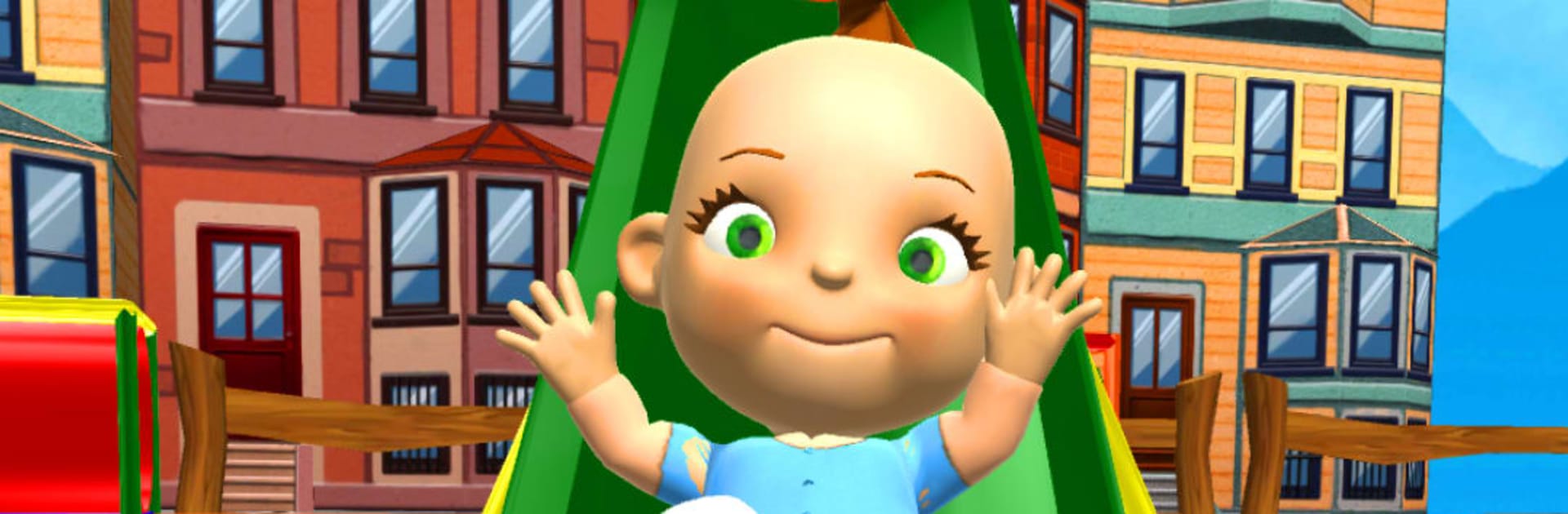
My Baby Babsy Playground Fun

My Baby Babsy Playground Fun

Casual

| Kaufcom Games Apps Widgets

Play on PC with BlueStacks or from our cloud

  • Overview
  • Game Features
  • How to Play

Page Modified On: September 11, 2026

Play My Baby Babsy Playground Fun on PC or Mac

Bring your A-game to My Baby Babsy Playground Fun, the Casual game sensation from Kaufcom Games Apps Widgets. Give your gameplay the much-needed boost with precise game controls, high FPS graphics, and top-tier features on your PC or Mac with BlueStacks.

About the Game

My Baby Babsy Playground Fun is a lighthearted Casual playdate with a giggly, talkative toddler who loves attention and silly antics. You’ll hang out at a colorful city playground, try mini-games, doodle, dress her up, and keep her happy with snacks and cuddles. It’s the kind of pick-up-and-play fun that fits short breaks—and it runs nicely on BlueStacks if you prefer relaxing at a desk.

Game Features

  • Talking Babsy: Speak to Babsy and hear her echo your words, then watch her react when you tap, poke, or tickle.
  • Playground Shenanigans: Send her down slides, give the swings a push, and explore a toy-filled park built for curious little adventurers.
  • Dress-Up Closet: Mix and match pajamas, overalls, and other cute outfits to suit Babsy’s mood (or yours).
  • Care & Comfort: Feed her when she’s peckish and hand over a lollipop when she needs a little extra comfort.
  • Musical Moments: Hand Babsy a guitar or maraca and enjoy her tiny jam sessions—adorably noisy in all the right ways.
  • Creative Studio: Paint and doodle with a fingertip-friendly canvas that lets you scribble freely and save your favorite masterpieces.
  • Mini-Games Galore: Tackle bite-sized challenges with simple goals and steadily trickier stages that keep things fresh.
  • Bright 3D World: Stroll through a lively, colorful scene packed with smooth animations and charming details that bring Babsy to life.

Start your journey now. Download the game on BlueStacks, invite your friends, and march on a new adventure.


Game Features

Enhancements

  • Macros
  • Multi Instance
  • Script
  • Repeated Tap
  • Enhancements
Macros

Macros

Automate the predictable in My Baby Babsy Playground Fun and transform your gameplay with Macros. Get access to inventive Macros in the BlueStacks Macro Community
Multi Instance

Multi Instance

Play My Baby Babsy Playground Fun on one window. And chat with your friend on the other. Press CTRL + Shift + 8 to open the Multi-Instance Manager. And start creating fresh instances or clone an existing one.
Script

Script

Script your way to gaming glory in My Baby Babsy Playground Fun with BlueStacks Script. Write and run a set of commands to automate repeated tasks. Trigger the command by assigning it to any key.
Repeated Tap

Repeated Tap

BlueStacks lets you master My Baby Babsy Playground Fun with useful features like the Repeated Tap. Now you do not have to press the same key repeatedly to initiate an action. Just assign it to one key and you are good to go.
Read More

How to Download and Play My Baby Babsy Playground Fun on PC or Mac

  • Download and install BlueStacks on your PC or Mac

  • Complete Google sign-in to access the Play Store, or do it later

  • Look for My Baby Babsy Playground Fun in the search bar at the top right corner

  • Click to install My Baby Babsy Playground Fun from the search results

  • Complete Google sign-in (if you skipped step 2) to install My Baby Babsy Playground Fun

  • Click the My Baby Babsy Playground Fun icon on the home screen to start playing

video
Watch Video

Minimum System Requirements

With BlueStacks 5, you can get started on a PC that fulfills the following requirements.

  • Operating System

    Microsoft Windows 7 or above, macOS 11 (Big Sur) or above

  • Processor

    Intel, AMD or Apple Silicon Processor

  • RAM

    at least 4GB

  • HDD

    10GB Free Disk Space

Note:

* You must be an Administrator on your PC. Up to date graphics drivers from Microsoft or the chipset vendor.

My Baby Babsy Playground Fun - FAQs

  • How to play My Baby Babsy Playground Fun on Windows PC & Mac?

    Play My Baby Babsy Playground Fun on your PC or Mac by following these simple steps.

    • Click on 'Play My Baby Babsy Playground Fun on PC’ to download BlueStacks
    • Install it and log-in to Google Play Store
    • Launch and play the game.
  • Why is BlueStacks the fastest and safest platform to play games on PC?

    BlueStacks respects your privacy and is always safe and secure to use. It does not carry any malware, spyware, or any sort of additional software that could harm your PC.

    It is engineered to optimize speed and performance for a seamless gaming experience.

  • What are My Baby Babsy Playground Fun PC requirements?

    Minimum requirement to run My Baby Babsy Playground Fun on your PC

    • OS: Microsoft Windows 7 or above MacOS 11 (Big Sur) or above
    • Processor: Intel, AMD or Apple Silicon Processor
    • RAM: Your PC must have at least 4GB of RAM. (Note that having 4GB or more disk space is not a substitute for RAM)
    • HDD: 10GB Free Disk Space.
    • You must be an Administrator on your PC.