Rescue Mary: Manor Renovation

Rescue Mary: Manor Renovation

Casual

| Candy Factory Game

Play on PC with BlueStacks or from our cloud

  • Overview
  • Game Features
  • How to Play

Page Modified On: October 23, 2025

Play Rescue Mary: Manor Renovation on PC or Mac

From the innovators and creators at Candy Factory Game, Rescue Mary: Manor Renovation is another fun addition to the World of Casual games. Go beyond your mobile screen and play it bigger and better on your PC or Mac. An immersive experience awaits you.

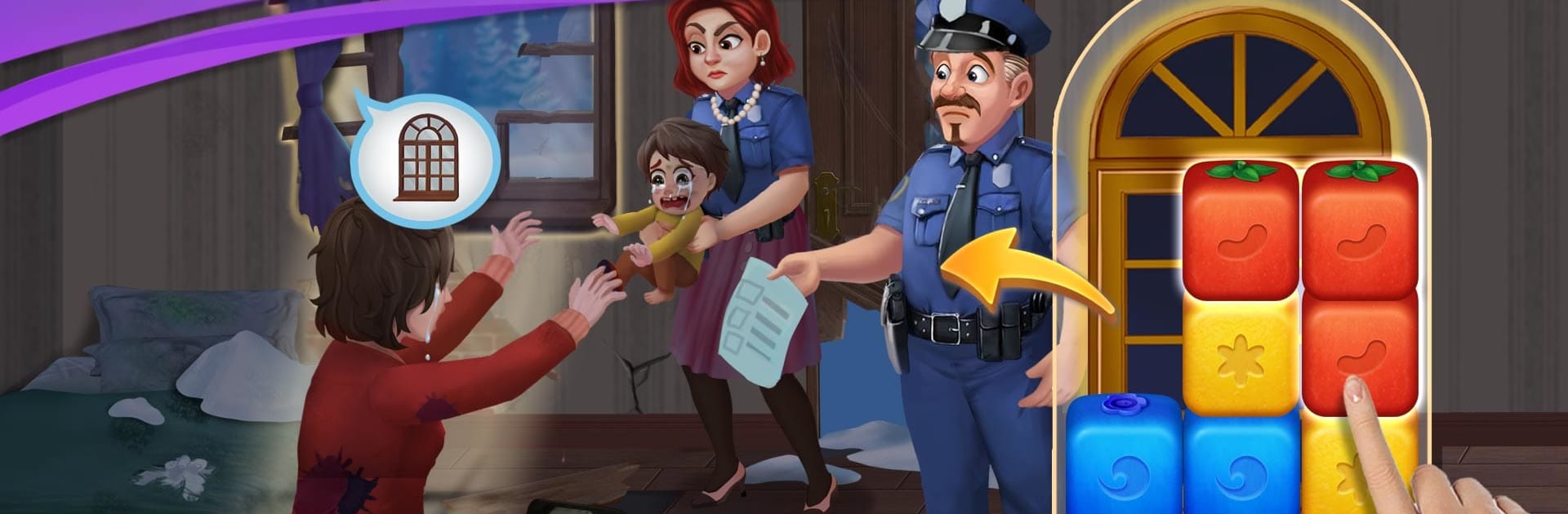
Rescue Mary: Manor Renovation is one of those blast puzzlers that mixes simple tapping with a soap-y story about fixing up a huge old manor. Players follow Mary while she cleans up a wrecked estate, deals with some thieves who ran off with family treasure, and gets pulled into a bit of romance drama. There is a pushy friend, a sketchy uncle to boot out, and a love triangle that keeps showing up between jobs. It is light, goofy, and it keeps the story moving without getting in the way.

The puzzles are the tap-to-clear kind, where bigger groups give special pieces. Small chains pop, bigger chains drop rockets and bombs, and really big ones make a rainbow that wipes colors. Chaining those together is where the fun is, since you can blast half the board in one go when it lines up. Finishing levels feeds into the renovation part, so rooms open up and you choose styles, from classic European to something more simple. There are little interactive moments during construction too, like picking the right tool to remove a tree. Pick wrong and it backfires, which is funny unless it costs a run. On PC with BlueStacks, clicking groups feels quick and the bigger screen makes decorating rooms and following the dialogue smoother. It is a chill loop with hundreds of stages, some spikes here and there, but mostly a steady, cozy pace with enough story mess to keep curiosity going.

Get ready for a buttery smooth, high-performance gaming action only on BlueStacks.

Game Features

Enhancements

  • Macros
  • Multi Instance
  • Script
  • Repeated Tap
  • Enhancements
Macros

Macros

Automate the predictable in Rescue Mary: Manor Renovation and transform your gameplay with Macros. Get access to inventive Macros in the BlueStacks Macro Community
Multi Instance

Multi Instance

Play Rescue Mary: Manor Renovation on one window. And chat with your friend on the other. Press CTRL + Shift + 8 to open the Multi-Instance Manager. And start creating fresh instances or clone an existing one.
Script

Script

Script your way to gaming glory in Rescue Mary: Manor Renovation with BlueStacks Script. Write and run a set of commands to automate repeated tasks. Trigger the command by assigning it to any key.
Repeated Tap

Repeated Tap

BlueStacks lets you master Rescue Mary: Manor Renovation with useful features like the Repeated Tap. Now you do not have to press the same key repeatedly to initiate an action. Just assign it to one key and you are good to go.
Read More

How to Download and Play Rescue Mary: Manor Renovation on PC or Mac

  • Download and install BlueStacks on your PC or Mac

  • Complete Google sign-in to access the Play Store, or do it later

  • Look for Rescue Mary: Manor Renovation in the search bar at the top right corner

  • Click to install Rescue Mary: Manor Renovation from the search results

  • Complete Google sign-in (if you skipped step 2) to install Rescue Mary: Manor Renovation

  • Click the Rescue Mary: Manor Renovation icon on the home screen to start playing

video
Watch Video

Minimum System Requirements

With BlueStacks 5, you can get started on a PC that fulfills the following requirements.

  • Operating System

    Microsoft Windows 7 or above, macOS 11 (Big Sur) or above

  • Processor

    Intel, AMD or Apple Silicon Processor

  • RAM

    at least 4GB

  • HDD

    10GB Free Disk Space

Note:

* You must be an Administrator on your PC. Up to date graphics drivers from Microsoft or the chipset vendor.

Rescue Mary: Manor Renovation - FAQs

  • How to play Rescue Mary: Manor Renovation on Windows PC & Mac?

    Play Rescue Mary: Manor Renovation on your PC or Mac by following these simple steps.

    • Click on 'Play Rescue Mary: Manor Renovation on PC’ to download BlueStacks
    • Install it and log-in to Google Play Store
    • Launch and play the game.
  • Why is BlueStacks the fastest and safest platform to play games on PC?

    BlueStacks respects your privacy and is always safe and secure to use. It does not carry any malware, spyware, or any sort of additional software that could harm your PC.

    It is engineered to optimize speed and performance for a seamless gaming experience.

  • What are Rescue Mary: Manor Renovation PC requirements?

    Minimum requirement to run Rescue Mary: Manor Renovation on your PC

    • OS: Microsoft Windows 7 or above MacOS 11 (Big Sur) or above
    • Processor: Intel, AMD or Apple Silicon Processor
    • RAM: Your PC must have at least 4GB of RAM. (Note that having 4GB or more disk space is not a substitute for RAM)
    • HDD: 10GB Free Disk Space.
    • You must be an Administrator on your PC.