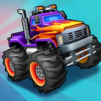
Shape Switch Transform Race

Shape Switch Transform Race

Casual

| FlickFun Studio

Play on PC with BlueStacks or from our cloud

  • Overview
  • Game Features
  • How to Play

Page Modified On: January 09, 2026

Play Shape Switch Transform Race on PC or Mac

Join millions to experience Shape Switch Transform Race, an exciting Casual game from FlickFun Studio. With BlueStacks App Player, you are always a step ahead of your opponent, ready to outplay them with faster gameplay and better control with the mouse and keyboard on your PC or Mac.

About the Game

Shape Switch Transform Race is all about quick thinking at top speed. Your ride can morph on command, and every stretch of track tests whether you can pick the right form in time. It’s a snappy, reflex-driven Casual racer from FlickFun Studio that blends the thrill of fast driving with light puzzle timing.

Game Features

  • Instant shape switching: Tap to swap forms mid-run and handle whatever’s ahead—duck under low bars, brace for block walls, or land clean off a steep ramp. Switch late and you’ll lose that flow.
  • Tracks with personality: Colorful, lively courses packed with moving parts, surprise turns, and playful hazards keep you guessing from start to finish.
  • Easy controls, real challenge: The controls stay simple so your focus can be on reading the track and timing your morphs just right.
  • Quick, bite-sized runs: Levels are short and punchy, perfect for a few attempts on a break, with tighter timing windows as you progress.
  • Crisp 3D look: Smooth visuals, bold colors, and satisfying transform effects make every successful switch feel great.
  • Built for pick-up play: Whether you’ve got a minute or a longer session, it’s easy to hop in and chase a cleaner run.
  • BlueStacks friendly: Prefer a bigger view? It also plays nicely on PC with BlueStacks without changing the feel.

Ready to top the leaderboard? We bet you do. Let precise controls and sharp visuals optimized on BlueStacks lead you to victory.


Game Features

Enhancements

  • Macros
  • Multi Instance
  • Script
  • Repeated Tap
  • Enhancements
Macros

Macros

Automate the predictable in Shape Switch Transform Race and transform your gameplay with Macros. Get access to inventive Macros in the BlueStacks Macro Community
Multi Instance

Multi Instance

Play Shape Switch Transform Race on one window. And chat with your friend on the other. Press CTRL + Shift + 8 to open the Multi-Instance Manager. And start creating fresh instances or clone an existing one.
Script

Script

Script your way to gaming glory in Shape Switch Transform Race with BlueStacks Script. Write and run a set of commands to automate repeated tasks. Trigger the command by assigning it to any key.
Repeated Tap

Repeated Tap

BlueStacks lets you master Shape Switch Transform Race with useful features like the Repeated Tap. Now you do not have to press the same key repeatedly to initiate an action. Just assign it to one key and you are good to go.
Read More

How to Download and Play Shape Switch Transform Race on PC or Mac

  • Download and install BlueStacks on your PC or Mac

  • Complete Google sign-in to access the Play Store, or do it later

  • Look for Shape Switch Transform Race in the search bar at the top right corner

  • Click to install Shape Switch Transform Race from the search results

  • Complete Google sign-in (if you skipped step 2) to install Shape Switch Transform Race

  • Click the Shape Switch Transform Race icon on the home screen to start playing

video
Watch Video

Minimum System Requirements

With BlueStacks 5, you can get started on a PC that fulfills the following requirements.

  • Operating System

    Microsoft Windows 7 or above, macOS 11 (Big Sur) or above

  • Processor

    Intel, AMD or Apple Silicon Processor

  • RAM

    at least 4GB

  • HDD

    10GB Free Disk Space

Note:

* You must be an Administrator on your PC. Up to date graphics drivers from Microsoft or the chipset vendor.

Shape Switch Transform Race - FAQs

  • How to play Shape Switch Transform Race on Windows PC & Mac?

    Play Shape Switch Transform Race on your PC or Mac by following these simple steps.

    • Click on 'Play Shape Switch Transform Race on PC’ to download BlueStacks
    • Install it and log-in to Google Play Store
    • Launch and play the game.
  • Why is BlueStacks the fastest and safest platform to play games on PC?

    BlueStacks respects your privacy and is always safe and secure to use. It does not carry any malware, spyware, or any sort of additional software that could harm your PC.

    It is engineered to optimize speed and performance for a seamless gaming experience.

  • What are Shape Switch Transform Race PC requirements?

    Minimum requirement to run Shape Switch Transform Race on your PC

    • OS: Microsoft Windows 7 or above MacOS 11 (Big Sur) or above
    • Processor: Intel, AMD or Apple Silicon Processor
    • RAM: Your PC must have at least 4GB of RAM. (Note that having 4GB or more disk space is not a substitute for RAM)
    • HDD: 10GB Free Disk Space.
    • You must be an Administrator on your PC.