Simba MiniGames
Simba MiniGames

Simba MiniGames

Casual

| Pimpochka Games

Play on PC with BlueStacks or from our cloud

  • Overview
  • Game Features
  • How to Play

Page Modified On: August 25, 2026

Play Simba MiniGames on PC or Mac

Bring your A-game to Simba MiniGames, the Casual game sensation from Pimpochka Games. Give your gameplay the much-needed boost with precise game controls, high FPS graphics, and top-tier features on your PC or Mac with BlueStacks.

About the Game

Simba MiniGames is a Casual collection of bite-sized challenges starring a playful crew of kittens. Hop between quick puzzles, reflex tests, and short interactive stories while racking up scores, earning goodies, and unlocking new stuff at a relaxed pace. Prefer a bigger screen and click-precise control? It runs smoothly on PC with BlueStacks.

Game Features

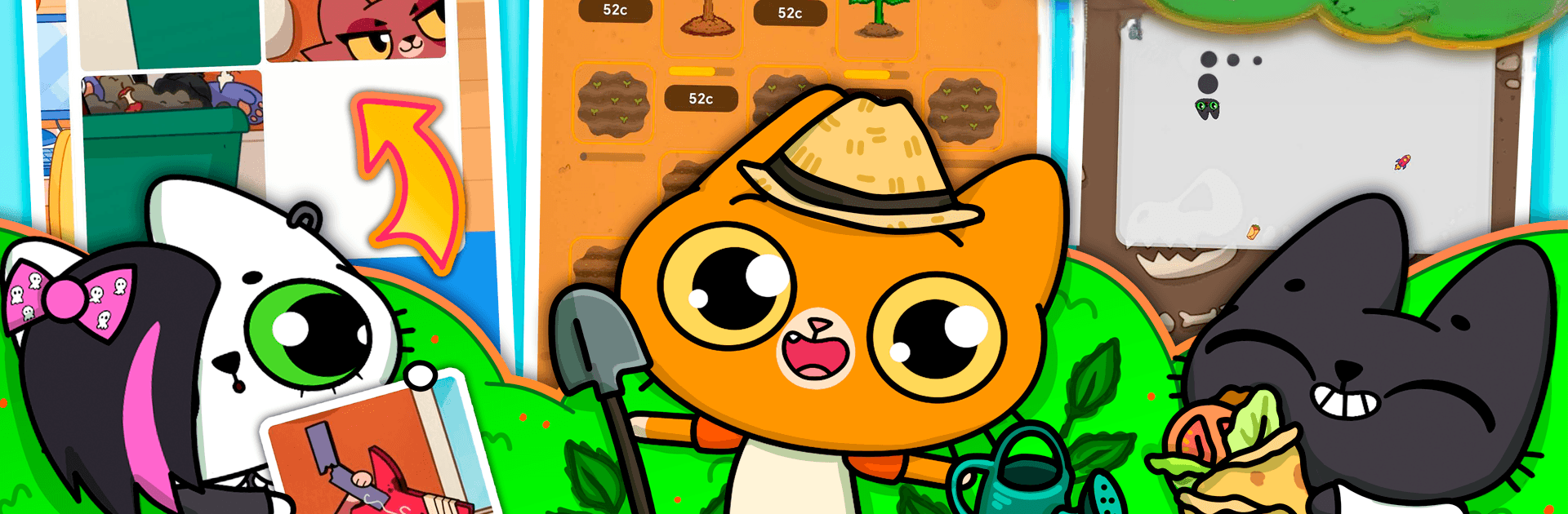
  • Play-your-way lineup: Switch among a falling-block cat puzzler, a fresh twist on Snake, timed memory matches, pizza-box stacking, cozy farming, color code cracking, and short interactive stories.
  • Quick sessions, big replay: Rounds are fast to learn and finish, so you can squeeze in a game anytime—and chase that “just one more try” feeling.
  • Progress that unlocks more: Keep playing to open new mini-games and surprises, with steady progression that never feels pushy.
  • Goals that stick: Hunt down achievements and beat your own records, whether you’re timing a perfect run or polishing a high score.
  • Favorite list at the ready: Tag the mini-games you love so they’re always front and center when you jump back in.
  • Cat crew with charm: Hang out with Simba, Benji, Mursday, Tigra, and friends—each bringing personality and cute reactions across the collection.
  • Earn, spend, improve: Gather SimBucks and diamonds, then grab helpful upgrades and boosters in the shop to power your next run.
  • Collectibles to chase: Build out sets with capsule-style trinkets and other keepsakes that make each session feel rewarding.
  • Friendly feel, sneaky depth: Simple controls keep things chill, while smart puzzles and light timers add just enough challenge to keep you sharp.

Get ready for a buttery smooth, high-performance gaming action only on BlueStacks.

Game Features

Enhancements

  • Macros
  • Multi Instance
  • Script
  • Repeated Tap
  • Enhancements
Macros

Macros

Automate the predictable in Simba MiniGames and transform your gameplay with Macros. Get access to inventive Macros in the BlueStacks Macro Community
Multi Instance

Multi Instance

Play Simba MiniGames on one window. And chat with your friend on the other. Press CTRL + Shift + 8 to open the Multi-Instance Manager. And start creating fresh instances or clone an existing one.
Script

Script

Script your way to gaming glory in Simba MiniGames with BlueStacks Script. Write and run a set of commands to automate repeated tasks. Trigger the command by assigning it to any key.
Repeated Tap

Repeated Tap

BlueStacks lets you master Simba MiniGames with useful features like the Repeated Tap. Now you do not have to press the same key repeatedly to initiate an action. Just assign it to one key and you are good to go.
Read More

How to Download and Play Simba MiniGames on PC or Mac

  • Download and install BlueStacks on your PC or Mac

  • Complete Google sign-in to access the Play Store, or do it later

  • Look for Simba MiniGames in the search bar at the top right corner

  • Click to install Simba MiniGames from the search results

  • Complete Google sign-in (if you skipped step 2) to install Simba MiniGames

  • Click the Simba MiniGames icon on the home screen to start playing

video
Watch Video

Minimum System Requirements

With BlueStacks 5, you can get started on a PC that fulfills the following requirements.

  • Operating System

    Microsoft Windows 7 or above, macOS 11 (Big Sur) or above

  • Processor

    Intel, AMD or Apple Silicon Processor

  • RAM

    at least 4GB

  • HDD

    10GB Free Disk Space

Note:

* You must be an Administrator on your PC. Up to date graphics drivers from Microsoft or the chipset vendor.

Simba MiniGames - FAQs

  • How to play Simba MiniGames on Windows PC & Mac?

    Play Simba MiniGames on your PC or Mac by following these simple steps.

    • Click on 'Play Simba MiniGames on PC’ to download BlueStacks
    • Install it and log-in to Google Play Store
    • Launch and play the game.
  • Why is BlueStacks the fastest and safest platform to play games on PC?

    BlueStacks respects your privacy and is always safe and secure to use. It does not carry any malware, spyware, or any sort of additional software that could harm your PC.

    It is engineered to optimize speed and performance for a seamless gaming experience.

  • What are Simba MiniGames PC requirements?

    Minimum requirement to run Simba MiniGames on your PC

    • OS: Microsoft Windows 7 or above MacOS 11 (Big Sur) or above
    • Processor: Intel, AMD or Apple Silicon Processor
    • RAM: Your PC must have at least 4GB of RAM. (Note that having 4GB or more disk space is not a substitute for RAM)
    • HDD: 10GB Free Disk Space.
    • You must be an Administrator on your PC.